EasyManua.ls Logo

Sharp EL-6360 - Page 25

Sharp EL-6360
56 pages
Print Icon
To Next Page IconTo Next Page
To Previous Page IconTo Previous Page
Loading...
digits).
To
store
a
schedule
listing
in
the
same
year,
this
step
can
be
omitted.
Schedules
in
the
following
years
can
be
stored:
1901
to
2098.
.
Enter
the
starting
date
and
time
on
the
second
line.
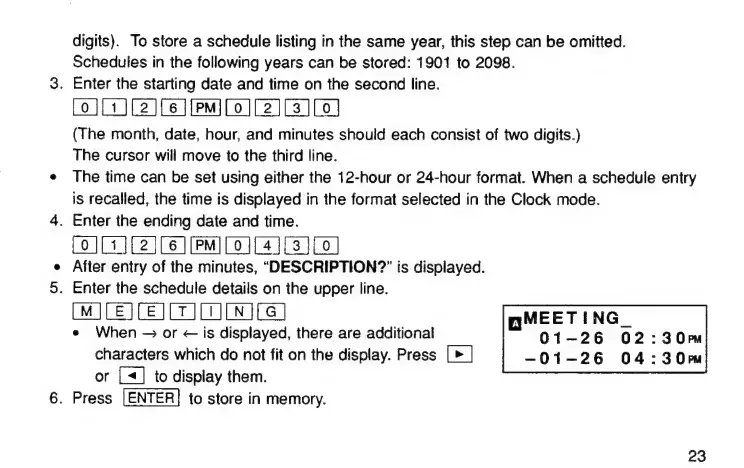
[0][1][2][6
][рРм][о0][Г2][83][0]
(The
month,
date,
hour,
and
minutes
should
each
consist
of
two
digits.)
The
cursor
will
move
to
the
third
line.
The
time
can
be
set
using
either
the
12-hour
or
24-hour
format.
When
a
schedule
entry
is
recalled,
the
time
is
displayed
in
the
format
selected
in
the
Clock
mode.
Enter
the
ending
date
and
time.
(0111
12
(6
ЇРМТГ01141
3101
After
entry
of
the
minutes,
“DESCRIPTION?”
is
displayed.
Enter
the
schedule
details
on
the
upper
line.
[MJ[E][EJ[T
JD
[N
|
ПМЕЕТ
ING
е
When
-
ог
<
is
displayed,
there
are
additional
01—26
02
-
ЗОРМ
characters
which
do
not
fit
on
the
display.
Press
[>
|
-01-26
04:30»
or
[4]
to
display
them.
Press
|ENTER|
to
store
in
memory.
23

Related product manuals