EasyManua.ls Logo

Sharp EL-6360 - Page 33

Sharp EL-6360
56 pages
Print Icon
To Next Page IconTo Next Page
To Previous Page IconTo Previous Page
Loading...
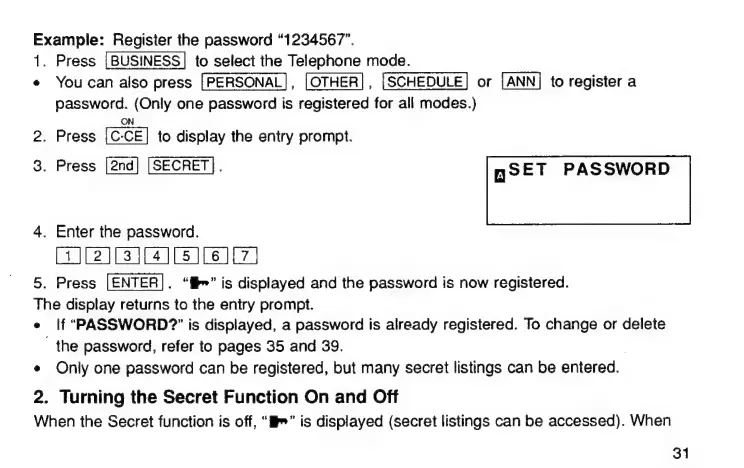
Example:
Register
the
password
“1234567”.
1.
Press
[BUSINESS]
to
select
the
Telephone
mode.
е
You
can
also
press
[PERSONAL],
|
ОТНЕВ|,
[SCHEDULE]
or
to
register
a
password.
(Only
one
password
is
registered
for
all
modes.)
ON
2.
Press
to
display
the
entry
prompt.
3.
Press
[SECRET].
ПОЕТ
PASSWORD
4.
Enter
the
password.
[6]
5.
Press
.
"Mr"
is
displayed
and
the
password
is
now
registered.
The
display
returns
to
the
entry
prompt.
е
lf
"PASSWORD?"
is
displayed,
a
password
is
already
registered.
To
change
or
delete
1ከ6
password,
refer
to
pages
35
and
39.
е
Only
one
password
сап
be
registered,
but
many
secret
listings
can
be
entered.
2.
Turning
the
Secret
Function
On
and
Off
When
the
Secret
function
is
off,
“i”
is
displayed
(secret
listings
can
be
accessed).
When
31

Related product manuals