EasyManua.ls Logo

Sharp EL-6660 - Page 16

Sharp EL-6660
50 pages
Print Icon
To Next Page IconTo Next Page
To Previous Page IconTo Previous Page
Loading...
Monthly
calendars
covering
the
period
from
January,
1901
to
December,
2099
can
be
displayed.
(1)
Difference
between
the
EL-6660/6690
and
EL-
6660A/6690A
The
difference
between
the
EL-6660/6690
and
EL-6660A/
6690A
is
the
week
format
of
the
calendar.
EL-6660/6690
:
Sunday-through-Saturday
EL-6660A/6690A
:
Monday-through-Sunday
This
Manual
explains
the
operation
with
the
caiendar
in
the
Sunday-through-Saturday
format.
(2)
Operation
of
^^
(or
(=)
and
/
*
(or
{2
7)
during
the
monthly
calendar
display
The
Organizer
has
a
three-line
display
and
three
weeks
of
a
month
can
be
displayed.
Press
^7
(or
A)
to
display
the
following
(or
previous)
month.
Press
{+
\
(or
{=
})
to
move
the
cursor
down
(or
up)
or
scrolls
the
calendar
up
(or
down)
one
week.
Displaying
and
Changing
the
Monthly
Calendar
There
are
2
ways
to
recall
the
desired
monthly
calendar:
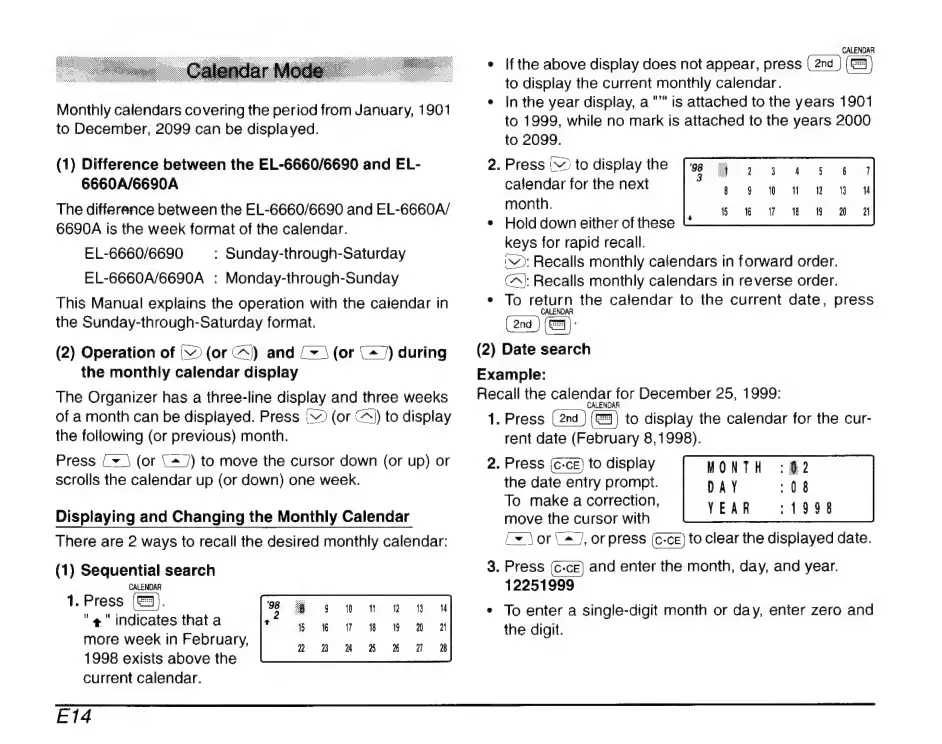
(1)
Sequential
search
CALENDAR
1.
Press
(©).
"4
indicates
that
a
more
week
in
February,
1998
exists
above
the
current
calendar.
CALENDAR
*
Ifthe
above
display
does
not
appear,
press
to
display
the
current
monthly
calendar.
e
|n
the
year
display,
a
"©"
is
attached
to
the
years
1901
to
1999,
while
no
mark
is
attached
to
the
years
2000
to
2099.
2.
Press
^
to
display
the
calendar
for
the
next
month.
*
Hold
down
either
of
these
keys
for
rapid
recall.
iv
Recalls
monthly
calendars
in
forward
order.
C^
Recalls
monthly
calendars
in
reverse
order.
*
To
return
the
calendar
to
the
current
date,
press
CALENDAR
(
2nd
(=):
(2)
Date
search
Example:
Recall
the
calendar
for
December
25,
1999:
1.
Press
to
display
the
calendar
for
the
cur-
rent
date
(February
8,1998).
2.
Press
{c-ce)
to
display
the
date
entry
prompt.
To
make
a
correction,
move
the
cursor
with
MONTH
DAY
YEAR
:19898
fx
\or
2
j,
orpress
to
clear
the
displayed
date.
3.
Press
and
enter
the
month,
day,
and
year.
12251999
*
To
enter
a
single-digit
month
or
day,
enter
zero
and
the
digit.
E14

Related product manuals