EasyManua.ls Logo

Sharp EL-6660 - Page 25

Sharp EL-6660
50 pages
Print Icon
To Next Page IconTo Next Page
To Previous Page IconTo Previous Page
Loading...
L^
s
You
can
conveniently
stores
notes
or
other
bits
of
infor-
mation
not
appropriate
for
Schedule
or
other
modes.
The
maximum
numbers
of
characters
for
each
memo
is
512.
1.
Storing
Memo
listings
Example:
Enter
the
following
data:
"UNION
BANK
South
branch
272-001
1223"
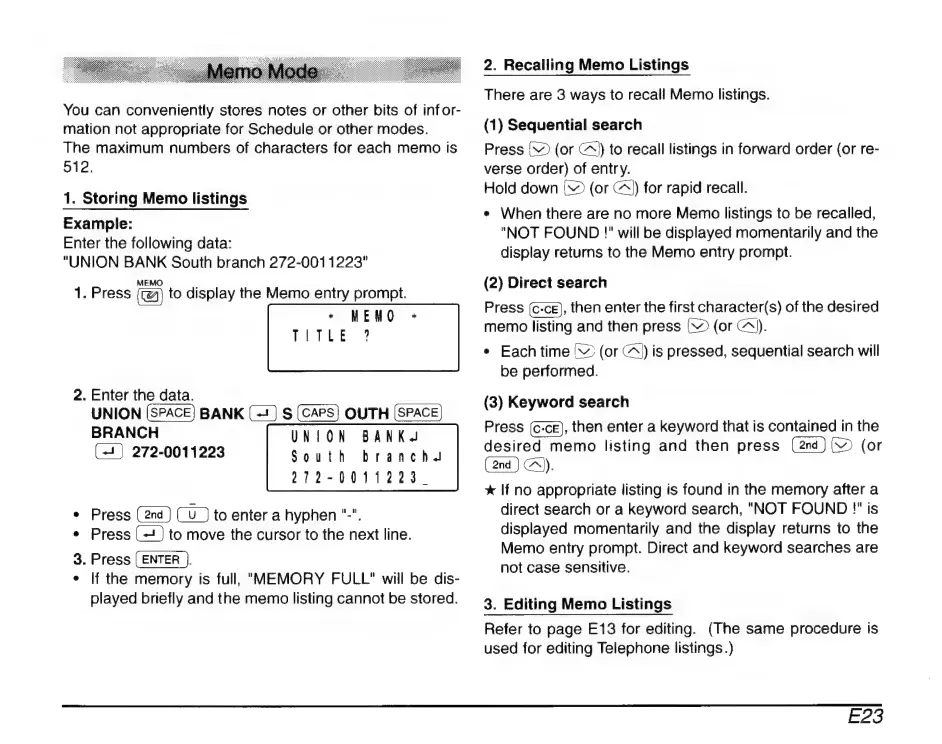
1.
Press
cA
to
display
the
Memo
entry
prompt.
+
MEMO
+
TETEE
3
2.
Enter
the
data.
UNION
(SPACE)
BANK
(=)
S
(CAPS)
OUTH
(SPACE)
BRANCH
UNION
BANK.
(+)
272-0011223
South
branch.
2012-0011223.
Press
to
enter
a
hyphen
"-".
*
Press
to
move
the
cursor
to
the
next
line.
.
Press
(ENTER
J.
If
the
memory
is
full,
"MEMORY
FULL"
will
be
dis-
played
briefly
and
the
memo
listing
cannot
be
stored.
*
©
2.
Recalling
Memo
Listings
There
are
3
ways
to
recall
Memo
listings.
(1)
Sequential
search
Press
V
(or
(^
to
recall
listings
in
forward
order
(or
re-
verse
order)
of
entr
y.
Hold
down
|
(or
A))
for
rapid
recall.
*
When
there
are
no
more
Memo
listings
to
be
recalled,
"NOT
FOUND
!"
will
be
displayed
momentarily
and
the
display
returns
to
the
Memo
entry
prompt.
(2)
Direct
search
Press
(c-ce),
then
enter
the
first
character(s)
of
the
desired
memo
listing
and
then
press
(
(or
A).
*
Each
time
'
(or
C^)
is
pressed,
sequential
search
will
be
performed.
(3)
Keyword
search
Press
(c-ce),
then
enter
a
keyword
that
is
contained
in
the
desired
memo
listing
and
then
press
[2
(or
c.
x
If
no
appropriate
listing
is
found
in
the
memory
after
a
direct
search
or
a
keyword
search,
"NOT
FOUND
!"
is
displayed
momentarily
and
the
display
returns
to
the
Memo
entry
prompt.
Direct
and
keyword
searches
are
not
case
sensitive.
3.
Editing
Memo
Listings
Refer
to
page
E13
for
editing.
(The
same
procedure
is
used
for
editing
Telephone
listings.)
E23

Related product manuals