2. Programming
[JOB#1000]
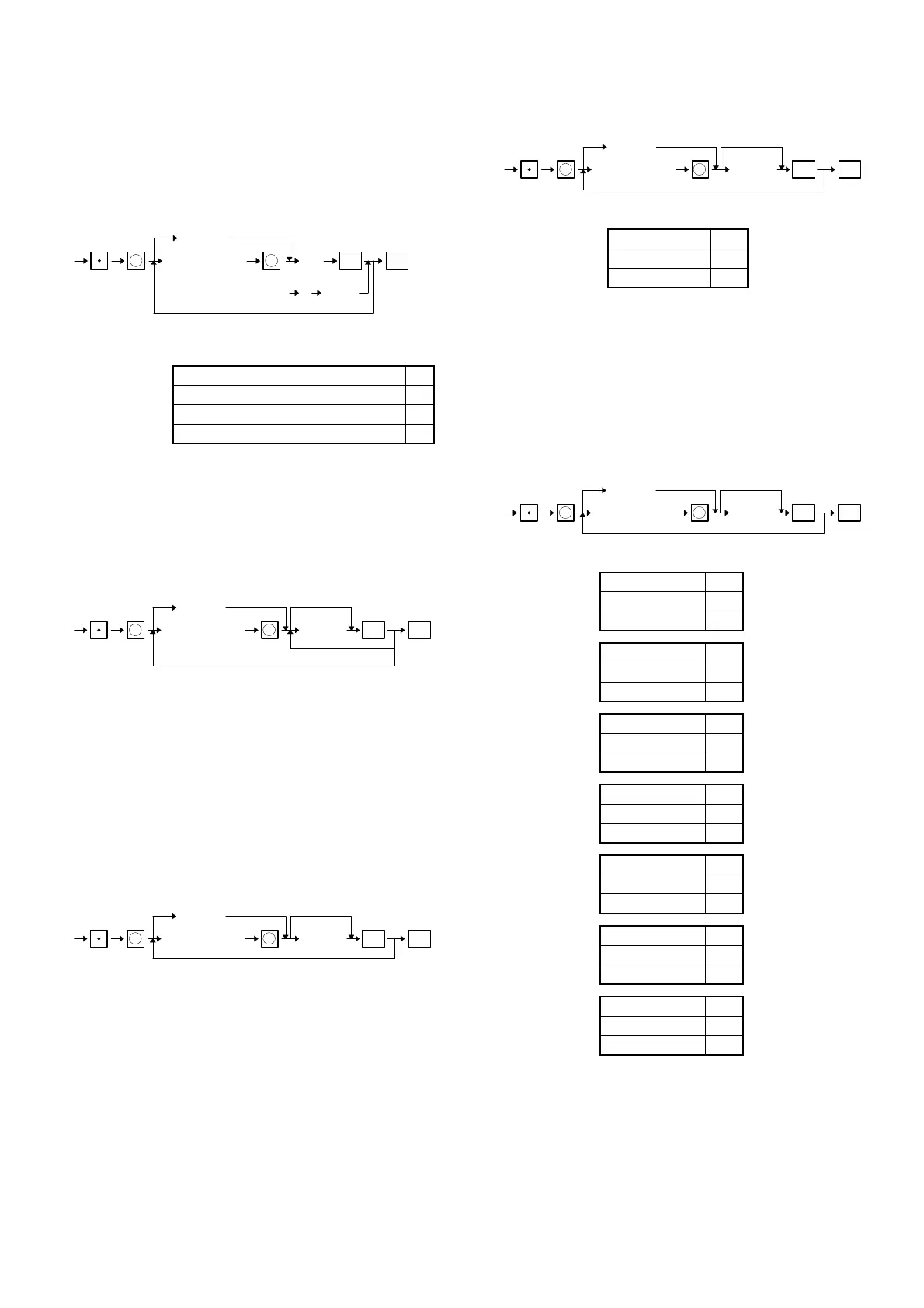
Programming of department to be associated with EANs
[JOB#1050]
Programming of department to be associated with D-EANs
XXXXXXXXXXXXX: EAN code
AB: Dept. code = 0~99
C: Delete method C
Automatic delete (At Daily Z1) 0
No automatic delete (At manual delete) 1
Delete 4
MRS = Nothing
[JOB#1010]
EAN unit price programming (Price 1 and Price 2)
[JOB#1060]
DINAMIC EAN unit price programming (Price 1 and Price 2)
XXXXXXXXXXXXX: EAN code
YYYYYY: Amount = 0~999999
∗ Any EAN code should already be defined when its unit price is
programmed.
MRS = 000000
[JOB#1011]
EAN base Q’ty programming
[JOB#1061]
DINAMIC EAN base Q’ty programming
XXXXXXXXXXXXX: EAN code
ZZ: Base Q’ty = 00~99
∗ Any EAN code should already be defined when its unit price is
programmed.
MRS = 00
[JOB#2010]
EAN function programming
[JOB#2060]
DINAMIC EAN function programming
XXXXXXXXXXXXXX: EAN code
A: Tare table No. A
No 0
Table No. 1~9
∗ Any EAN code should already be defined when its unit price is
programmed.
MRS = 00
[JOB#2011]
EAN tax status programming
[JOB#2061]
DINAMIC EAN tax status programming
XXXXXXXXXXXXX: EAN code
A: Sign A
+ 0
–1
B: Taxable 6 B
Non taxable 0
Taxable 1
C: Taxable 5 C
Non taxable 0
Taxable 1
D: Taxable 4 D
Non taxable 0
Taxable 1
E: Taxable 3 E
Non taxable 0
Taxable 1
F: Taxable 2 F
Non taxable 0
Taxable 1
G: Taxable 1 G
Non taxable 0
Taxable 1
∗ Any EAN code should already be defined when its unit price is
programmed.
MRS = 0000000
[JOB#2014]
EAN text programming
1000
1050
XXXXXXXXXXXXX
EAN code
X ST
ABC
TL
(Scanning)
X
C DEPT n
1010
1060
XXXXXXXXXXXXX
EAN code
X ST
YYYYYY
TL
(Scanning)
prece1, preice2
X
No change
1011
1061
XXXXXXXXXXXXX
EAN code
X STZZ TL
(Scanning)
X
0
2010
2060
XXXXXXXXXXXXX
EAN code
X ST
AB
TL
(Scanning)
X
0
2011
2061
XXXXXXXXXXXXX
EAN code
X STABCDEFG TL
(Scanning)
X
0
26



 To Next Page