Step
No.
Key sequence Display
Guidance No.
(JOB#2644)
Contents
12
COMMISSION
7 JOB#2214
13 GROUP 8 JOB#2215
14 PRINT STAT. 9 JOB#2216
15 STOCK 14 JOB#2218
16 MIN. STOCK 15 JOB#1222
17 DEPT & TYPE 11 JOB#1223
PLU No. is able to be entered by the operation of "XXXXXX & ".
18
The entry moves the next step by & key and returns the previous step by ( key.
(Character)
ST
X
ST
XX
ST
XXX
ST
XXXXXXX
ST
XXXXXXX
ST
TL
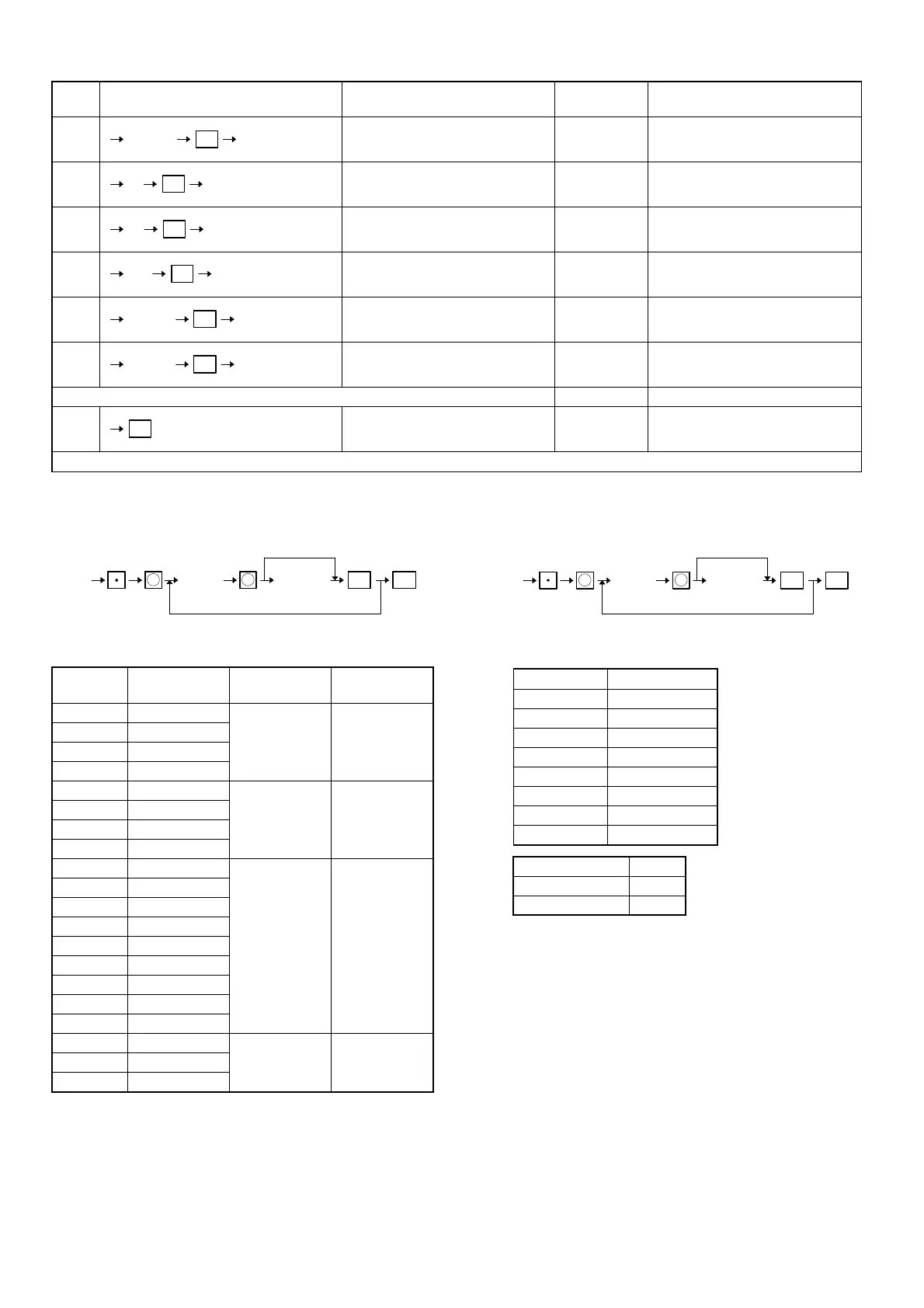
[JOB#1310]
RATE PROGRAMMING
XXX: Fanction No.
YYYY. YYYY: Rate
Function
No.
Function Entry range Remarks
1 (–)1
0 to 9999.99 (–) unit price
2 (–)2
3 (–)3
4 (–)4
5%1
0 to 100.00 % rate
6%2
7%3
8%4
68 Exchange 1
0 to 9999.9999 Rate
69 Exchange 2
70 Exchange 3
71 Exchange 4
72 Exchange 5
73 Exchange 6
74 Exchange 7
75 Exchange 8
76 Exchange 9
91 Commission 1
0 to 999.99 Rate
92 Commission 2
93 Commission 3
MRS = 0
[JOB#2311]
MISC KEY PROGRAMMING 1
XXX : Function No.
Function No. Function
1 (–)1
2 (–)2
3 (–)3
4 (–)4
5%1
6%2
7%3
8%4
A: Sign A
+ 0
–1
B, C, D, E, F: Not used (Fixed at "00000")
MRS = 00000000
ST
1310
YYYY.YYYY TLXXX
Function No.
"0"
Rate
X
X
ST
2311
ABCDEF TLXXX
Function No.
0
X X
37



 To Next Page