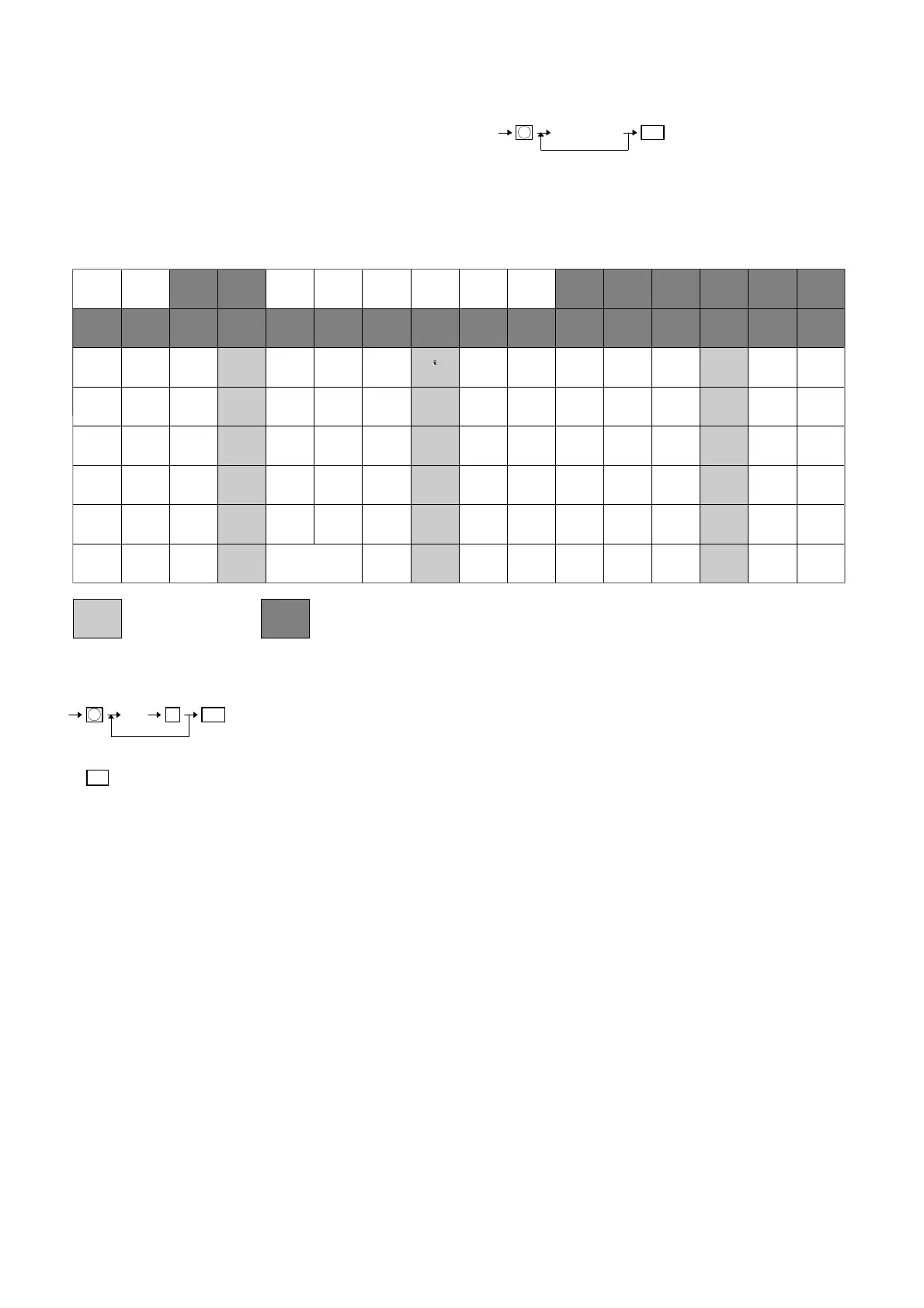
3. Character assignment method
The ER-A610 has two kinds of method at character assignment.
One is to use alphabetic assigned key and other one is to use ten
keys.
∼ Using alphabetic assignment method ∼
Programming key layout (ER-A670/A650)
1 Normal character
~ Using ten key ∼
Note: 00 key is used to enter each 3 digit alpha code.
4
3
2
1
0
[ ! ]
#
–
+
[ = ]
9
8
7
6
5
[ !! ]
[ § ]
[ % ]
[ & ]
[ £ ]
(DC)
⊗
7
4
1
•
8
5
2
CL
9
6
3
00
[ ( ]
[ < ]
[ [ ]
[ ↑ ]
[←]
[ ) ]
[ > ]
[ ] ]
[ ↓ ]
[→]
Q
M
I
E
A
R
N
J
F
B
S
O
K
G
C
T
P
L
H
D
[Æ]
[β]
[Ü]
[Ö]
[Ä]
W
U
(SPACE)
[ _ ]
[ ? ]
X
V
BACK
SPACE
ST
0TL
*
*
*
*
*
*
*
*
*
*
*
*
*
*
*
*
*
*
*
*
*
*
*
*
*
*
*
*
*
*
↑
R
↑
J
(
←
)(
→
)
(INSERT) (DELETE)
(@)
(SHIFT)
[ ] [ ' ]
(#)
’ ’ [ , ] . (INQ)
,
YZ
**
/ : [ ; ]
: Usable dummy keys : Disable dummy keys
*: When the ‘SHIFT’ key is
depressed, this character can be
preset with small character.
[ ]: These keys are not used with
the standard keyboard.
00XXX
3 digits
ST
Repeat
X
51



 To Next Page