Delete of non-accessed EAN/UPC:
[DELETE]; X1/Z1 mode
Delete of non-accessed Customer code:
[CUST] → [DELETE] ; X2/Z2 mode
∗ At this operation, the deleted EANs or Customer data are printed.
Stop of printing reports:
The printing of all reports can be stopped by the following operation.
Changing of Receipt switch during printing reports.
ON → OFF or OFF → ON
Note) When the printing is stopped, the consecutive number or Z
counter don’t return to the original value.
When Z reports, Memory is not reset.
In In-line system, when Master has consolidated the data from
the satellite, ECR can stop the printing.
∗ 1 X1: Daily X report
X2: Periodic X report
Z1: Daily Z report
X2: Periodic Z report
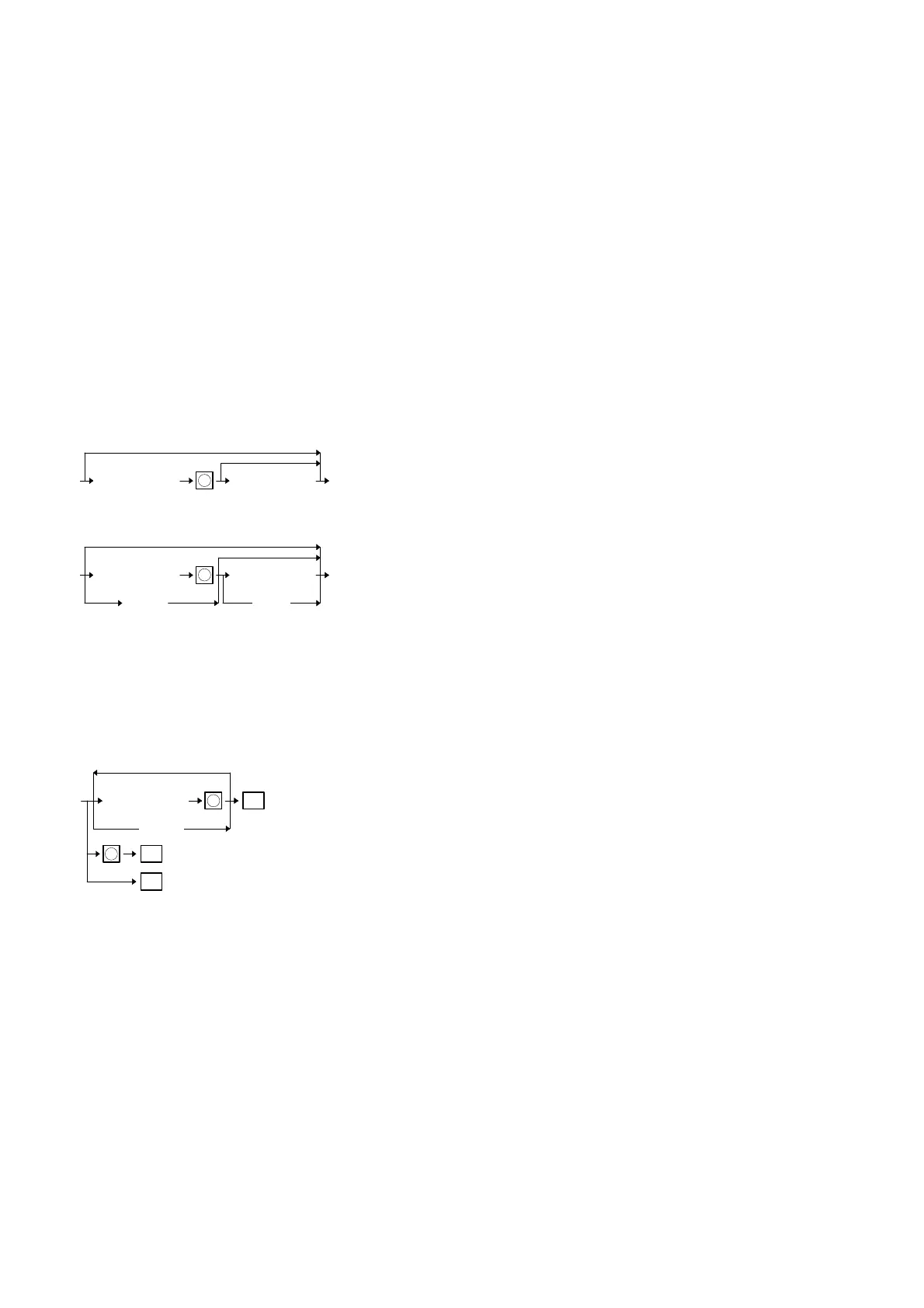
∗ 2 The time interval range, PLU code, or customer code range can
be specified by entering the start and end numbers according to
the following procedure. When specifying a single time interval,
PLU code, the start number has only to be entered.
In case of Job#285
∗ 3 When 2 is entered in the third digit of a job code, periodic reports
are printed.
Example: Daily general report; job code 100
Periodic general report; job code 200
∗ 4 (Pick-up reports from EAN/D-EAN items)
Those reports asterisked (∗ 4) in the above list can pick up some
EAN data which you want to watch from EAN or D-EAN file.
• An individual report is printed on the receipt and journal when the
TL key is pressed.
• Pressing the decimal point key just after the enery of a job code
clears the corresponding data in the ECR. (Z report)
(When printing those reports for which no Z reports can be taken,
the decimal point key cannot be pressed after the entry of a job
code.)
• When the decimal point key is not pressed after the entry of a job
code, the corresponding data is held in the ECR. (X report)
XXXXXXXXXXXXX
All
X
Start No.
XXXXXXXXXXXXX
End No.
XXXXXXXXXXXXX
X
Start No.
XXXXXXXXXXXXX
End No.
Scanning Scanning
XXXXXXXXXXXXX
X
EAN No.
TL
Pick up (to the number of records in Pick-up file)
(Scanning)
X
TL
: Previous pick-upped EAN codes
TL
: All EAN data
54



 To Next Page