EasyManua.ls Logo

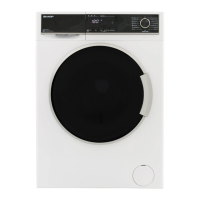
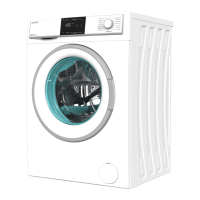
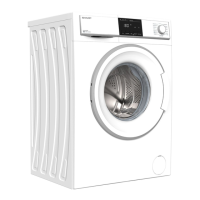
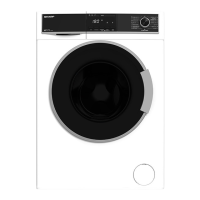
Sharp ES-HFB8143WD-EN - User Manual

Sharp ES-HFB8143WD-EN
33 pages
Print Icon
To Next Page IconTo Next Page
Loading...
Home Appliances
1
ES-HFB8143WD -EN
User Manual

Questions and Answers

  • D
    Darryl CharlesAug 17, 2025
    Why my Sharp Washer does not start?
    • S
      Suzanne HenryAug 17, 2025
      If your Sharp Washer doesn't start, there are several potential causes: * It might not be plugged in, so ensure it is properly connected to a power outlet. * The fuses could be faulty, requiring replacement. * There might be no mains power supply, so check your power source. * You may not have pressed the Start/Pause button; press it to initiate the cycle. * The program dial might be in the ‘stop’ position; turn it to the desired program. * The machine door might not be completely closed; ensure it is securely shut.
  • W
    William HooverAug 19, 2025
    What to do if my Sharp ES-HFB8143WD-EN Washer does not discharge water?
    • P
      Patrick SpearsAug 19, 2025
      If your Sharp Washer isn't discharging water, check these: * The drain hose may be clogged or twisted; inspect, clean, or untwist it as needed. * The pump filter could be clogged; clean it. * If laundry is too tightly packed in the drum, spread it out evenly.
  • S
    Sandra KingAug 22, 2025
    Why the spin cycle does not take place in Sharp ES-HFB8143WD-EN?
    • Z
      Zachary LambertAug 22, 2025
      If the spin cycle in your Sharp Washer does not take place or starts later than expected, it is likely not a fault. The Unbalanced load control system has been activated. This system will try to spread your laundry, and the spinning cycle will begin once your laundry is spread. For the next wash, load the drum evenly.
  • J
    James FlynnAug 25, 2025
    Why Sharp Washer is not intaking water?
    • M
      Michael DelgadoAug 26, 2025
      If your Sharp Washer isn't intaking water, here's what you should check: * Ensure the water tap is turned on. * Inspect the water inlet hose for any twists and untwist it. * The water inlet hose might be clogged, so clean the filters. * The inlet filter itself could be clogged; clean it. * Make sure the machine door is completely closed.
  • J
    Jack ThomasAug 27, 2025
    How to fix Sharp ES-HFB8143WD-EN that vibrates too much?
    • H
      Henry RodriguezAug 27, 2025
      If your Sharp Washer is vibrating, consider the following: * The feet may not be adjusted properly; adjust them to stabilize the machine. * Transit bolts used for transportation might still be attached; remove them. * A small load in the drum can cause vibration, but it shouldn't prevent operation. * Overloading the machine or unevenly spreading the laundry can also cause vibration; avoid overloading and spread laundry evenly. * Placing the machine on a hard surface can contribute to vibration; avoid this setup.
  • R
    Rebecca MorenoAug 30, 2025
    Why Sharp Washer gives unsatisfactory washing result?
    • V
      vazqueztimothyAug 30, 2025
      If you're experiencing unsatisfactory washing results with your Sharp Washer, consider these points: * Your laundry might be too dirty for the selected program. Use the information in the program tables to select the most appropriate program. * You may not be using enough detergent. Use the amount of detergent as instructed on the packaging. * There might be too much laundry in your machine. Check that the maximum capacity for the selected program has not been exceeded.
  • T
    Tina StricklandSep 2, 2025
    What to do if Sharp ES-HFB8143WD-EN Washer gives unsatisfactory washing result because of hard water?
    • J
      Jasmine LoweSep 2, 2025
      If you're experiencing unsatisfactory washing results with your Sharp Washer, it may be due to hard water. In this case, increase the amount of detergent following the manufacturer’s instructions. Also, check that your laundry is spread out.
  • B
    Billy RodriguezSep 5, 2025
    How to remove detergent residue from laundry after washing in Sharp Washer?
    • A
      Austin RodriguezSep 5, 2025
      If your laundry has detergent residue after washing in your Sharp Washer, it may be because non-dissolving particles of some detergents can appear as white spots. Perform an extra rinse, or clean your laundry with a brush after it dries.
  • D
    Douglas BakerSep 7, 2025
    How to reduce excessive foam in Sharp Washer detergent drawer?
    • B
      Brandy KaneSep 8, 2025
      If you notice excessive foam in the detergent drawer of your Sharp Washer: * It could be due to using too much detergent. To stop the foam, press the Start/Pause button, dilute one tablespoon of softener in 1/2 liter of water, pour it into the detergent drawer, and then press the Start/Pause button again after 5-10 minutes. * You might be using the wrong type of detergent. Ensure you only use detergents specifically produced for automatic Washing Machines.
  • M
    michellemaySep 10, 2025
    Why water discharges as soon as Sharp ES-HFB8143WD-EN Washer is loaded with water?
    • K
      Katherine PatelSep 10, 2025
      If, as soon as your Sharp Washer is loaded with water, the water discharges, it could be because the end of the water drain hose is too low for the machine. Check that the drain hose is at a suitable height.

Summary

1. SAFETY INSTRUCTIONS

1.1 General Safety Warnings

Crucial safety warnings and precautions for operating the washing machine safely.

1.2 During Use

Important instructions and precautions for the correct usage of the appliance.

1.3 Packaging and Environment

Information on handling packaging materials and environmental considerations.

1.4 Savings Information

Tips to maximize energy and water efficiency during operation.

2. TECHNICAL SPECIFICATIONS

2.1 General Appearance

Diagram and labeling of the washing machine's external components.

2.2 Technical Specifications

Key technical data including voltage, power, capacity, and dimensions.

3. INSTALLATION

3.1 Removing the Transit Bolts

Instructions for removing transit bolts crucial for safe operation and warranty.

3.2 Adjusting the Feet; Adjusting Adjustable Stays

Guidance on leveling the machine for stable and quiet operation.

3.3 Electrical Connection

Requirements and procedures for connecting the washing machine to the power supply.

3.4 Water Inlet Hose Connection

Instructions for connecting the water supply hoses correctly.

3.5 Water Discharge Connection

Steps for connecting the drain hose to ensure proper water removal.

4. CONTROL PANEL OVERVIEW

4.1 Detergent Drawer

Details about the detergent drawer compartments and their uses.

4.2 Sections

Description of different detergent compartments and their purposes.

4.3 Program Dial

How to select wash programs using the program dial.

4.4 Electronic Display

Understanding the information displayed on the electronic screen.

5. USING YOUR WASHING MACHINE

5.1 Preparing Your Laundry

Essential steps for sorting and preparing clothes before washing.

5.2 Putting Laundry in the Machine

Correct procedure for loading laundry into the drum for optimal washing.

5.3 Adding Detergent to the Machine

Guidance on selecting and adding the correct amount of detergent.

5.4 Operating Your Machine

Steps for starting and running a wash cycle.

5.5 Selecting a Program

How to choose the most suitable wash program for your laundry.

5.6 Half-Load Detection System

Explanation of the automatic half-load function for efficiency.

5.7 Additional Functions

Overview and selection of extra washing functions.

5.8 Cancelling the Program

How to stop or cancel a running wash cycle.

5.9 Program End

What happens when a program finishes and post-wash actions.

6. PROGRAM TABLE

6.1 Important Informations

Additional notes and recommendations for using detergents and maintaining the machine.

7. CLEANING AND MAINTENANCE

7.1 Warning

Safety warnings to observe before performing cleaning or maintenance.

7.2 Water Inlet Filters

How to clean the water inlet filters to ensure proper water flow.

7.3 Pump Filter

Guide on cleaning the pump filter to maintain pump efficiency.

7.4 Detergent Drawer

Instructions for removing and cleaning the detergent drawer.

8. FLUSH STOPPER; BODY; DRUM

8.1 Flush stopper

How to disassemble and clean the flush stopper for detergent residue.

8.2 Body

Cleaning the external casing of the washing machine.

8.3 Drum

How to clean the drum and remove rust stains.

9. TROUBLESHOOTING

10. AUTOMATIC FAULT WARNINGS AND WHAT TO DO

Sharp ES-HFB8143WD-EN Specifications

General IconGeneral
BrandSharp
ModelES-HFB8143WD-EN
CategoryWasher
LanguageEnglish

Related product manuals