EasyManua.ls Logo

Sharp KD-NHA7S7PW2-DE - User Manual

Sharp KD-NHA7S7PW2-DE
4 pages
Print Icon
To Next Page IconTo Next Page
Loading...
QUICK USER MANUAL
PROGRAMME SELECTION TABLE *
Follow the �nstruct�ons on the labels
of the laundry to be dr�ed. Only dry
�tems that have a statement/symbol
that �nd�cates "they can be dr�ed �n a
dryer".
Su�table for
dyr�ng �n a
dryer
At low
temperatures
At h�gh
temperatures
At med�um
temperatures
Not su�table
for dry�ng �n
a dryer
Hang wet
to dry
Hang to dry
Spread to dry
SUITABLE
FOR DRYING
IN A DRYER
NOT
SUITABLE
FOR DRYING
IN A DRYER
Cotton towels, bedsheets,
p�llowcases, bathrobes, etc.
Synthet�cs such as sh�rts,
t-sh�rts, blouses, etc.
To reach the requ�red dry�ng
level or for 1-2 p�eces of
laundry, you can use the
t�med programmes of 20 m�n.,
40 m�n., and 60 m�n.
Del�cate : Sh�rts, blouses and
s�lk garments.
Ant�crease : For Cotton and
synthet�c laundr�es.
Baby Care : Del�cate dry�ng
for �nfant clothes.
Jeans : Jean clothes.
kg of cotton
sh�rts spun at a h�gh speed
�n the wash�ng mach�ne are
dr�ed �n
m�nutes.
2 to 3 sh�rts are
ready for to be �roned �n
0
m�nutes.
(*) Please check the Programme Select�on and Consumpt�on Table (5.2)
�n the �nstruct�on book (**) The durat�on for rap�d programs are only val�d
for clothes wh�ch are spun at 1200 rpm.
Programme Laundr�es
Synthet�cs
Cupboard Dry
Iron Dry
Rap�d Programmes**
T�me Programmes
Spec�al Programmes
Del�cate
Ant�crease
Baby Care
Jeans
Cotton
Extra
Cupboard Dry
Iron Dry
LAUNDRY COMES OUT DAMP AFTER THE DRYING PROCESS
The programme used m�ght not be su�table for the type of laundry.
Check the care labels on the laundry �tems, select a su�table programme for the type
of laundry and add�t�onally, use the t�me programmes.
The surface of the l�nt f�lter m�ght be clogged.
Wash the f�lter w�th lukewarm water.
The heat exchanger m�ght be clogged.
the heat exchanger.
The dryer m�ght be overloaded w�th laundry.
Do not overload the dryer.
The laundry m�ght be �nsuff�c�ently spun.
Select a h�gher sp�n speed on your wash�ng mach�ne.
There m�ght be a layer of l�me on the hum�d�ty sensor.
Clean the hum�d�ty sensor.
Hot laundr�es wh�ch come out after the dry�ng process m�ght be felt
more damp than they really are.
Question and Answer IconNeed help?

Do you have a question about the Sharp KD-NHA7S7PW2-DE and is the answer not in the manual?

Overview

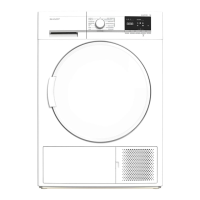
This document is a quick user manual for a tumble dryer, providing essential information on its operation, maintenance, and troubleshooting.

Function Description

The tumble dryer is designed to dry various types of laundry. It offers a range of drying programs tailored to different fabric types and desired drying levels, from extra dry to iron dry. The machine incorporates systems that continuously monitor the drying process and alert the user to any malfunctions.

Drying Programs:

  • Cotton: Suitable for cotton towels, bedsheets, pillowcases, bathrobes, etc. Includes "Extra," "Cupboard Dry," and "Iron Dry" options.
  • Synthetics: For synthetic items like shirts, t-shirts, and blouses. Includes "Cupboard Dry" and "Iron Dry" options.
  • Time Programmes: Allows for specific drying durations (20, 40, or 60 minutes) for achieving a required drying level or for small loads (1-2 pieces).
  • Special Programmes:
    • Delicate: For shirts, blouses, and silk garments.
    • Anticrease: For both cotton and synthetic laundries, designed to minimize creasing.
    • Baby Care: Gentle drying for infant clothes.
    • Jeans: Specifically for jean clothes.
  • Rapid Programmes:
    • Express 34': Dries 1kg of cotton shirts (spun at 1200 rpm) in 34 minutes.
    • Shirts 20': Dries 2-3 shirts to an iron-ready state in 20 minutes.

The dryer features a program selection knob for choosing the desired drying program and electronic additional functions for further customization. An "Anti Crease" phase automatically activates for one hour if laundry is not removed after the program ends, rotating the drum to prevent creases.

Important Technical Specifications

While specific technical specifications like power consumption or dimensions are not detailed in this quick manual, it highlights several operational aspects:

  • Spin Speed Recommendation: For optimal energy efficiency and reduced drying time, laundry should be spun at the highest possible speed in the washing machine before being placed in the dryer.
  • Load Capacity: The manual emphasizes not overloading the dryer, as this can decrease drying performance and potentially damage the dryer and laundry.
  • Humidity Sensor: The dryer is equipped with a humidity sensor to detect the laundry's dryness level. For very small loads, the sensor might not accurately detect humidity, making time-based programs more suitable.
  • Water Tank: The machine collects condensed water in a tank that needs to be emptied after each use.
  • Lint Filter: A lint filter collects lint during drying and requires regular cleaning.
  • Heat Exchanger: The heat exchanger is a critical component that needs periodic cleaning (every 30 uses or once a month).

Usage Features

  • Laundry Preparation: Users are instructed to separate clothes by type and check care labels to ensure they are suitable for tumble drying.
  • Loading: Load the machine without exceeding its capacity.
  • Program Selection: Use the program selection knob to choose the appropriate drying program.
  • Starting the Program: Press the Start/Pause button to begin the drying cycle.
  • Troubleshooting Damp Laundry: If laundry comes out damp, potential causes include an unsuitable program, clogged lint filter or heat exchanger, overloaded dryer, insufficiently spun laundry, or a layer of lime on the humidity sensor. Solutions involve checking care labels, cleaning filters/sensor, and ensuring proper load size and spin speed.
  • Safety and Economic Use:
    • Do not block ventilation grills.
    • Clean the lint filter after each use for energy efficiency.
    • Be aware that the outer surface temperatures can reach high levels during the cycle.
    • Select suitable programs to prevent over-drying and creasing.
    • Do not load over-wet clothes.
    • If stacking on a washing machine, use a fixing part installed by an Authorized Service Provider.
    • Empty the water tank before each use.
    • Dry large and small items separately to prevent damp laundry issues.
  • Audible Indicators: Users may hear a continuous fan sound, a splash voice from condensed water being pumped, and clatter sounds from zippers, clasps, and buttons during operation.

Maintenance Features

Regular maintenance is crucial for the dryer's performance and longevity:

  • Cleaning the Lint Filter:
    1. Open the loading door.
    2. Pull up and remove the lint filters (outer and inner).
    3. Open both filters and clean them by hand or with a soft cloth.
    4. Close the filters and reinstall them.
    • If a stubborn layer of obstruction forms, clean with warm water and dry thoroughly before reinstalling.
  • Emptying the Water Tank:
    1. Pull out the drawer cover and the water tank.
    2. Empty the water.
    3. Clean any lint accumulated on the discharge cap with water.
    4. Refit the water tank. (Recommended after each use)
  • Cleaning The Heat Exchanger: (Recommended after every 30 uses or once a month)
    1. Open the plinth.
    2. Release the two cover locks of the heat exchanger cover.
    3. Release the heat exchanger cover.
    4. Clean the front surface of the heat exchanger using a vacuum cleaner.
    5. Refit the heat exchanger cover.
    6. Close the plinth cover.
  • Cleaning the Inner Surface of the Loading Door: (After each use)
    • Open the loading door and clean all inner surfaces and the gasket with a soft, damp cloth.
  • Cleaning the Humidity Sensor: (Recommended 4 times a year)
    1. Open the loading door.
    2. If the machine is hot, wait for it to cool down.
    3. Wipe the metal surfaces of the sensor with a soft cloth soaked in vinegar, then dry them.

Sharp KD-NHA7S7PW2-DE Specifications

General IconGeneral
BrandSharp
ModelKD-NHA7S7PW2-DE
CategoryWasher
LanguageEnglish

Related product manuals