BACKLIGHT
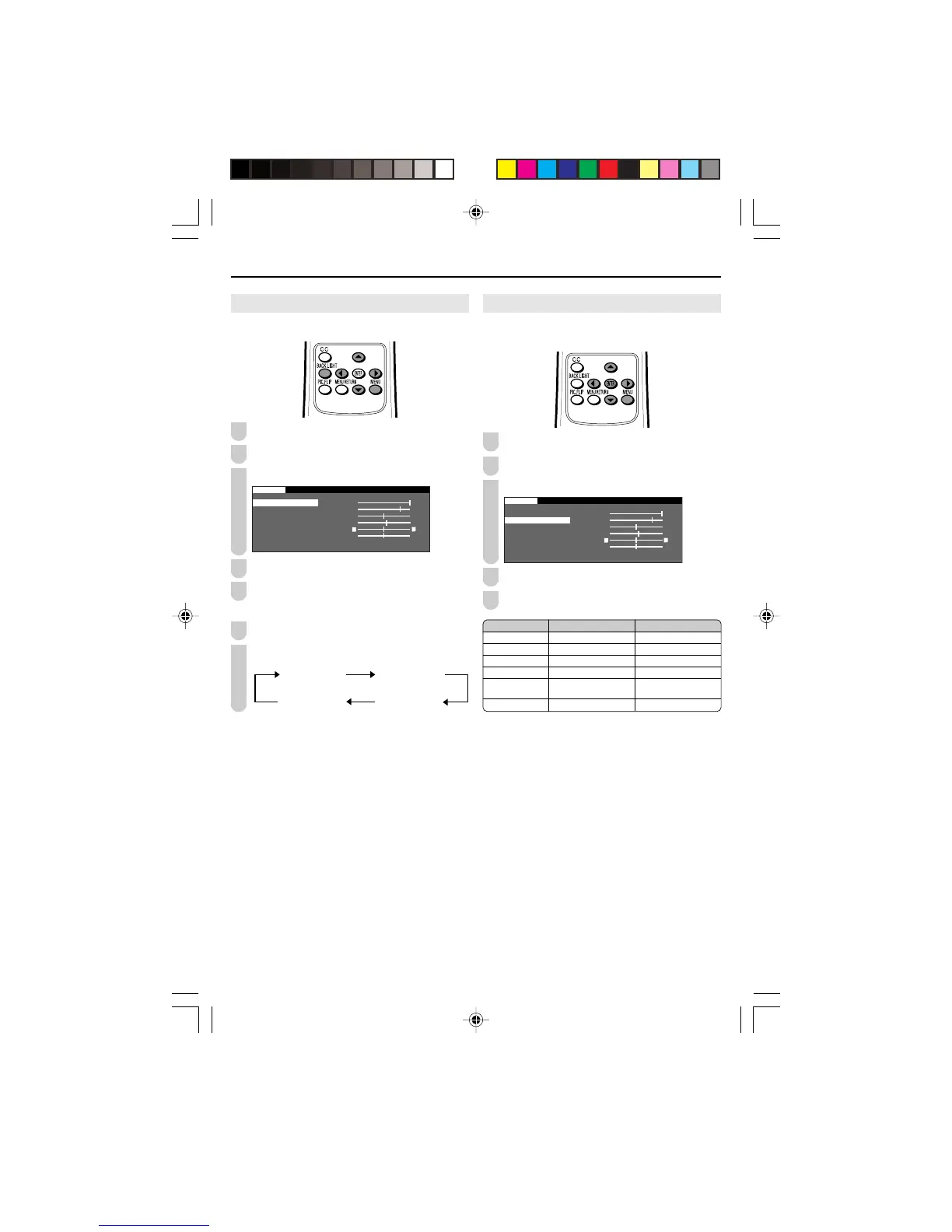
You can adjust the brightness of the picture.
Press MENU to display the Menu Screen.
Press \/| to select “PICTURE”.
Press '/" to select “BACKLIGHT”.
0
0
0
PICTURE
S
AUDIO
] – +
ADVANCED
RESET
Press \/| to adjust the item to your desired position.
Press MENU to exit.
Directly setting the BACKLIGHT
Press BACKLIGHT to display the BACKLIGHT screen.
Press BACKLIGHT to change the setting.
BACKLIGHT [VARIABLE]
BACKLIGHT [BRIGHT] BACKLIGHT [NORMAL]
BACKLIGHT [DARK]
A
• The BACKLIGHT screen automatically disappears in 3 seconds.
• [BRIGHT]: Maximum brightness
[NORMAL]: Suitable for viewing in a well-lit area. Saves energy.
[DARK]: Sufficiently bright when viewing in dim areas.
[VARIABLE]: The brightness can be adjusted to suit your prefer-
ence using \/|.
1
2
3
4
5
1
2
PICTURE Adjustments
You can adjust the picture to your preference with the
following picture settings.
Press MENU to display the Menu screen.
Press \/| to select “PICTURE”.
Press '/" to select a specific adjustment item.
0
0
0
PICTURE
ADVANCED
RESET
Press \/| to adjust the item to your desired position.
Press MENU to exit.
A
• When resetting all adjustment items (except for the items on the
AV MODE and ADVANCED menus) to factory preset values,
perform the following procedures.
1 Press '/" to select “RESET” in the PICTURE screen, and
press ENTER.
2 Press '/" to select “YES”, and press ENTER.
2
3
Selected item
BACKLIGHT
CONTRAST
BRIGHTNESS
COLOR
TINT
SHARPNESS
||
||
| button
The screen brightens
For more contrast
For more brightness
For more color intensity
Skin tones become
greenish
For more sharpness
\\
\\
\ button
The screen dims
For less contrast
For less brightness
For less color intensity
Skin tones become
purplish
For less sharpness
4
5
1
LC-13/15/20SH6U_E_P11-18.p65 2006.02.15, 16:0616










 To Next Page