EasyManua.ls Logo

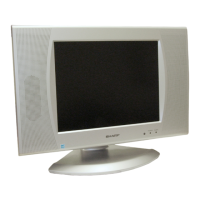
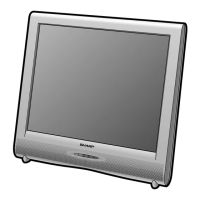
Sharp LC-13SH1E - User Manual

Sharp LC-13SH1E
35 pages
Print Icon
To Next Page IconTo Next Page
Loading...
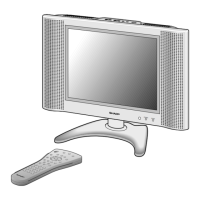
LC-13/15/20SH1E
SHARP CORPORATION
LCD COLOUR TELEVISION
LCD-FARBFERNSEHGERÄT
TÉLÉVISION COULEUR À ÉCRAN
À CRISTAUX LIQUIDES (LCD)
TELEVISORE A COLORI LCD
TELEVISIÓN EN COLOR LCD
LCD-KLEURENTELEVISIE
LC-13SH1E
LC-15SH1E
LC-20SH1E
OPERATION MANUAL
BEDIENUNGSANLEITUNG
MODE D’EMPLOI
MANUALE DI ISTRUZIONI
MANUAL DE MANEJO
GEBRUIKSAANWIJZING
ENGLISH
DEUTSCH
FRANÇAIS
NEDERLANDS
Printed on environmentally friendly paper
Auf ökologischem Papier gedruckt
Imprimé sur papier écologique
Stampato su carta ecologica
Impreso en papel ecológico
Afgedrukt op ecologisch papier
ITALIANO
Printed in Spain
Gedruckt in Spanien
Imprimé en Espagne
Stampato in Spagna
Impreso en España
Gedrukt in Spanje
TINS-B517WJN2
10-2004
OPERATION MANUAL BEDIENUNGSANLEITUNG MODE D’EMPLOI
MANUALE DI ISTRUZIONI MANUAL DE MANEJO GEBRUIKSAANWIJZING
ESPAÑOL
B517WJN2
1
LC-13_15_20SH1E_E_Hyo1-4.p65 2004.12.20, 6:28 PM1


Other manuals for Sharp LC-13SH1E

Questions and Answers

  • M
    melissa01Aug 16, 2025
    What to do if my Sharp LCD TV remote control does not work?
    • D
      Dr. Nicole HoltAug 16, 2025
      If the remote control for your Sharp LCD TV isn't working, first, check if the batteries have sufficient power. Also, make sure that the remote sensor window is not under strong lighting.
  • B
    bsmithAug 19, 2025
    Why is there no picture or sound on my Sharp LC-13SH1E?
    • M
      michaelbakerAug 19, 2025
      If your Sharp LCD TV has no picture or sound, it could be due to reception issues, ensure you're not just receiving non-broadcast signals. Make sure the input mode is set to TV and that the main power switch of the TV is turned on.
  • M
    Melissa MccormickAug 22, 2025
    Why is there no sound on my Sharp LCD TV?
    • J
      Jessica JacksonAug 22, 2025
      If there is no sound on your Sharp LCD TV, ensure that the volume is not set to the minimum and that the sound is not muted.
  • B
    Bryan WebbAug 25, 2025
    Why is the picture not clear on my Sharp LC-13SH1E?
    • E
      Elizabeth CarterAug 26, 2025
      If the picture on your Sharp LCD TV is not clear, ensure that the antenna cable is properly connected and that you have good reception.
  • J
    Jacob DicksonAug 27, 2025
    What to do if my Sharp LC-13SH1E LCD TV unit cannot be operated?
    • B
      bennettaprilAug 27, 2025
      If your Sharp LCD TV unit cannot be operated, it might be due to external influences such as lightning or static electricity. Turn the power off, or unplug the AC cord and re-plug it in after 1 or 2 minutes.
  • Y
    younggaryAug 30, 2025
    What to do if there is no picture or sound, just noise on Sharp LC-13SH1E?
    • M
      Mr. Phillip Grant MDAug 30, 2025
      If your Sharp LCD TV shows no picture or sound, just noise, ensure that the antenna cable is properly connected and that you have good reception.
  • D
    Danielle CampbellSep 2, 2025
    Why is the picture too dark on my Sharp LC-13SH1E?
    • L
      Logan FitzgeraldSep 2, 2025
      If the picture on your Sharp LCD TV is too dark, check if the 'Backlight' is set to 'Dark' or adjust the 'Contrast'. Also, the fluorescent lamp may have reached the end of its service life.
  • F
    Frank StevensSep 4, 2025
    Why is the picture not sharp and shaking on my Sharp LC-13SH1E LCD TV?
    • L
      Leslie StanleySep 4, 2025
      If the picture on your Sharp LCD TV is not sharp and shaking, the reception may be weak, or the broadcast quality may be poor. Make sure the antenna is facing the correct direction and that the outside antenna has not been disconnected.
  • D
    Denise AnthonySep 7, 2025
    Why does the picture have ghosts on my Sharp LCD TV?
    • N
      Nicolas McgeeSep 7, 2025
      If the picture on your Sharp LCD TV has ghosts, make sure the antenna is facing the correct direction. It's also possible that broadcast waves are being reflected from nearby mountains or buildings.
  • T
    Thomas BurtonSep 10, 2025
    Why is the picture spotted on my Sharp LC-13SH1E LCD TV?
    • C
      Catherine WillisSep 10, 2025
      If the picture on your Sharp LCD TV is spotted, there may be interference from automobiles, trains, high-voltage lines, neon lights, etc. Alternatively, there may be interference between the antenna cable and power cable; try positioning them further apart.

Summary

Safety Precautions

General Usage Rules

General safety rules and warnings for product usage.

Setup and Preparation

First Time Installation

Routine for initial setup, language, clock, and channel tuning.

Unit and Remote Control Overview

Remote Control Button Functions

Explains the function of each button on the remote control.

Basic Operation Guide

Powering On;Off and Input Selection

Steps to power the TV on/off and select input sources.

Advanced Features and Settings

Picture Adjustment Settings

Detailed guide to adjusting Contrast, Brightness, Colour, Tint, and Sharpness.

Sound Configuration

Detailed guide to adjusting sound modes and audio output settings.

Programme Management

How to automatically search, manually adjust, sort, and erase TV programmes.

Connectivity and Troubleshooting

EXT1;EXT2 Terminal Wiring

Detailed guide on connecting devices via SCART, S-Video, and AV terminals.

Common Picture and Sound Issues

Solutions for common problems like no picture, no sound, or noisy reception.

Sharp LC-13SH1E Specifications

General IconGeneral
BrandSharp
ModelLC-13SH1E
CategoryLCD TV
LanguageEnglish

Related product manuals