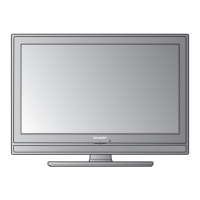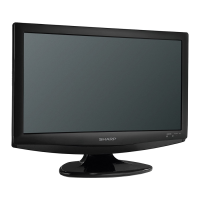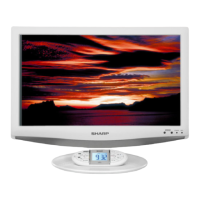
EasyManua.ls Logo

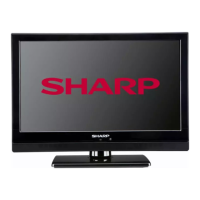
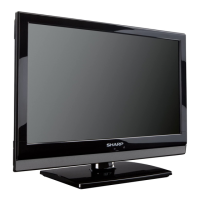
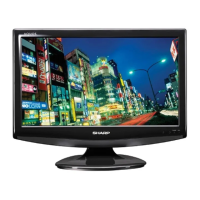
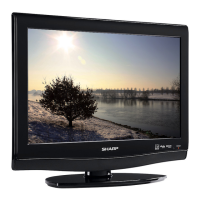
Sharp LC 19SB27UT - User Manual

Sharp LC 19SB27UT
29 pages
Print Icon
To Next Page IconTo Next Page
Loading...
LC-19SB27UT
LC-22SB27UT
OPERATION MANUAL
MODE D’EMPLOI
MANUAL DE OPERACIÓN
LIQUID CRYSTAL TELEVISION
TÉLÉVISEUR ACL
TELEVISOR CON PANTALLA DE CRISTAL LÍQUIDO
ESPAÑOL FRANÇAIS ENGLISH
IMPORTANT : Please read this operation manual before starting operating the equipment.
IMPORTANT : Veuillez lire ce mode d'emploi avant de commencer à utiliser l'appareil.
IMPORTANTE : Lea este manual de operación antes de comenzar a operar el equipo.
37N0131B.indb 137N0131B.indb 1 5/9/09 9:24:57 AM5/9/09 9:24:57 AM

Table of Contents

Questions and Answers

  • J
    Julie EllisAug 14, 2025
    How to troubleshoot no power on Sharp LC 19SB27UT LCD TV?
    • Z
      Zachary ReedAug 14, 2025
      First, ensure that you have pressed the POWER button either on the TV itself or on the remote control. Next, verify that the AC cord is properly connected. Finally, check if the power has been turned on.
  • S
    Stacey WellsAug 17, 2025
    What to do if there is no sound on my Sharp LC 19SB27UT?
    • D
      Donald AustinAug 17, 2025
      First, check if the volume is set too low. Also, verify that you haven't accidentally pressed the MUTE button on the remote control.
  • C
    Cheryl TaylorAug 20, 2025
    Why is the remote control not working for my Sharp LC 19SB27UT?
    • O
      olivertonyaAug 20, 2025
      Check if the batteries are inserted correctly, aligning with the proper polarity (+, –). If they are, try replacing the batteries with new ones. Also, consider whether you are using the remote under strong or fluorescent lighting, or if a fluorescent light is illuminated near the remote control sensor, as these conditions may affect its operation.
  • C
    Cody ArmstrongAug 25, 2025
    Why does my Sharp LC 19SB27UT LCD TV power off suddenly?
    • Y
      Yolanda ClarkAug 25, 2025
      Check if the sleep timer is set. Also, examine the Auto Shut Off settings. If the unit’s internal temperature has increased, remove any objects blocking the vents or clean them to ensure proper ventilation.
  • S
    Stephanie HuntAug 27, 2025
    Why is there no picture on my Sharp LCD TV?
    • A
      Andrew SandersAug 27, 2025
      First, ensure that the connection to other components is correct. Then, verify that the correct input signal source is selected after making the connection. Also, check if the correct input is selected and whether the picture adjustment is properly configured.
  • D
    Daniel PierceAug 30, 2025
    What to do if my Sharp LCD TV cannot be operated?
    • J
      Justin VelezAug 30, 2025
      If external influences such as lightning or static electricity are suspected, turn off the power of the TV or unplug the AC cord. After waiting for 1 or 2 minutes, replug the cord and try operating the unit again.
  • B
    Brenda BrooksSep 2, 2025
    How to fix a cut off picture on Sharp LCD TV?
    • L
      Lauren RamosSep 2, 2025
      Verify that the screen mode adjustments, such as view mode, are correctly chosen.
  • M
    masseycassidySep 6, 2025
    How to fix strange colors on Sharp LC 19SB27UT LCD TV?
    • J
      John MillerSep 6, 2025
      Try adjusting the picture tone. Also, consider whether the room is too bright, as this can make the picture appear dark.
  • N
    nancyhawkinsSep 9, 2025
    Why does my Sharp LCD TV make cracking sounds?
    • T
      Travis NicholsSep 10, 2025
      This is not a malfunction. The cracking sound occurs when the cabinet slightly expands and contracts due to changes in temperature. This does not affect the TV’s performance.

Summary

Important Information and Safety Precautions

Electrical Safety and Fire Prevention

Key warnings and cautions to prevent electric shock, fire hazards, and ensure safe operation.

Safety Symbol Explanations

Explanation of standard safety symbols used to alert users to potential hazards and precautions.

Regulatory Compliance and Environmental Notes

Details on FCC compliance, environmental disposal, and CATV system installation guidelines.

Setup and Installation Guide

Supplied Accessories Overview

List and brief descriptions of all accessories provided with the television for setup.

Antenna Connection Guide

Instructions for connecting various antenna types to the TV for optimal signal reception.

Connecting External AV Equipment

Guidance on connecting external audio-visual devices like DVD players, VCRs, and game consoles.

Initial TV Setup and Power On

Steps for initial TV setup, including language selection, auto-tuning, and powering on the unit.

Watching TV and Feature Configuration

Channel Management and Memory Functions

How to manage channels, set favorites, skip, and clear stored channels for efficient viewing.

Picture and Audio Settings

Adjusting picture modes, viewing aspect ratios, and selecting digital audio languages for optimal experience.

Parental Controls and Channel Labeling

Setting up favorite channels, assigning labels, and managing parental control features using passwords.

Closed Captioning Setup and Usage

Configuring and using closed captioning services for dialogue and narration display on screen.

PC Connectivity, Troubleshooting, and Service

PC Compatibility and Display Setup

Information on PC signal compatibility and procedures for displaying PC images on the TV screen.

Troubleshooting Common Issues

Solutions for common operational problems such as no power, no picture, no sound, or poor display.

Limited Warranty and Service Information

Details on the product's limited warranty coverage, duration, and how to obtain customer service or repairs.

Sharp LC 19SB27UT Specifications

General IconGeneral
Screen Size19 inches
Display TypeLCD
Resolution1366 x 768
Aspect Ratio16:9
Brightness300 cd/m²
Contrast Ratio1000:1
HDMI Ports1
USB Ports0
Speakers2 x 3W
Input PortsComposite, VGA
Viewing Angle176°

Related product manuals