EasyManua.ls Logo

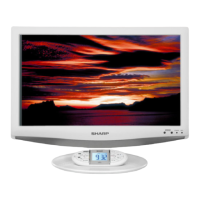
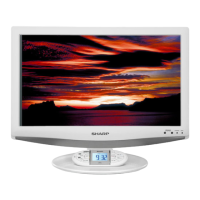
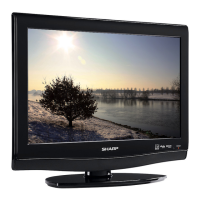
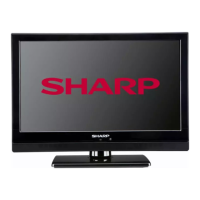
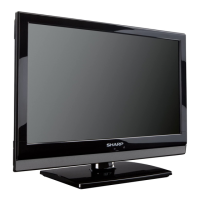
Sharp LC 19SK25U - User Manual

Sharp LC 19SK25U
60 pages
Print Icon
To Next Page IconTo Next Page
Loading...
SHARP ELECTRONICS CORPORATION
Sharp Plaza, Mahwah, New Jersey 07430-2135
SHARP CORPORATION
LC-19SK25U/LC-19SK25U-W

OPERATION MANUAL MODE D'EMPLOI MANUAL DE OPERACIÓN
Printed in China
Imprimé au Chine
Impreso en China
TINS-D631WJZZ
08P03-CH
OPERATION MANUAL
MODE D'EMPLOI
MANUAL DE OPERACIÓN
LIQUID CRYSTAL TELEVISION
TÉLÉVISEUR ACL
TELEVISOR CON PANTALLA DE
CRISTAL LÍQUIDO
LC-19SK25U
LC-19SK25U-W
ENGLISHFRANÇAISESPAÑOL
19SK25U_E_Hyo.indd 1 2008-4-2 10:23:10

Table of Contents

Other manuals for Sharp LC 19SK25U

Questions and Answers

  • H
    hillmariaAug 14, 2025
    Why does my Sharp LC 19SK25U LCD TV power off suddenly?
    • R
      rhillAug 14, 2025
      If your Sharp LCD TV suddenly turns off, first check if the sleep timer is set. Also, review the power control settings. If the unit's internal temperature has increased, remove any objects blocking the vents or clean them to ensure proper ventilation.
  • R
    Rebecca DunlapAug 17, 2025
    Why is my Sharp LCD TV remote control not working?
    • P
      Patricia SmithAug 17, 2025
      If your Sharp LCD TV remote control isn't working, first ensure the batteries are correctly inserted with the proper polarity. If they are, try replacing them with new ones. Strong or fluorescent lighting near the TV or remote sensor can also interfere with the signal.
  • B
    brentnunezAug 20, 2025
    What to do if there is no sound on my Sharp LCD TV?
    • R
      Richard JacobsAug 20, 2025
      If there is no sound on your Sharp LCD TV, first check if the volume is set too low. Also, verify that you haven't accidentally pressed the MUTE button on the remote control.
  • D
    David JohnsonAug 25, 2025
    How to troubleshoot no power on my Sharp LCD TV?
    • L
      lorihillAug 25, 2025
      If your Sharp LCD TV has no power, ensure you've pressed the POWER button on the remote control. If the indicator light doesn't illuminate, try pressing the POWER button directly on the TV. Also, check if the AC cord is properly connected and that the power is turned on.
  • C
    Catherine HoldenAug 27, 2025
    How to fix no picture on Sharp LC 19SK25U LCD TV?
    • R
      Robert CarrollAug 27, 2025
      If your Sharp LCD TV shows no picture, ensure that all connections to other components are correct. After connection, verify that the correct input signal source is selected. Also, check if the correct input is selected and the picture adjustment is correct. Ensure that 'On' is not selected in 'Audio Only' mode and that a compatible signal is being input.
  • K
    Kathleen BlackwellAug 30, 2025
    What to do if my Sharp LCD TV unit cannot be operated?
    • P
      Penny StewartAug 31, 2025
      If your Sharp LCD TV unit cannot be operated, it might be due to external influences like lightning or static electricity. Try turning off the power or unplugging the AC cord, waiting 1 or 2 minutes, and then plugging it back in to operate the unit.
  • H
    hperezSep 3, 2025
    Why is the picture cut off on my Sharp LCD TV?
    • L
      lyonsbrendaSep 3, 2025
      If the picture on your Sharp LCD TV is cut off or has a sidebar screen, check if the image position is correct. Also, ensure that screen mode adjustments like picture size are made correctly.
  • J
    John LarsonSep 6, 2025
    How to fix strange colors on Sharp LC 19SK25U?
    • J
      John PetersonSep 7, 2025
      If your Sharp LCD TV displays strange colors, light colors, or color misalignment, try adjusting the picture tone. Also, consider if the room is too bright, as this can affect the picture's appearance. Finally, check the input signal setting.
  • A
    Anne MillerSep 9, 2025
    Why does my Sharp LCD TV make a cracking sound?
    • D
      Danny WilsonSep 10, 2025
      This cracking sound from your Sharp LCD TV is usually not a malfunction. It occurs when the cabinet slightly expands and contracts due to temperature changes, and it does not affect the TV’s performance.

Summary

Important Information and Safety

Safety Warnings

Essential warnings about fire, electric shock, moisture, and internal parts.

General Safety Precautions

Essential guidelines for safe installation, operation, and cleaning.

Placement and Use Safety

Instructions on avoiding water, heat, proper ventilation, and handling.

Child Safety

Tips to ensure safe use of the flat panel display around children.

Wall Mounting Safety

Precautions and recommendations for safely mounting the TV on a wall.

Part Names and Controls

Preparation and Setup

Connecting External Video Sources

Guides for connecting VCRs, game consoles, Blu-ray players, etc.

HDMI and PC Connections

Instructions for connecting HDMI equipment and PCs.

Watching TV

Powering On and Off

Steps for turning the TV on, off, and understanding standby mode.

Initial Setup Procedure

Guide for the first-time setup process, including language and channel tuning.

Changing Channels

Methods for navigating through TV channels using various controls.

Basic Adjustment Settings

Menu Navigation and Controls

How to access and use the TV's on-screen menu system.

EZ Setup

Guide to re-running the initial setup for channels and language.

Channel Setup

Manual procedures for channel scanning and memory management.

Picture Adjustments

Detailed settings for optimizing picture quality like brightness, contrast, color.

Advanced Picture Settings

Detailed picture adjustments including CMS, Color Temp, Film Mode, etc.

Sound Adjustments

Options for adjusting treble, bass, and balance for optimal audio.

Using External Equipment

Useful Adjustment Settings

Advanced Option Settings

Access to detailed settings like Color System, DNR, and Audio Only.

Secret Number Setting for Parental Control

Setting a PIN to protect TV settings and content.

Setting Parental Control Status

Enabling or disabling the parental control function.

Parental Control (V-CHIP Level)

Setting content ratings to block or allow specific programs.

MPAA Movie Rating System

Understanding and configuring movie rating blocks.

TV Parental Guidelines

Understanding and configuring TV program rating blocks.

Appendix

General Troubleshooting

Solutions for common problems like no power, remote issues, and picture/sound problems.

Troubleshooting Digital Broadcasts

Solutions for error messages related to digital broadcast reception.

Calling for Service and Warranty

Limited Warranty

Terms and conditions of the manufacturer's limited warranty for the product.

Sharp LC 19SK25U Specifications

General IconGeneral
Screen Size19 inches
Display TechnologyLCD
Aspect Ratio16:9
HDMI Ports1
BacklightCCFL
Sound Output3W x 2
Brightness300 cd/m²
USB Ports0
Resolution1366 x 768
Viewing Angle170°/160°
Input PortsComposite
Power Consumption35W

Related product manuals