10
LC-32LD164
LC-32LD165
LC-32LD166
Operation Manual (Continued)
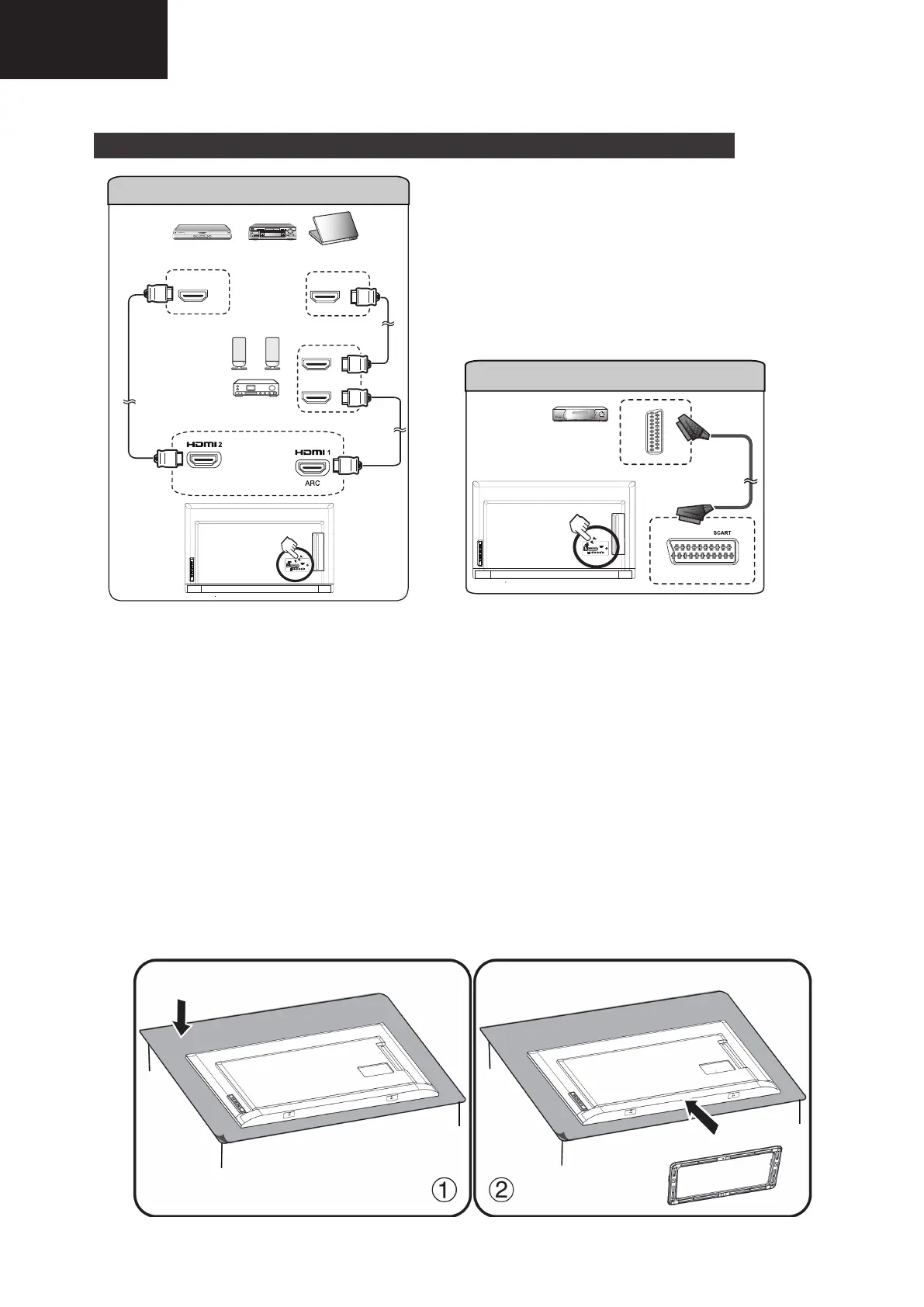
Connecting external devices
HDMI Out
HDMI In
HDMI Out
HDMI
HDMI
PC
Blu-ray player
HDMI cable
HDMI cable
HDMI 1 / HDMI 2
HDMI cable
DVD player
Amplifier with
Speaker system
SCART
Decoder
SCART cable
LC-50LD264–LC-50LD265–LC-50LD265RU–LC-50LD266
8
Preparation
Supplied Accessories
Note
• Always use the AC cord supplied with the TV.
• The illustrations above are for explanation purposes and may vary slightly from the actual accessories
Attaching/Detaching the Stand
• Before attaching (or detaching) the stand, unplug the AC cord from the AC IN terminal.
• Before attaching (or detaching) the stand, spread a cushion under the TV to prevent it from being damaged.
Caution
• Attach the stand in the correct direction.
• Be sure to follow the instructions. Incorrect installation of the stand may result in the TV falling over.
1 Put the TV face down on a safe surface that is covered by a soft and smooth cloth.
2 Adjust the TV stand to the bottom of the TV.
3 Fasten the screws by using a cross-head screwdriver (Not supplied).
Caution
• To avoid damages, do not push too hard or put excessive pressure to the stand neck while turning the TV
to suit your comfortable viewing angle.
Note
• To detach the stand, perform the steps in reverse order.





 To Next Page