EasyManua.ls Logo

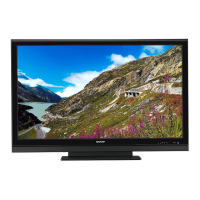
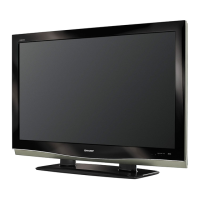
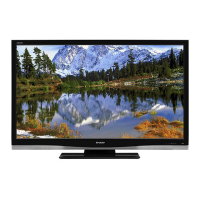
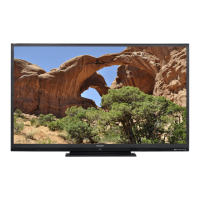
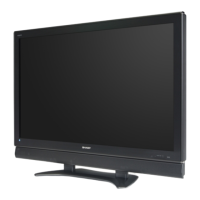
Sharp LC 52SB55U - User Manual

Sharp LC 52SB55U
32 pages
Print Icon
To Next Page IconTo Next Page
Loading...
1
Supplied Accessories
Make sure the following accessories are provided with the product.
Remote control unit (
g
1)
Page 8
“AA” size battery (
g
2)
Page 9
AC cord (
g
1)
Page 8
Stand unit (
g
1)
Page 7
Cable clamp (
g
1)
Cable tie (
g
1)
Page 8
LC-52SB55U
LIQUID CRYSTAL
TELEVISION
OPERATION MANUAL
ENGLISH
To avoid scratching the frame or screen, please use a soft, lint free cloth for cleaning. Approved
cleaning cloths are available directly from Sharp in single (00Z-LCD-CLOTH) or triple (00Z-LCD-
CLOTH-3) packs. Call 1-800-BE-SHARP for ordering, or VISIT www.sharpusa.com/SharpDirect.
Always use the AC cord supplied with the TV.
AC cord enclosed in this product is for 110-125V. In using it on the 125-240V AC, please consult the following.
SHARP ELECTRONICS CORPORATION, LATIN AMERICA GROUP
6100 Blue Lagoon Drive, Suite 150, Miami, Florida 33126, U.S.A.
IMPORTANT : Please read this operation manual
before starting operating the equipment.
Operation manual (
g
3 languages)
LC-52SB55UE00.indd1LC-52SB55UE00.indd1 2008/05/230:15:102008/05/230:15:10

Other manuals for Sharp LC 52SB55U

Questions and Answers

  • E
    Erika ToddAug 12, 2025
    How to troubleshoot no power on Sharp LCD TV?
    • C
      charleskochAug 12, 2025
      If your Sharp LCD TV has no power, make sure you have pressed the POWER button on the remote or on the TV itself. Also, check if the AC cord is properly connected and that the power is turned on.
  • K
    Kimberly SmithAug 15, 2025
    Why does my Sharp LCD TV power off suddenly?
    • A
      Ashley MorganAug 16, 2025
      If your Sharp LCD TV suddenly turns off, check if the sleep timer is set or review the power control settings. Also, if the unit's internal temperature has increased, remove any objects blocking the vents or clean them.
  • B
    Brett AllenAug 19, 2025
    Why Sharp LCD TV remote control not working?
    • M
      Michael NixonAug 19, 2025
      If your Sharp LCD TV remote control isn't working, replace the batteries with new ones. Ensure the batteries are inserted with the correct polarity. Strong or fluorescent lighting near the remote control sensor might also interfere with its operation.
  • J
    James CooperAug 23, 2025
    How to fix no sound on Sharp LC 52SB55U LCD TV?
    • C
      Colton MitchellAug 25, 2025
      If there is no sound coming from your Sharp LCD TV, first ensure that the volume isn't too low. Also, check if “Variable” is selected in “Output Select” and confirm that you haven't accidentally pressed the MUTE button on the remote.
  • J
    James EwingAug 27, 2025
    What to do if Sharp LC 52SB55U LCD TV has no picture?
    • C
      Carolyn MeyerAug 27, 2025
      If there is no picture on your Sharp LCD TV, verify that all connections to other components are correct. Ensure the correct input signal source and input are selected. Check the picture adjustments and make sure “On” is not selected in “Audio Only”. Also, confirm that a compatible signal is being input.
  • T
    Tiffany SimmonsAug 31, 2025
    How to adjust Sharp LCD TV picture cut off?
    • J
      Jacqueline MckenzieAug 31, 2025
      If the picture on your Sharp LCD TV is cut off or has a sidebar screen, check if the image position is correct and ensure that screen mode adjustments such as picture size are properly configured.
  • X
    xhughesSep 4, 2025
    Why does my Sharp LCD TV have strange colors?
    • E
      Erin DurhamSep 4, 2025
      If your Sharp LCD TV displays strange colors, light colors, or color misalignment, adjust the picture tone. If the room is too bright, the picture may appear dark, so adjust the room lighting or the TV settings accordingly. Also, check the input signal setting.
  • H
    harry48Sep 7, 2025
    Why does my Sharp LC 52SB55U LCD TV make cracking sounds?
    • M
      mbeardSep 7, 2025
      This is not a malfunction. The cracking sound from your Sharp LCD TV is normal and occurs when the cabinet slightly expands and contracts due to temperature changes. This does not affect the TV's performance.

Summary

Supplied Accessories

Important Information

Important Safety Instructions

Additional Safety Information

Provides additional safety guidelines for operation, maintenance, and repair of the product.

Important Safety Instructions Continued

Child Safety Precautions

Focuses on child safety precautions related to flat panel display placement and use.

Water and Moisture Precautions

Warns against using the product near water sources like bathtubs or sinks.

Stand Safety

Advises using only specified stands or carts to prevent tip-over accidents.

Tune Into Safety Tips

Offers safety tips for proper installation and use of flat panel displays.

Ventilation Guidelines

Explains the importance of not blocking ventilation openings to prevent overheating.

Wall Mounting Guidelines

Provides essential guidelines for safely mounting the flat panel display on a wall.

Lightning Protection

Recommends unplugging during lightning storms to prevent surge damage.

Power Line Safety

Warns about locating the antenna system away from overhead power lines.

Quick Reference

Setting the TV on the Wall

Explains how to mount the TV on the wall using a specific bracket.

Quick Reference Continued

Quick Installation Tips

Provides step-by-step instructions for the initial setup and connection of the TV.

Connecting to External Equipment

Watching TV

Turning the TV On and Off

Describes how to turn the TV on and off and its standby mode.

Initial Setup Procedure

Guides through the initial setup process when turning on the TV for the first time.

Direct Button Operation

Power Button Operation

Explains how to turn the TV on or put it in standby mode using the power button.

Changing Channels

Details how to change channels using the channel buttons or number pad.

Volume Adjustment

Explains how to adjust the TV volume using the volume buttons.

Direct Button Operation Continued

Input Source Selection

Guides on selecting external input sources for viewing content.

View Mode Selection

Explains how to select different screen sizes and aspect ratios.

Operating the On-Screen Display Menu

Describes how to navigate and operate the on-screen display menu.

On-Screen Display Menu

On-Screen Display Menu Operation

Details the operation of the on-screen display menu using remote or unit buttons.

Menu Operation Buttons

Explains the function of the menu operation buttons on the remote and main unit.

On-Screen Display Menu Continued

Picture Menu Settings

Allows adjustment of picture settings like backlight, contrast, color, and sharpness.

Setup Menu Overview

Provides access to setup options like language, TV location, and channel search.

Parental Control Status

Enables or disables the parental control function and requires a secret number.

Option Menu Settings

Provides access to various option settings for audio, input, and color.

EZ Setup Guide

Guides through the initial setup process for channels, language, and location.

V-Chip Content Filtering

Explains the V-Chip filtering device for selecting and blocking programs based on ratings.

Resetting Settings to Factory Defaults

Guides on resetting all settings to factory preset values.

Audio Menu Settings

Guides on adjusting sound quality settings like treble, bass, and balance.

Parental Control Setup

Allows setting up parental controls and a secret number for protection.

Digital Setup Configuration

Optimizes settings for digital broadcasting, including audio and software updates.

Setting a New Secret Number

Details how to set or change the secret number for parental controls.

Clearing the Secret Number

Explains how to clear the existing secret number for parental controls.

Appendix

Troubleshooting Common Problems

Provides solutions for common problems encountered with the TV operation and picture/sound.

Troubleshooting Digital Broadcasting

Addresses error messages related to digital broadcast reception and their solutions.

Temperature Environment Cautions

Advises on precautions for using the TV in extreme temperature environments.

PC Compatibility Chart

Clearing the Secret Number

Guides on how to clear the secret number if it is forgotten.

Sharp LC 52SB55U Specifications

General IconGeneral
BrandSharp
ModelLC 52SB55U
CategoryLCD TV
LanguageEnglish

Related product manuals