62
E
n
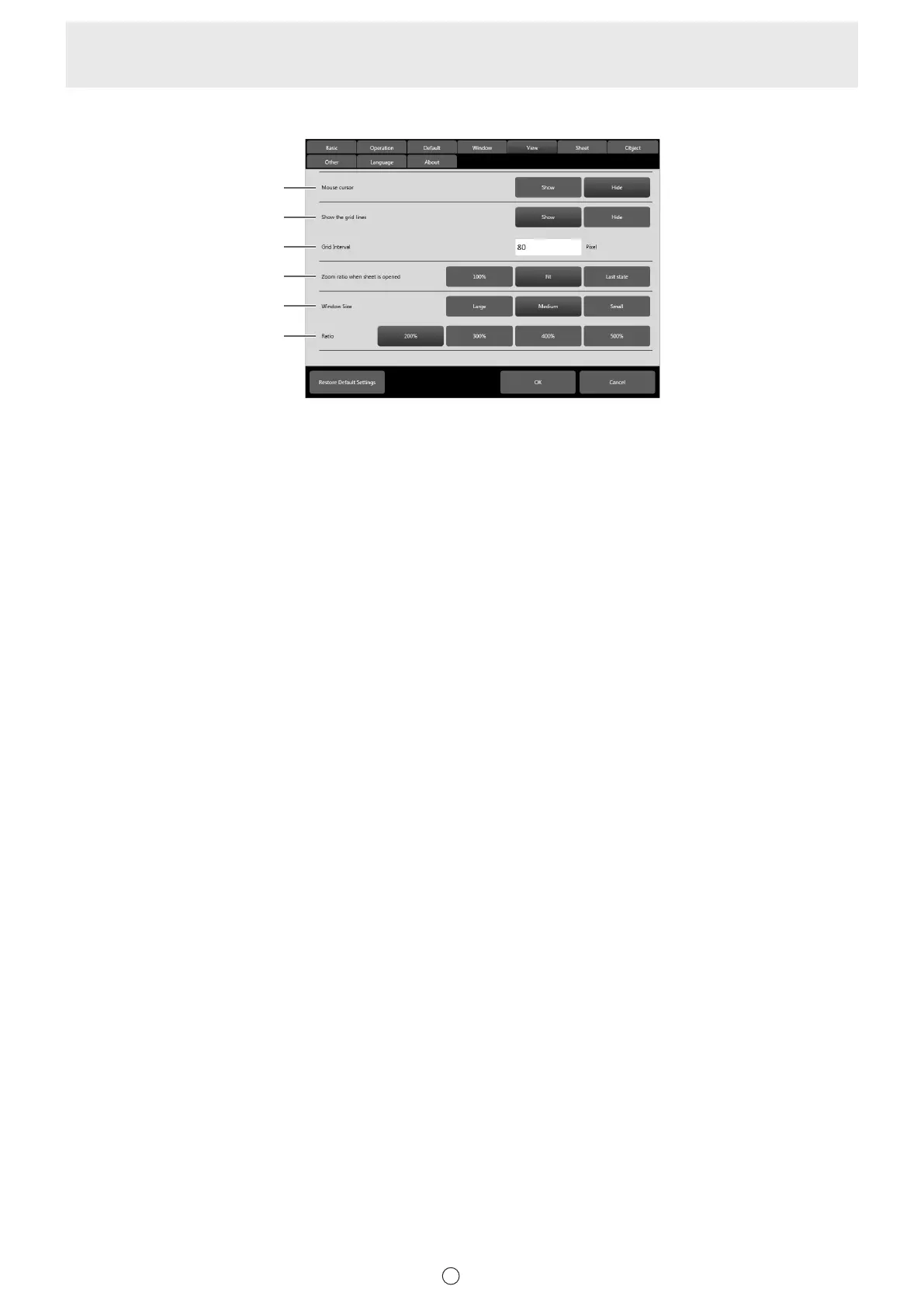
View
(1)
(2)
(3)
(4)
(5)
(6)
(1) Mouse cursor
Set whether to show a cursor.
(2) Show the grid lines
Set “Show” or “Hide”.
(3) Grid Interval
Set the grid interval. (50 to 500 pixels)
(4) Zoom ratio when sheet is opened
Change the magnication used to display les that are opened.
(5) Window Size
Specify the size of the zoom display. (Page 42)
(6) Ratio
Specify the magnication of the zoom display. (Page 42)


 To Next Page