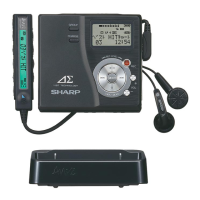
MD-MS701H/MS702H
– 12 –
• When the STOP button is pressed while the TEST-REC menu appears, or in the TEST-REC mode or continuous record mode, the mode
changes to the TEST mode stop state.
• When the PLAY button is pressed while the TEST-REC menu appears, the continuous record is initiated from the current pickup position.
• Whenever the DISP button is pressed in the TEST-REC mode, the address changes as follows.
0050 — 03C0 — 0700 — 08A0 — 0050 —
• Whenever the BASS button is pressed in the TEST-REC mode, the digit which is changed by the SKIP UP/DOWN button changes as
follows.
0050 — 0050 — 0050 — 0050 — 0050 —
• When the SKIP UP button s pressed in the TEST-REC mode, the digit of address specified by the BASS button is set to +1h.(0 to F)
• When the SKIP DOWN button is pressed in the TEST-REC mode, the digit of address specified by the BASS button is set to -1h. (0 to F)
* When the SKIP UP/DOWN button is held down, the setting changes continuously, one cycle being 100 ms.
• When the VOL UP/DOWN button is pressed in the TEST-REC mode or continuous record mode, the laser record power changes.
(Servo gain changes also according to record power.)
* After the laser record power is indicated for one second, the address indication is restored.
[ R P W ]
• : Address
• : Laser power cord
• Operation is disabled if the premastered disc or disc is in miserase-protected state.
8. TEST-REC Mode
9. NORMAL Mode
• When the STOP button is pressed while the NORMAl menu appears, the mode changes to the TEST mode stop state.
• Indication during operation
Indication of memory capacity on main unit LCD [ ] + Level meter
: Internal mode
: Address (Cluster section)
: Address (Sector section)
• Selection of sound volume, BASS, etc. is possible (without indication)
• Recording is also possible.
11. Error data display Mode
• Reversing when SKIP DOWN button is pressed
• When the STOP button is pressed while the error data indication menu appears or during error data indication, the mode changes to the
TEST mode stop state.
• Error data 0 is the latest error.
• Error which occurred in the TEST mode is also stored in the memory.
• When the DISP button is pressed while the error data indication menu appears, the error data is initialized. [ C L E A R _ ]
•
: Error Code
10. Digital input display Mode (Din Mon)
• When the STOP button is pressed while the digital input indication menu appears or during digital input information indication, the mode
changes to the TEST mode stop state.
• In case of analog input or digital input unlocking the indication data is _.
Explanation of error history code
12h : RF side FG, TG, and TCRS adjustment termination failure
13h : Adjustment servo retraction excessive retrial
17h : A, B, E, F, and TCRSO offset measurement value out of tolerable range
21h : Focus retraction completion allowable time-over
23h : Track search completion allowable time-over
32h : P-TOC read failure
42h : U-TOC read failure
44h : U-TOC write data write disabled/read check error
52h : SD write data write disabled
71h : Pickup position initialization time-over
•Whenever the DISP button is pressed in the continuous playback mode, the indication changes as follows.
* Pit section
Continuous playback (SUBQ address indication) [ S Q ]
|
Continuous playback (C1 error indication) [ C E ]
|
Continuous playback (SUBQ address indication) [ S Q ]
* Groove section
Continuous playback (ADIP address indication) [ A P ]
|
Continuous playback (C1 error indication) [ C E ]
|
Continuous playback (ADIP error indication) [ A E ]
|
Continuous playback (ADIP address indication) [ A P ]



 To Next Page