EasyManua.ls Logo

Sharp MD-R3 - User Manual

Sharp MD-R3
48 pages
Print Icon
To Next Page IconTo Next Page
Loading...
CAUTION
RISK OF
ELECTRIC
SHOCK
DO
NOT
OPEN
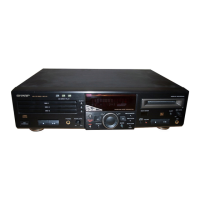
MD/CD DECK
OPERATION MANUAL
Thank you for purchasing this SHARP product.
For the best performance, read this manual carefully.
It will guide you in operating your SHARP product.
FOR YOUR RECORDS
For your assistance in reporting this unit in case of loss
or theft, please record below the model number and ser-
ial number which are located on the rear of the unit.
Please retain this information.
Model number _ _ _ _ _ _ _ _ _ _ _ _ _ _ _ _ _ _ _ _ _ _ _ _ _ _ _
Serial number _ _ _ _ _ _ _ _ _ _ _ _ _ _ _ _ _ _ _ _ _ _ _ _ _ _ _
Date of purchase _ _ _ _ _ _ _ _ _ _ _ _ _ _ _ _ _ _ _ _ _ _ _ _
Place of purchase _ _ _ _ _ _ _ _ _ _ _ _ _ _ _ _ _ _ _ _ _ _ _ _
The lightning flash with arrowhead
symbol, within an equilateral
triangle, is intended to alert the user
to the presence of uninsulated
“dangerous voltage” within the pro-
duct’s enclosure that may be of suf-
ficient magnitude to constitute a risk
of electric shock to persons.
CAUTION: TO REDUCE THE
RISK OF ELECTRIC SHOCK, DO
NOT REMOVE COVER (OR
BACK).
NO USER-SERVICEABLE PARTS
INSIDE. REFER SERVICING TO
QUALIFIED SERVICE PERSON-
NEL.
The exclamation point within an
equilateral triangle is intended to
alert the user to the presence of im-
portant operating and maintenance
(servicing) instructions in the lit-
erature accompanying the ap-
pliance.
Caution - use of controls or adjustments or per-
formance of procedures other than those speci-
fied herein may result in hazardous radiation
exposure.
WARNING: TO REDUCE THE
RISK OF FIRE OR ELECTRIC
SHOCK, DO NOT EXPOSE THIS
APPLIANCE TO RAIN OR MOIS-
TURE.
Note:
This equipment has been tested and found to comply with the limits
for a Class B digital device, pursuant to Part 15 of the FCC Rules.
These limits are designed to provide reasonable protection against
harmful interference in a residential installation.
This equipment generates, uses, and can radiate radio frequency en-
ergy and, if not installed and used in accordance with the instructions,
may cause harmful interference to radio communications.
However, there is no guarantee that interference will not occur in a
particular installation. If this equipment does cause harmful interference
to radio or television reception, which can be determined by turning the
equipment off and on, the user is encouraged to try to correct the
interference by one or more of the following measures:
Reorient or relocate the receiving antenna.
Increase the separation between the equipment and receiver.
Connect the equipment into an outlet on a circuit different from
that to which the receiver is connected.
Consult the dealer or an experienced radio/TV technician for
help.
WARNING
FCC Regulations state that any unauthorized changes or modifications
to this equipment not expressly approved by the manufacturer could
void the user’s authority to operate this equipment.
MODEL
MD-R3
MD-R2
It is the intent of Sharp that this product be used in full
compliance with the copyright laws of the United States
and that prior permission be obtained from copyright
owners whenever necessary.
US and foreign patents licensed from Dolby Laboratories
Licensing Corporation.

Other manuals for Sharp MD-R3

Questions and Answers

  • V
    veronica45Aug 14, 2025
    What to do if my Sharp MiniDisc Player displays 'NO DISC' or 'ERROR'?
    • J
      Jason RiveraAug 14, 2025
      If your Sharp MiniDisc Player displays "NO DISC" or "ERROR" after loading a disc, ensure the disc isn't loaded upside down. If the problem persists, try cleaning the disc. If the disc still doesn't work, it may not meet the required standards, so try a different disc. Also, make sure the unit is placed on a firm, level surface, free from vibrations. Finally, if condensation has formed inside the unit, remove the disc and leave the power on for about an hour.
  • L
    lisabuckAug 17, 2025
    Why is my Sharp MiniDisc Player remote control not working?
    • S
      sbrowningAug 18, 2025
      If your Sharp MiniDisc Player remote control isn't working, first ensure the batteries are inserted correctly, paying attention to polarity. If that doesn't solve it, replace the batteries. Also, make sure you're using the remote within a range of 8 inches to 20 feet and within a 15-degree angle of the player. Finally, ensure a disc is loaded.
  • D
    David CobbAug 21, 2025
    How to fix recording issues on my Sharp MiniDisc Player?
    • T
      thesterAug 21, 2025
      If your Sharp MiniDisc Player is not recording, check if the MiniDisc is protected against accidental erasure and, if so, slide the accidental erase prevention tab back to its original position. If you're using a playback-only MiniDisc, replace it with a recordable disc. Also, if the display shows “TOC FULL”, insert another recordable disc with available recording space.
  • J
    Joanna HernandezAug 26, 2025
    What to do if my Sharp MiniDisc Player skips during playback?
    • J
      Jason HenryAug 26, 2025
      If your Sharp MiniDisc Player is skipping during playback, it might be due to condensation inside the unit. Remove the disc and leave the power turned on. The unit should function properly in about 1 hour.
  • D
    Daniel WatsonAug 29, 2025
    What to do if my Sharp MiniDisc Player stops in the middle of a track?
    • K
      Kelsey HammondAug 29, 2025
      If your Sharp MiniDisc Player stops playing in the middle of a track, it might be because the unit is near excessive vibrations. Try placing the unit on a firm, level surface free from vibration.
  • M
    Michael HerringSep 1, 2025
    What to do if buttons on my Sharp MiniDisc Player don't respond?
    • P
      Paige AguirreSep 2, 2025
      If pressing a button on your Sharp MiniDisc Player doesn't elicit a response, try turning the power off and on again, and then retry the operation.
  • J
    Jared WintersSep 5, 2025
    Why does my Sharp MiniDisc Player cause radio noise or TV distortion?
    • O
      Olivia BryantSep 5, 2025
      If radios near your Sharp MiniDisc Player are making unusual noise, or if the picture on your TV screen is distorted, especially when using an indoor antenna, try using an outdoor antenna.
  • F
    Francis SuarezSep 9, 2025
    How to reset clock on Sharp MiniDisc Player?
    • E
      elizabeth11Sep 9, 2025
      If the clock on your Sharp MiniDisc Player is wrong, especially after a power failure, try setting it again.

Summary

PRECAUTIONS

General Precautions

General safety and operational precautions for the unit.

Condensation Handling

Guidance on handling moisture condensation inside the unit.

Compact Disc Care

Instructions for cleaning and handling compact discs.

Installation Location Guidelines

Recommendations for optimal and safe unit placement.

NAMES OF CONTROLS AND INDICATORS

Front Panel Controls and Indicators

Identification of buttons, displays, and indicators on the front panel.

Rear Panel Connections and Indicators

Identification of input/output jacks and buttons on the rear panel.

REMOTE CONTROL

Remote Control Button Identification

List and description of buttons on the remote control.

Remote Battery Installation and Precautions

Instructions for inserting batteries and safety advice.

Proper Remote Control Operation

Guidelines for effective operation and range of the remote control.

CONNECTIONS

Digital and Analog Connection Methods

Explains how to connect other equipment digitally or analogously.

Connecting Cable Types and Jacks

Details on required cables and corresponding jacks on the unit.

SETTING THE CLOCK

Setting the Date

Step-by-step guide to setting the unit's date.

Setting the Time

Step-by-step guide to setting the unit's time.

MINIDISC OPERATION

Loading and Playing a MiniDisc

Procedure for inserting and playing a MiniDisc.

Checking Track Information

How to view track names and recording dates during playback.

COMPACT DISC OPERATION

Loading and Playing CDs

Procedure for inserting and playing CDs.

CD Playback Control

How to interrupt, stop, and remove CDs.

CD AND MD OPERATIONS

Direct Track Selection

How to select and play specific tracks using the remote control.

Repeat and Random Play Modes

Instructions for setting repeat and random playback modes.

RECORDING

Recording Process Overview

Key differences from tape recording and automatic track numbering.

Selecting Input Sources

How to choose between digital and analog input sources for recording.

Recording Level Adjustment

Guidelines for setting the recording level for analog inputs.

EDITING

Track Division and Combination

Features for dividing tracks and combining adjacent tracks.

Track Erasing and Renaming

Functions for erasing tracks and assigning track/disc names.

HOW TO USE THE BUILT-IN TIMER

Timer Playback Setup

Instructions for setting up timer playback.

Timer Recording Setup

Instructions for setting up timer recording.

TROUBLESHOOTING

General Troubleshooting Steps

Basic steps to resolve common unit malfunctions.

CD Playback Issues

Solutions for problems encountered during CD playback.

MD Recording and Playback Issues

Solutions for problems with MiniDisc recording and playback.

Remote Control Problems

Troubleshooting steps for remote control malfunctions.

TRANSPORTING THE UNIT

Safe Unit Transportation Procedure

Steps to follow for safely moving the audio unit.

MAINTENANCE

Internal Component Care

Recommendations for cleaning internal parts like the laser pickup.

External Unit Cleaning

Instructions for cleaning the exterior cabinet of the unit.

SPECIFICATIONS

General Device Specifications

Overall technical specifications for the MD/CD deck.

MiniDisc Recorder Specifications

Technical details specific to the MiniDisc recording functionality.

Compact Disc Player Specifications

Technical details specific to the Compact Disc playback functionality.

LIMITED WARRANTY

Sharp MD-R3 Specifications

General IconGeneral
TypePortable Minidisc Recorder
Recording FormatATRAC (Adaptive Transform Acoustic Coding)
Frequency Response20 Hz - 20 kHz
Playback FormatMiniDisc (MD)
InputLine-in, Microphone
OutputHeadphone
Power SupplyAC Adapter
Signal-to-Noise Ratio90dB

Related product manuals