MX-5141FN MX-4140N/4141N/5140N/5141N (MAIN UNIT) 2 – 3
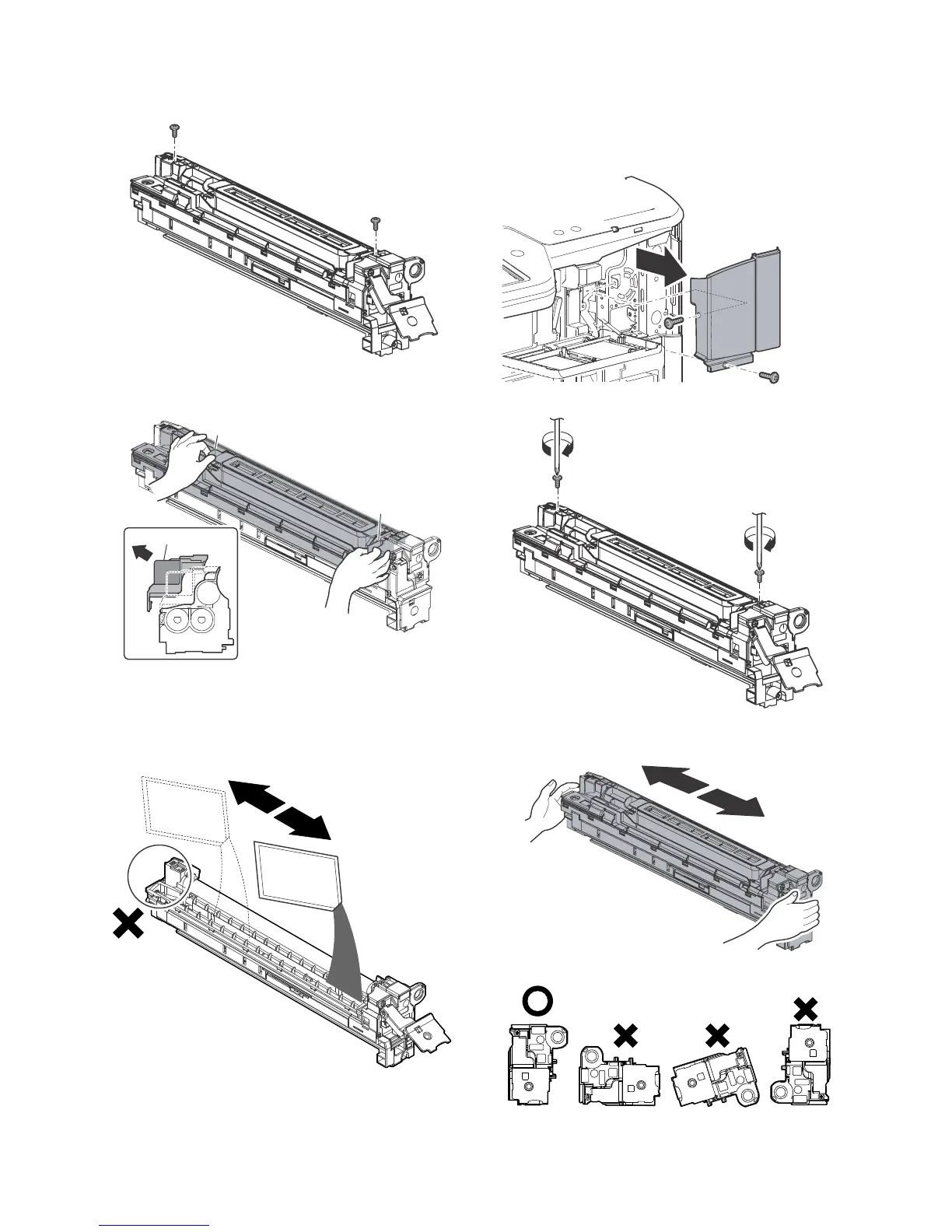
5) Remove the screws.
6) Hold the sections A, and remove the DV cover in the arrow
direction (B).
7) Supply developer (Packed items) in the developer unit.
* Shake the bag of developer with unopened state. After stir-
ring toner and developer in the bag, supply it to the develop-
ing unit.
* When replacing developer, use an extreme care not to drop
developer on the drive section (marked with ( )).
8) Install the DV cover in the arrow direction A.
* When installing the DV cover, be sure to engage the pawl
with the boss.
9) Secure the DV cover with the two screws.
10) Shake the developer unit horizontally a few times.
* When supplying developer, do not tilt the developing unit.



 To Next Page