COPIER
33
6
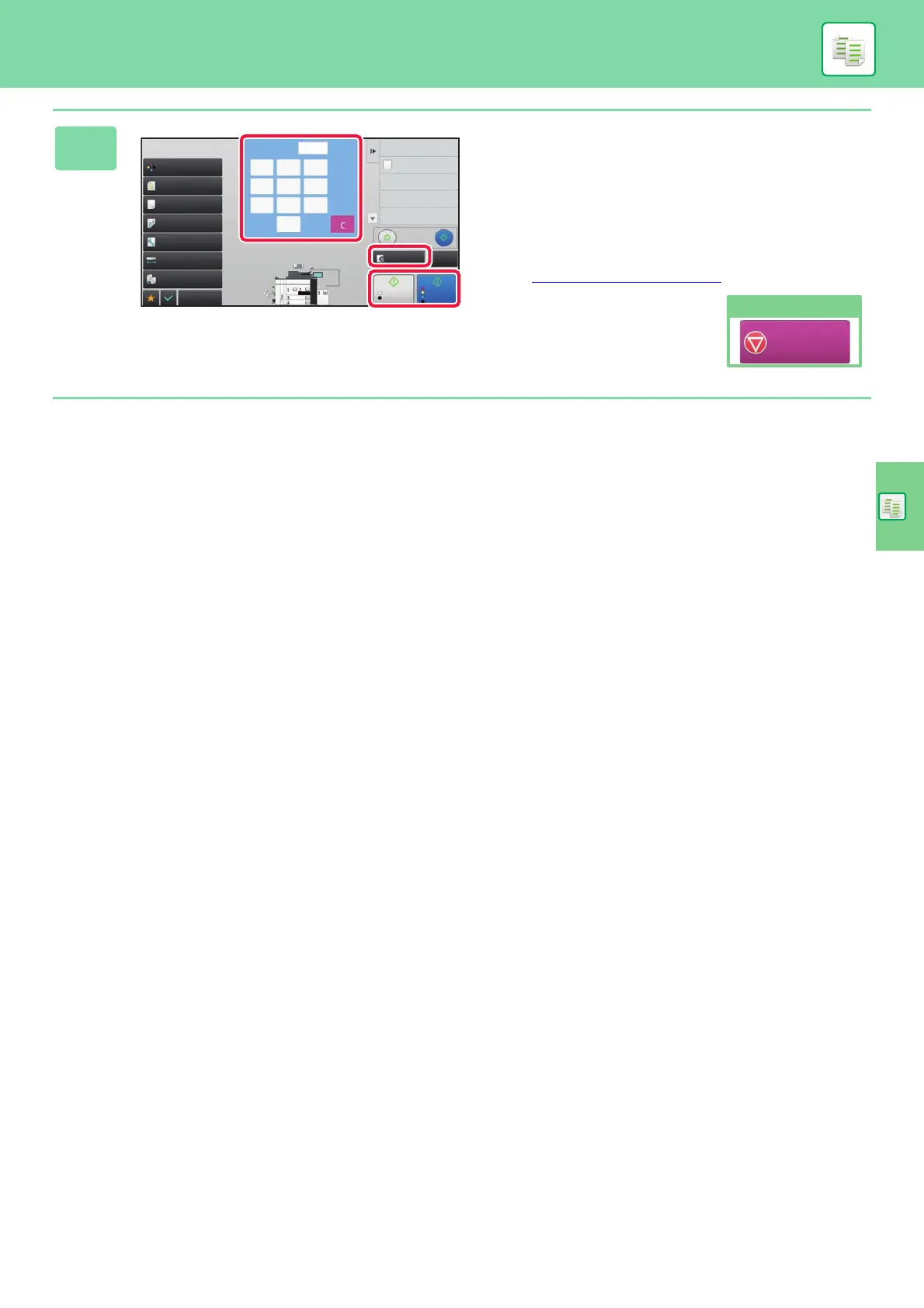
Set the number of copies and then tap
the [Color Start] key or [B/W Start] key.
• In the factory default state, when you tap the [Color Start]
key, the machine scans in full color. When you tap the
[B/W Start] key, the machine scans in black & white
binary. For details, see the User's Manual.
• To check a preview of a document, tap the [Preview] key.
► PREVIEW SCREEN
(page 13)
Preview
CA
B/W
Start
Color
Start
Paper Select
Auto
Exposure
Auto
Color Mode
2-Sided Copy
1-Sided → 1-Sider
Output
Copy Ratio
100%
Others
Send and Print
Call Eco Program
Store Data in Folder
File
Store Data Temporarily
Quick File
1
No. of copies
Full Color
Original
Auto 8½x11
Plain 1
Proof Copy
8½x11
8½x11
8½x11
8½x14
11x17
8½x11
1
4 5 6
2
0
3
7 8 9
Cancel copying
Cancel Copy


 To Next Page