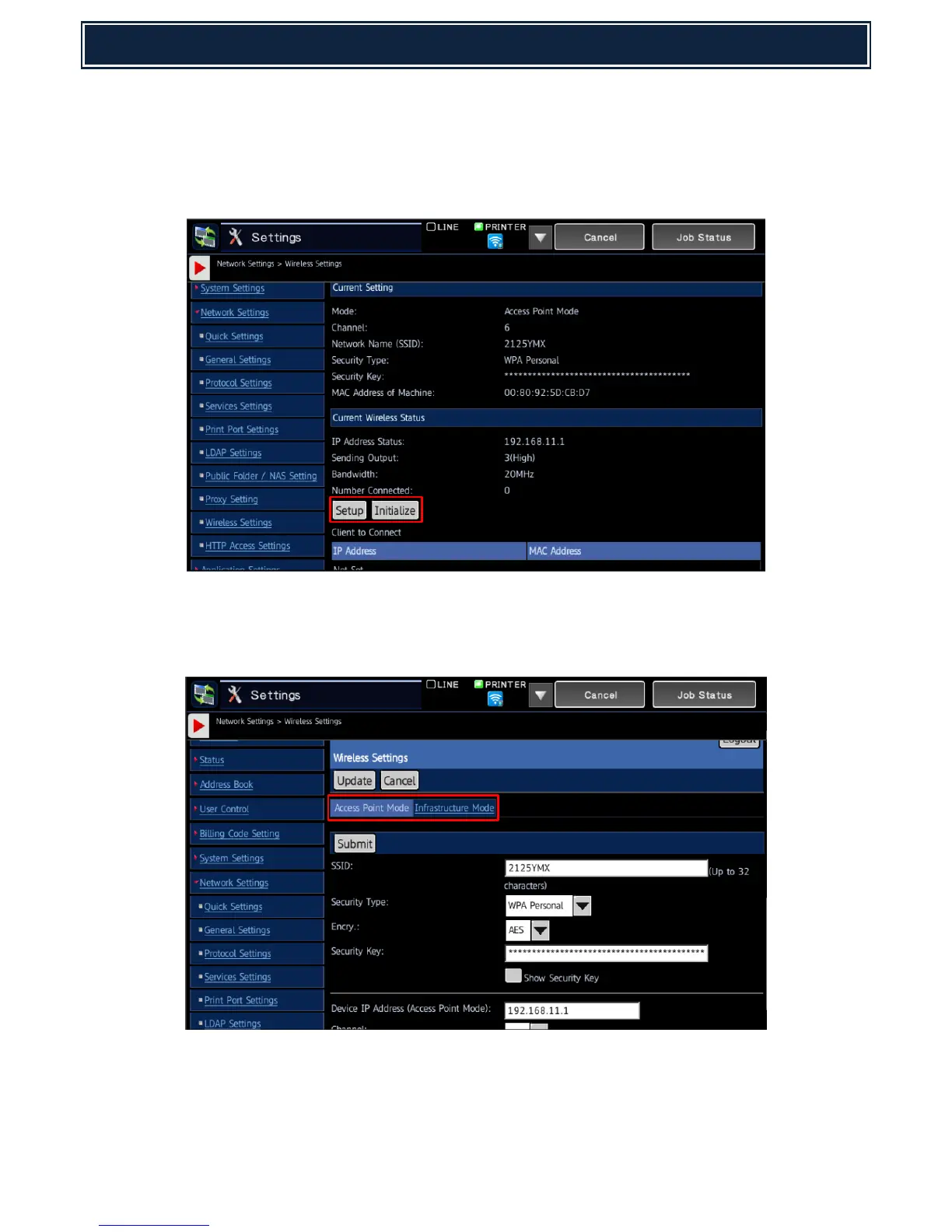
4. Reopen the Settings menu and expand the Network Settings – Wireless Settings menu:-
Note: Administrator login will be required.
5. The current Wireless Settings will be displayed - select Setup to configure the Wireless Settings.
Note: To return the Wireless Settings back to factory default (prior to setup), select Initialize.
6. Configure the required Wireless Settings for Access Point Mode or Infrastructure Mode by
selecting the Access Point Mode or Infrastructure Mode tab:-
Note: Detailed information regarding Wireless Settings can be found on the following page.
Once configured, click Submit and reboot the MFP device for the new settings to be applied.



 To Next Page