USB Device:
1. Insert a USB memory device containing the firmware file into the main USB Port.
2. Enter Simulation 49-01.
Note: “If no USB device is detected, an error message will be displayed.
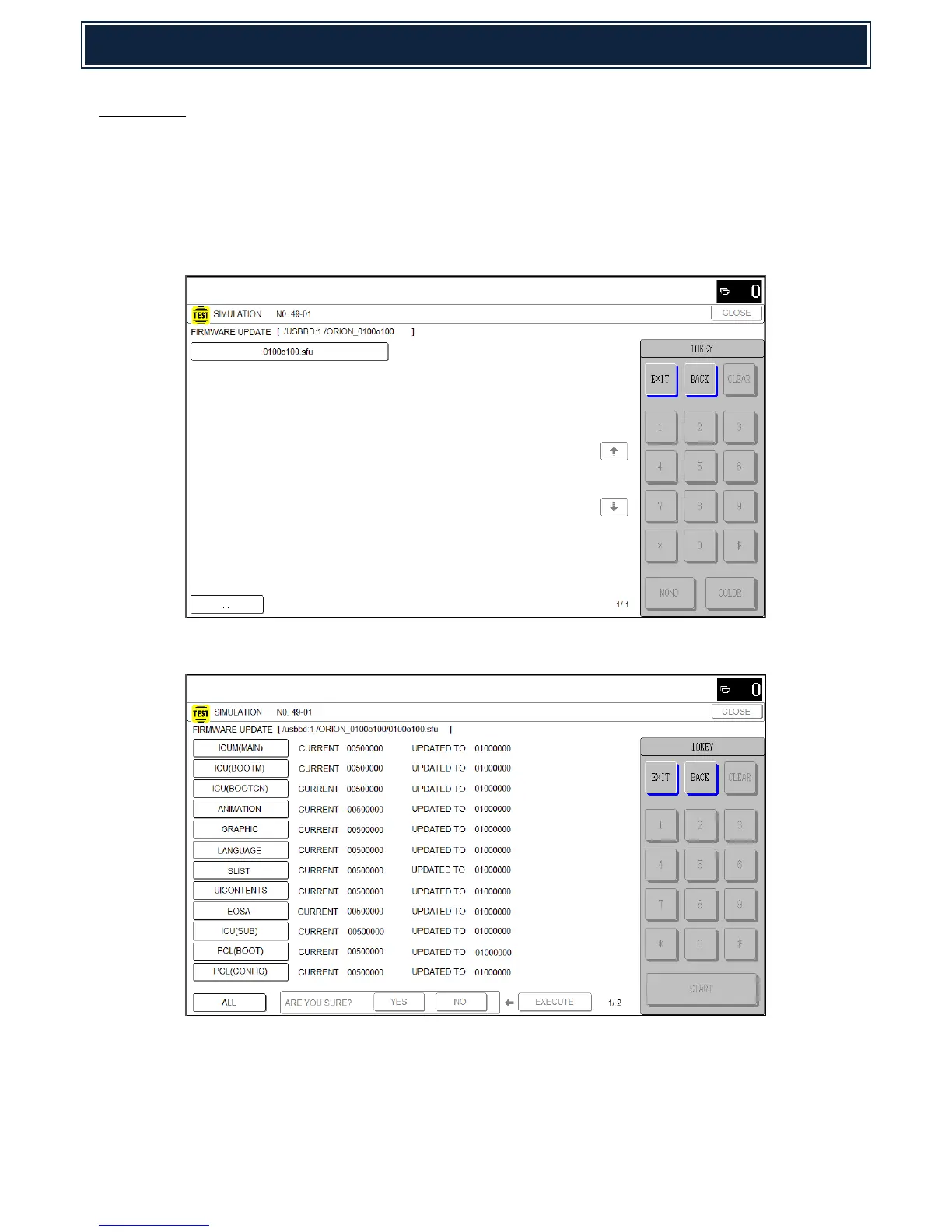
3. Using the LCD screen, browse and select the updated engine firmware file (*.sfu):-
4. The current and the updated firmware versions will be shown within the display:-
5. Select the required firmware that requires updating - Press Execute & Yes to commence the
update.
Note: If all firmware (including peripherals) require updating, select ALL (as shown):-



 To Next Page