The following pages contain information regarding test simulations. For a detailed description for each
test simulation, please refer to the MX-M365/465/565N Service Manual.
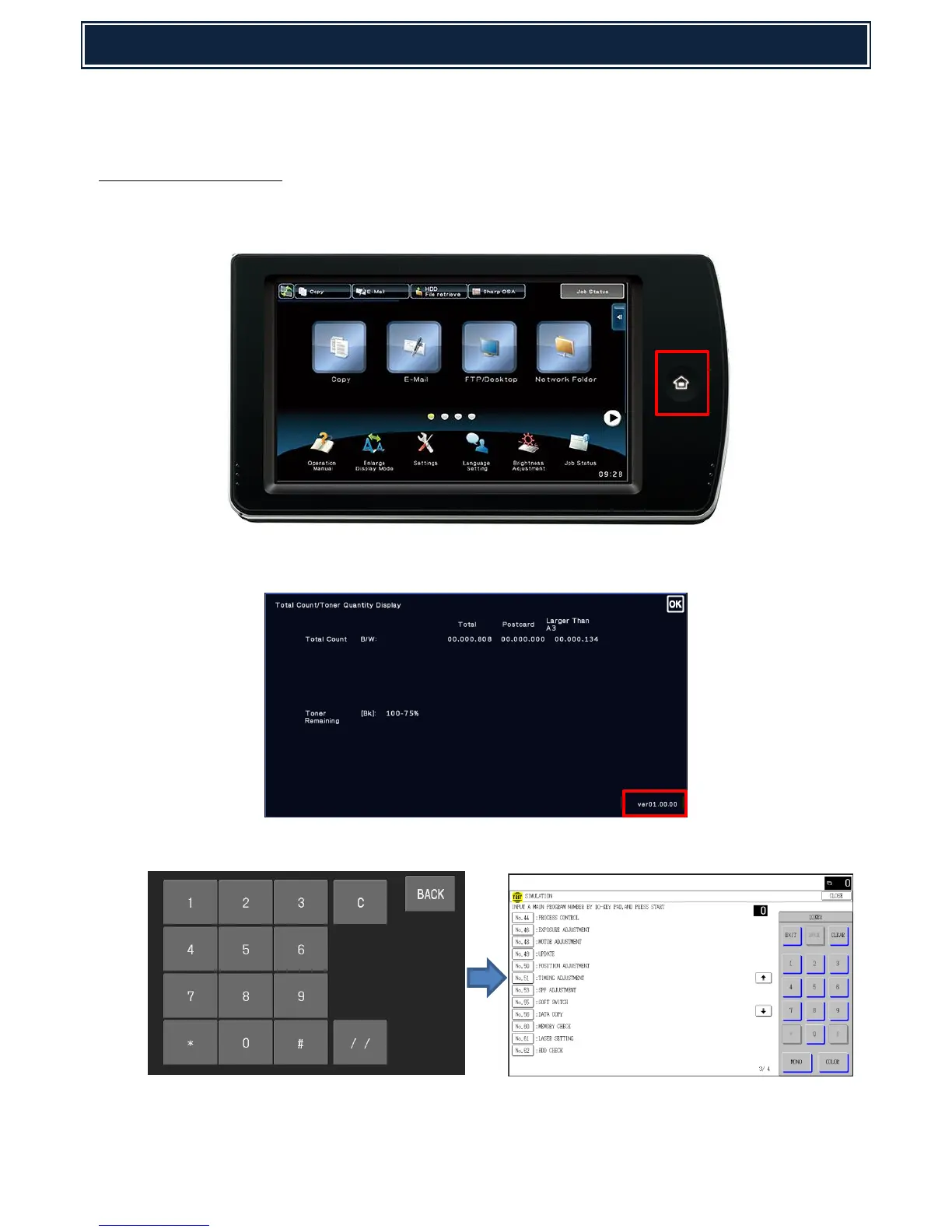
Simulation Entry Method:
1. Double-click the [HOME] key. (Total use quantity/Toner remaining quantity display mode screen
will appear):-
2. Touch the VER display section (as indicated below):-
3. Touch keys:-
4. Enter a main SIM code with the 10-key pad then touch the START (MONO or COLOR) key or select
a main code from the SIM key list on the touch panel.



 To Next Page