AUTO CALIBRATION
Settings related to the printer function can be configured.
Performs automatic correction when the black copies is off.
The machine prints a test patch, the test patch is scanned, and the black is automatically
corrected.
After the [Execute] key is tapped and a test patch is printed, a message appears
prompting you to begin automatic calibration.
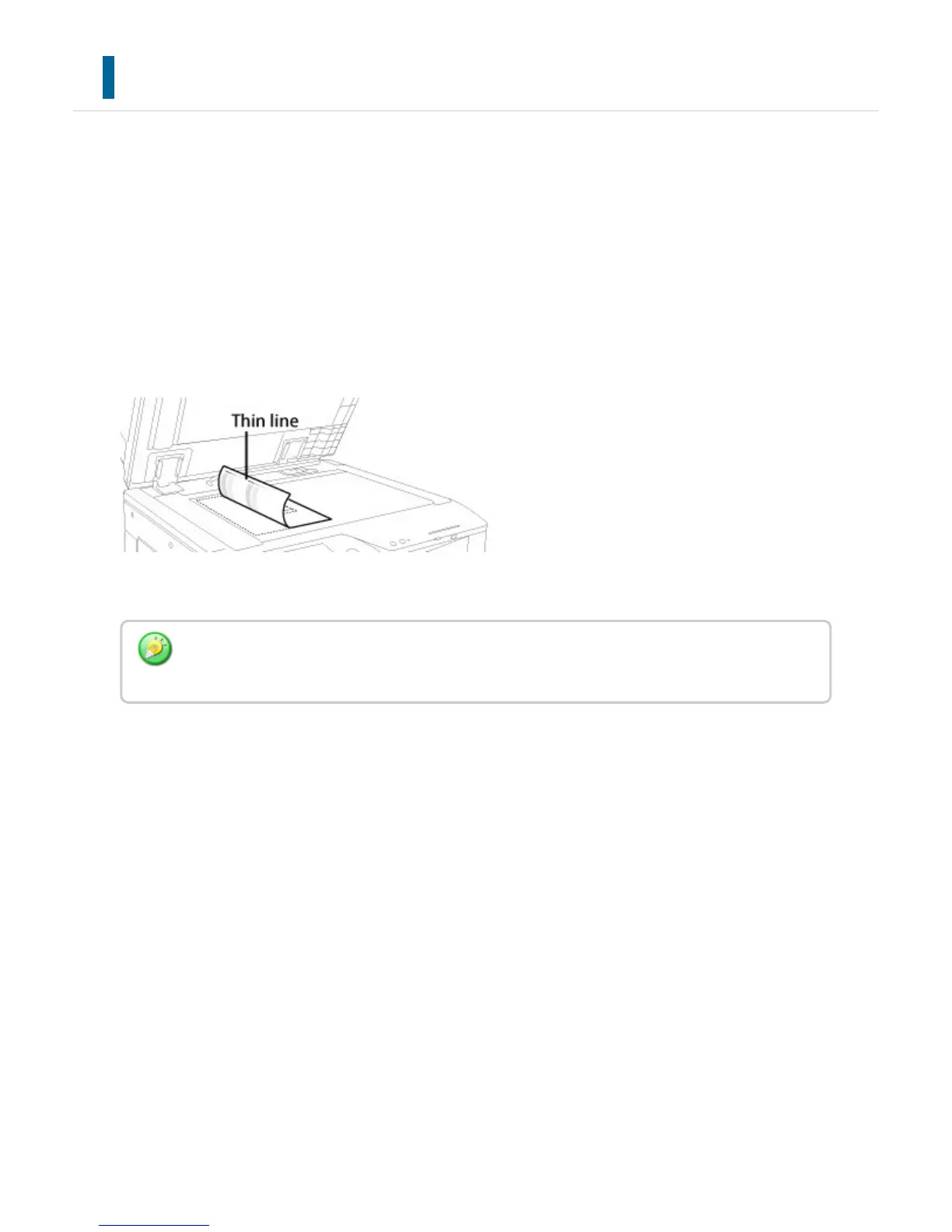
Place the test patch on the document glass as shown below (so that the thin line at the
edge of the page is to the left).
Lay copy paper (about five sheets) that is the same size as the test patch on top of the
placed test patch, gently close the automatic document feeder, and tap the [Execute] key.
If the black is still off after performing Auto Calibration, repeating Auto Calibration once again
may improve the black.
USER'S MANUAL | MX-M365N/MX-M465N/MX-M565N USER'S ... http://siica.sharpusa.com/portals/0/downloads/Manuals/MX-M365N-M...
1108 of 1441 3/17/2016 7:14 AM



 To Next Page