IP Address Distribution Range Setting
Configure the range to be used the IP address.
Wireless Setting screen (Infrastructure Mode)
If [Connection Type Switching] is set to [Wireless (infrastructure mode)] and the
[Settings] button is clicked, the infrastructure mode wireless setting screen is displayed.
Configure the SSID, Security Type, Encry., and Security Key of a wireless LAN.
Clicking the [Submit] button stores the settings.
Access Point Search
Click this to search access points.
When the search results are displayed, select the access point to use and click [OK].
[SSID], [Security Type], and [Encry.] are automatically applied.
SSID
Enter an SSID using up to 32 characters.
Security Type
Select a security type.
Encry.
Select an encryption type.
Security Key
Enter a security key.
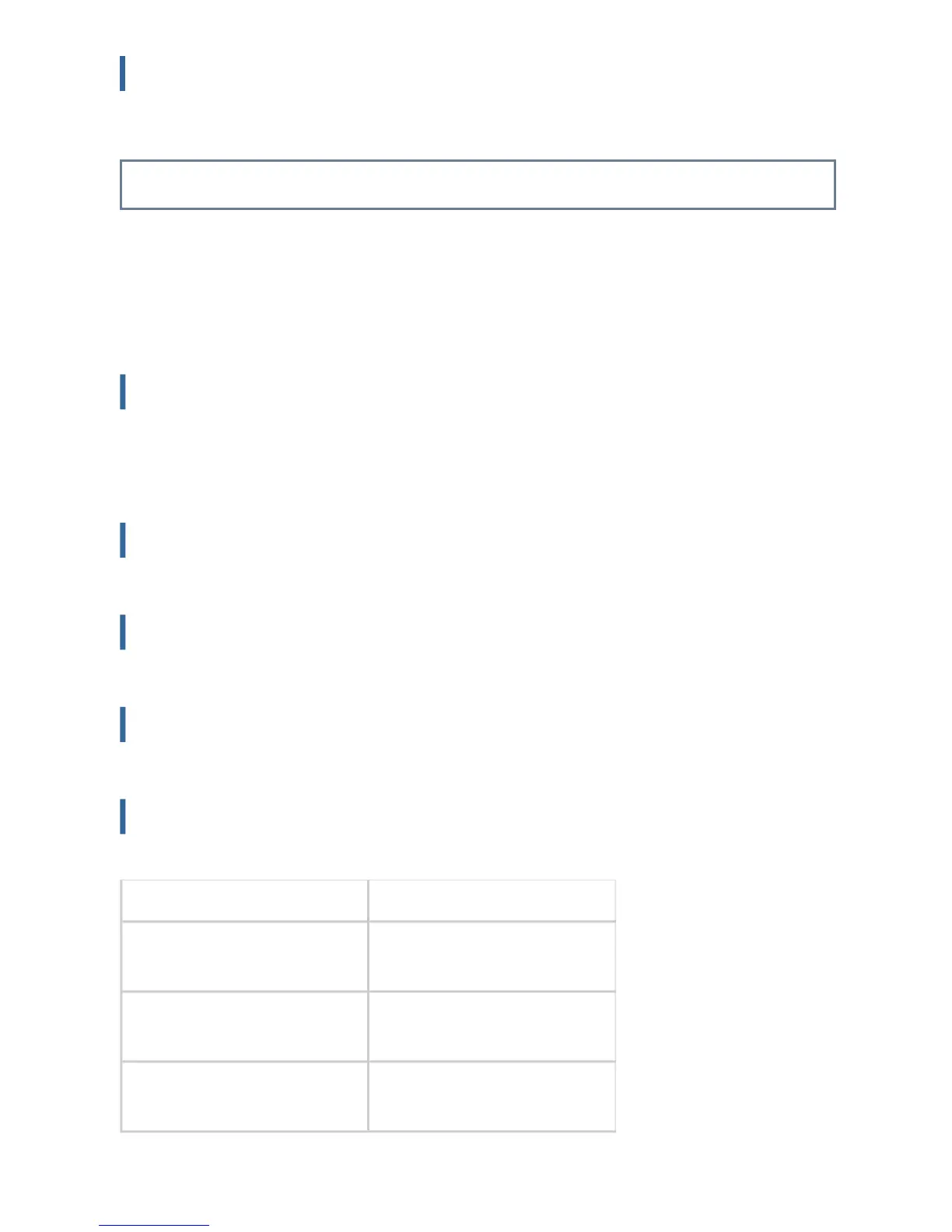
Security Type Security Key
WEP 64bit 5 characters or 10-digit
hexadecimal number
WEP 128bit 13 characters or 26-digit
hexadecimal number
WAP/WAP2 8 to 63 characters or 64-digit
hexadecimal number
USER'S MANUAL | MX-M365N/MX-M465N/MX-M565N USER'S ... http://siica.sharpusa.com/portals/0/downloads/Manuals/MX-M365N-M...
1178 of 1441 3/17/2016 7:14 AM



 To Next Page