SCANNING AREA
To clean this part, use the glass cleaner that is stored in the automatic document feeder.
After using the glass cleaner, be sure to return it to its storage position.
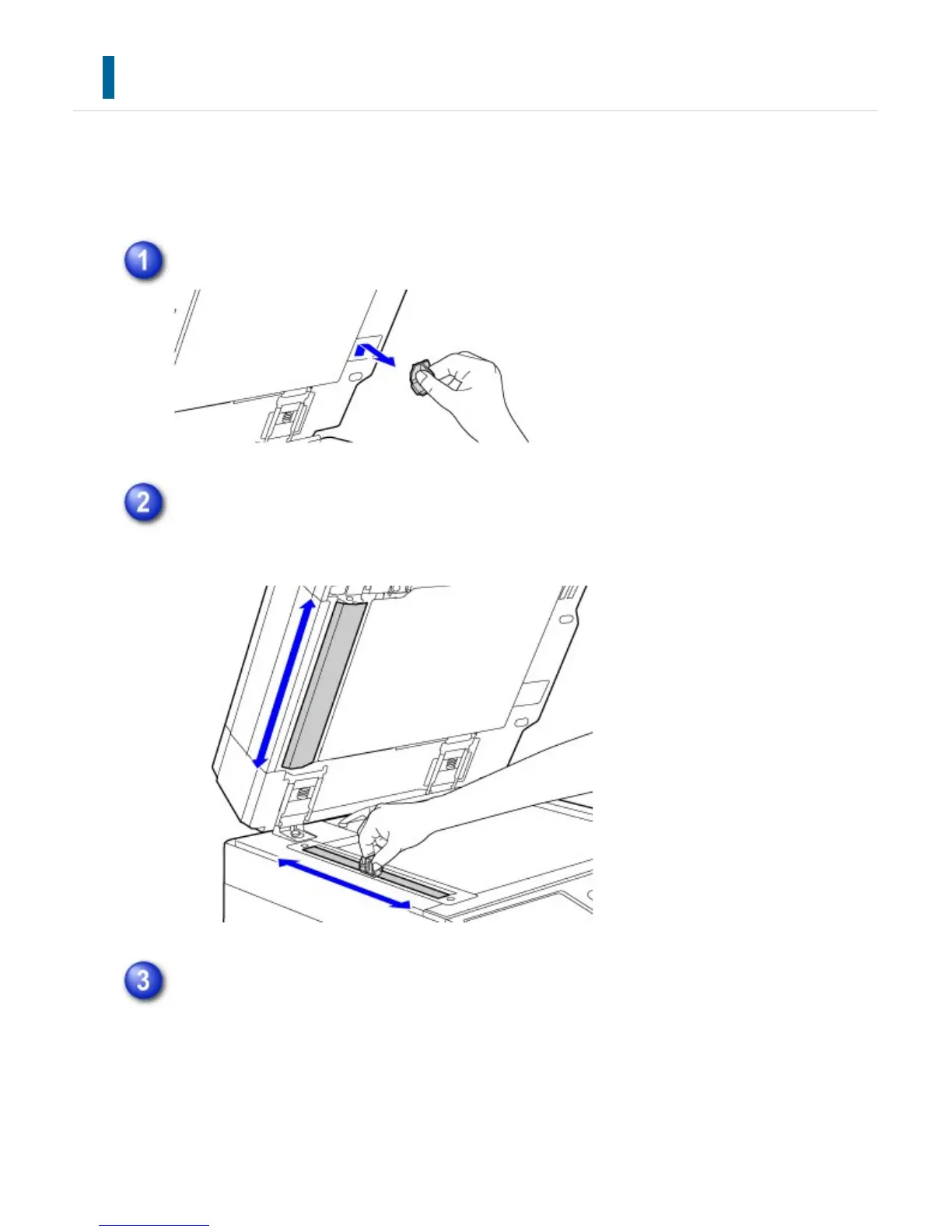
Open the automatic document feeder and remove the glass cleaner.
Clean the document scanning area on the document glass with the glass cleaner.
One scanning area is on the document glass and the other is inside the automatic
document feeder.
Open the scanning area cover on the automatic document feeder.
Push in the release switch to release the cover.
USER'S MANUAL | MX-M365N/MX-M465N/MX-M565N USER'S ... http://siica.sharpusa.com/portals/0/downloads/Manuals/MX-M365N-M...
1370 of 1441 3/17/2016 7:14 AM



 To Next Page