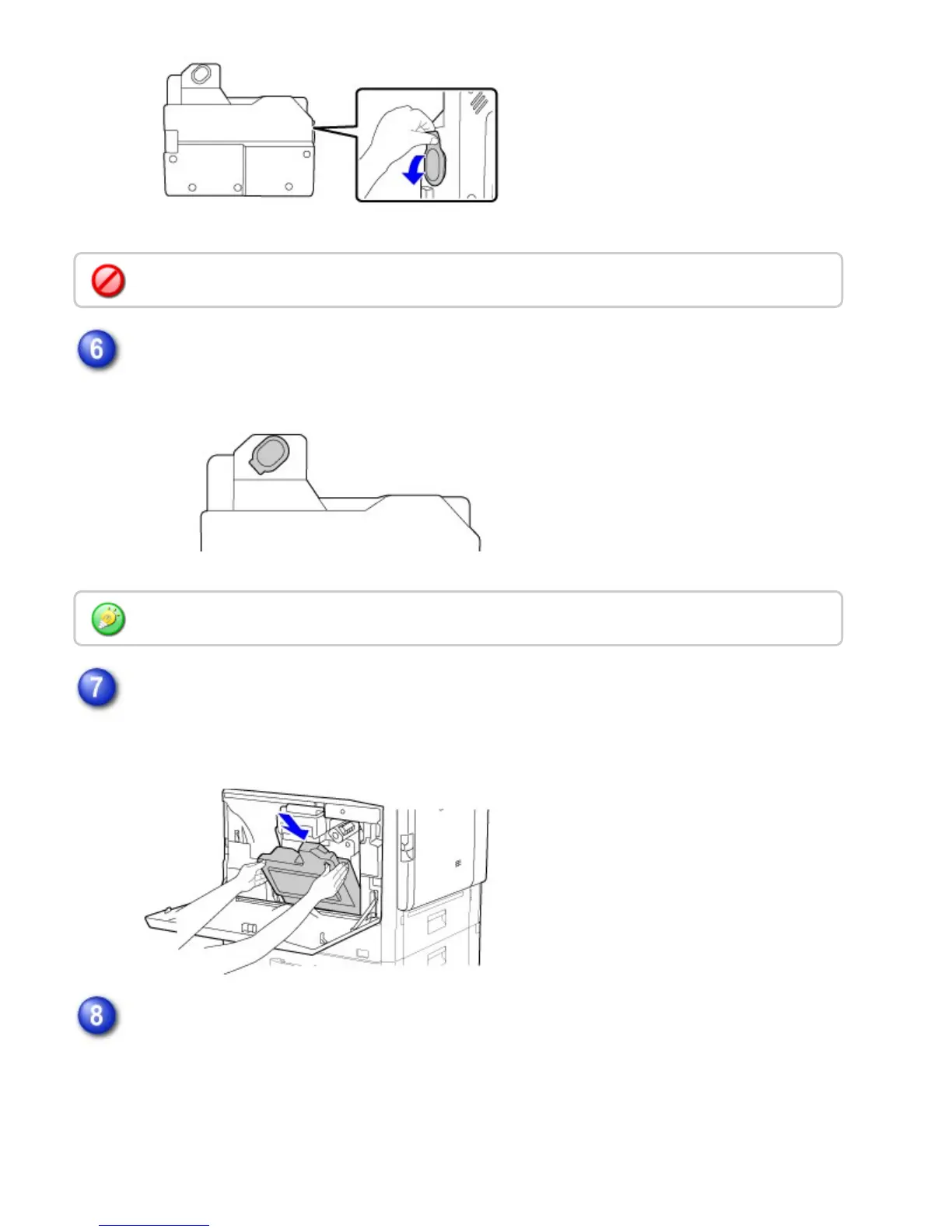
Attach the cover that was removed in step 5 to the toner collection opening.
Install a new toner collection container.
Insert the container from above at a slant. (In the direction opposite to the direction you
removed it in.)
Push the toner collection container into the machine.
Push the container in until it clicks into place.
Remove carefully, taking care that toner does not spill.
When attaching the cover, take care that your clothes are not soiled by toner.
USER'S MANUAL | MX-M365N/MX-M465N/MX-M565N USER'S ... http://siica.sharpusa.com/portals/0/downloads/Manuals/MX-M365N-M...
1383 of 1441 3/17/2016 7:14 AM



 To Next Page