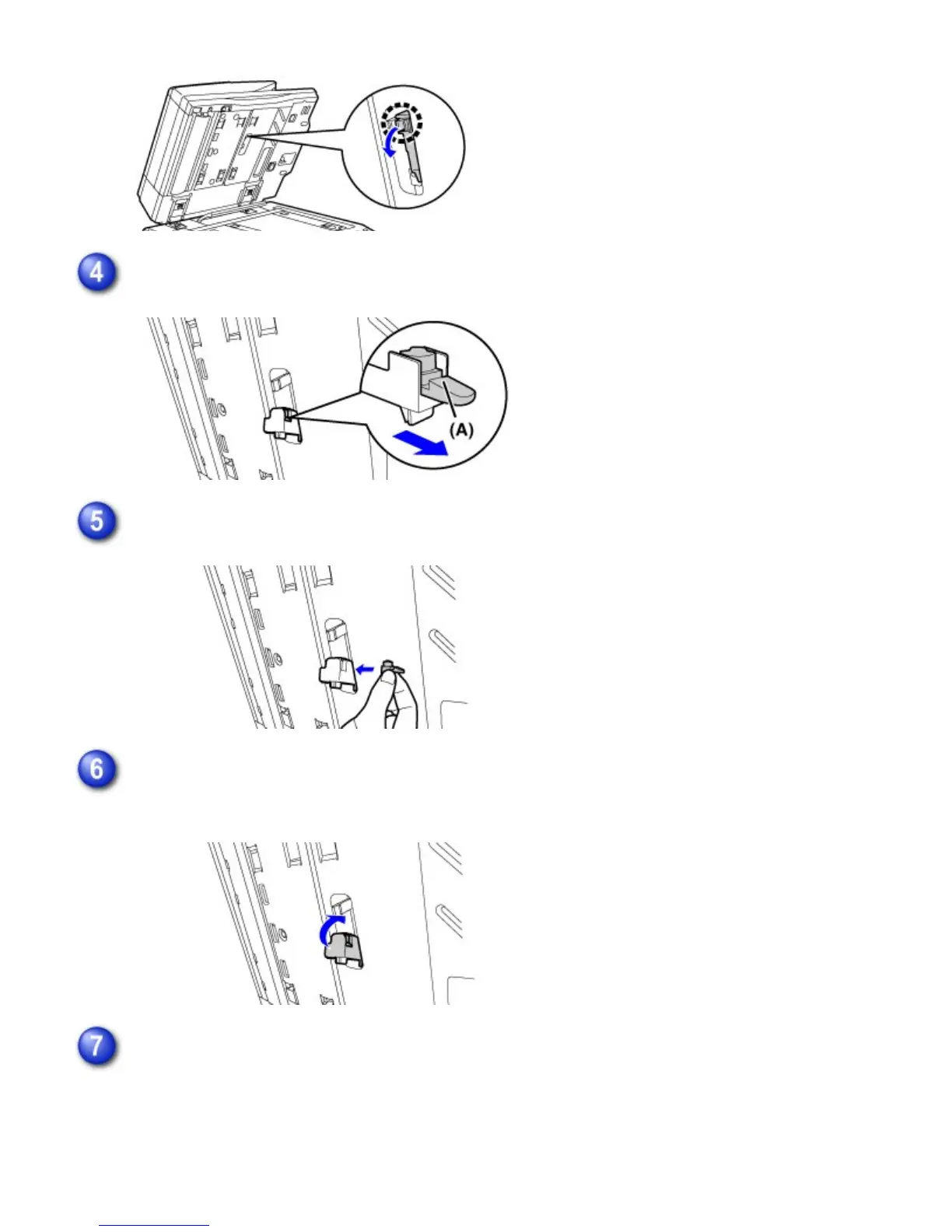
Remove the stamp cartridge (A).
Install a new stamp cartridge.
Push the stamp unit back in.
Push the stamp unit in until it clicks into place.
Close the automatic document feeder to attach the document backplate sheet.
When the automatic document feeder is closed, the document backplate sheet on the
document glass attaches to the automatic document feeder.
USER'S MANUAL | MX-M365N/MX-M465N/MX-M565N USER'S ... http://siica.sharpusa.com/portals/0/downloads/Manuals/MX-M365N-M...
1386 of 1441 3/17/2016 7:14 AM



 To Next Page