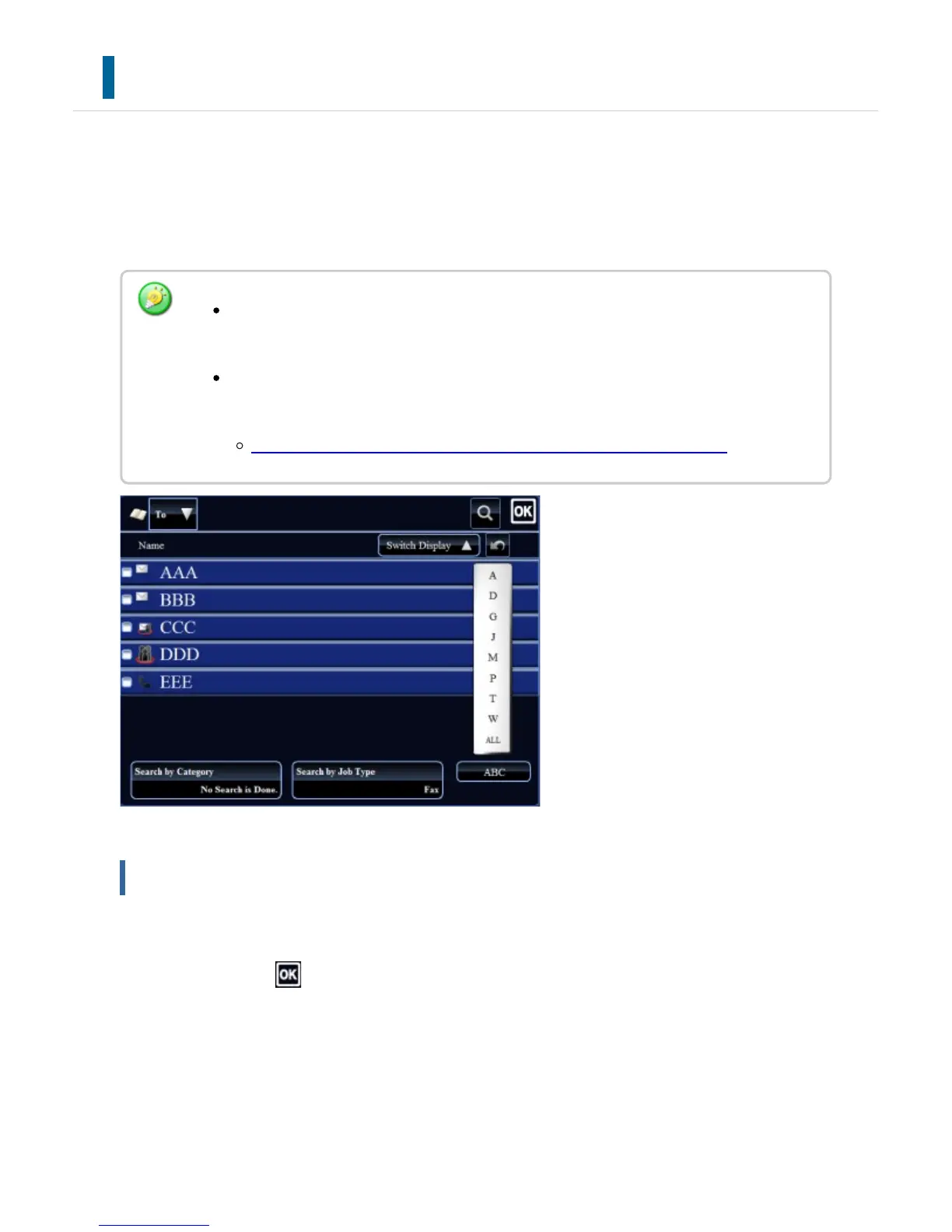
ADDRESS BOOK SCREEN
To display the address book, tap the [Address Book] key on the base screen in image send
mode such as fax, e-mail, or Internet fax. You can also display it by tapping the [Address
Book] icon on the Home screen. "Contacts" and "Group" registered are enabled for
alphabetical search and selected condition-based advanced search.
Selecting "Contacts" or "Group"
Tap a "Contacts" or "Group", and the tapped "Contacts" or "Group" is selected.
After selection, tap .
To add Contacts and Groups, refer to the following.
When the [Address Book] key is tapped on the e-mail base screen, groups and
contacts having e-mail addresses are displayed.
If user authentication is enabled, registered contacts can be shared within a
specified group or stored as personal contacts that only you are allowed to access.
SETTING THE SCOPE FOR PUBLICIZING CONTACTS AND GROUPS
USER'S MANUAL | MX-M365N/MX-M465N/MX-M565N USER'S ... http://siica.sharpusa.com/portals/0/downloads/Manuals/MX-M365N-M...
140 of 1441 3/17/2016 7:14 AM



 To Next Page