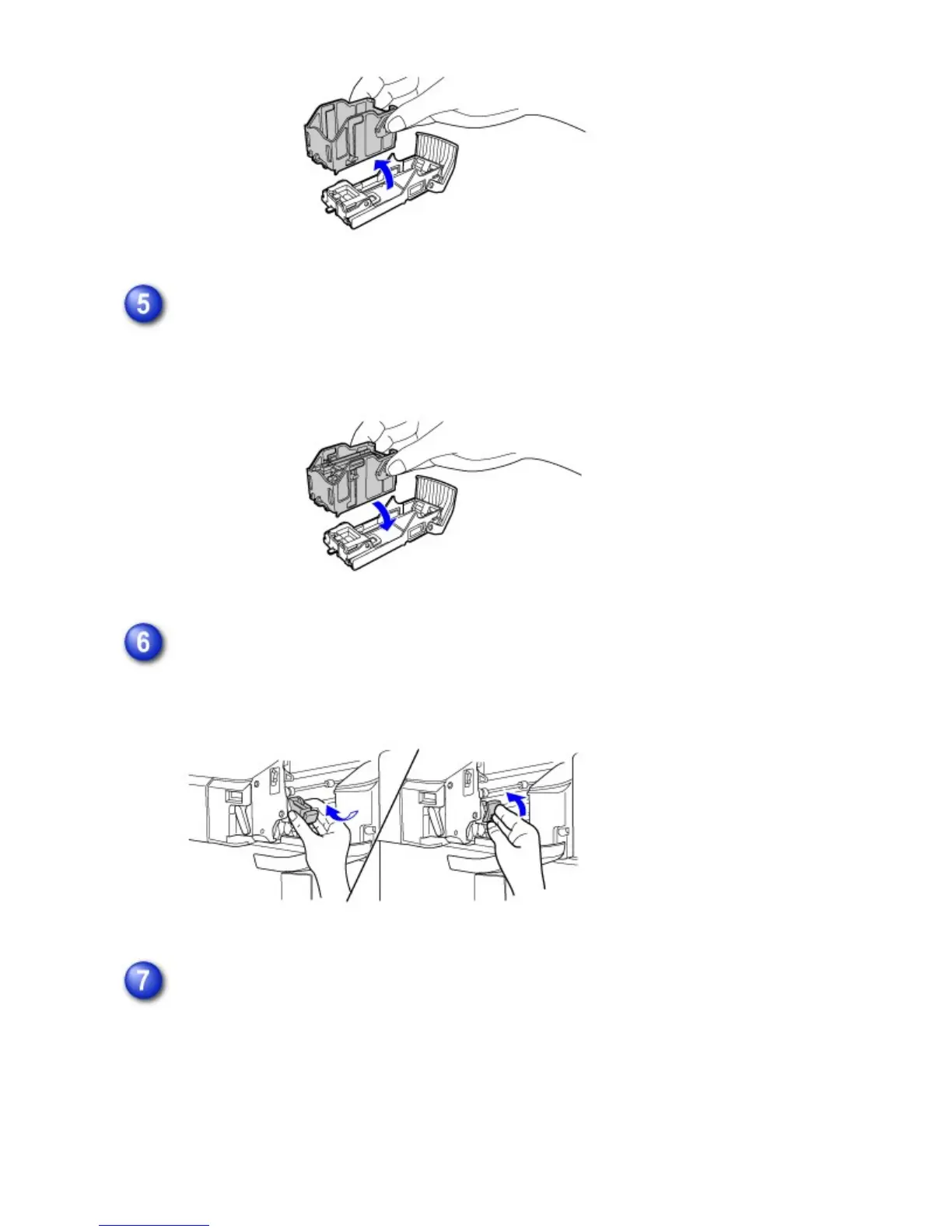
Insert a new staple cartridge into the staple case as shown.
Push the staple cartridge in until it clicks into place.
Replace the staple case.
Push the staple case in until it clicks into place.
Slide the finisher back to the right.
Gently slide the finisher back to the right until it locks into its original position.
USER'S MANUAL | MX-M365N/MX-M465N/MX-M565N USER'S ... http://siica.sharpusa.com/portals/0/downloads/Manuals/MX-M365N-M...
20 of 1441 3/17/2016 7:14 AM



 To Next Page