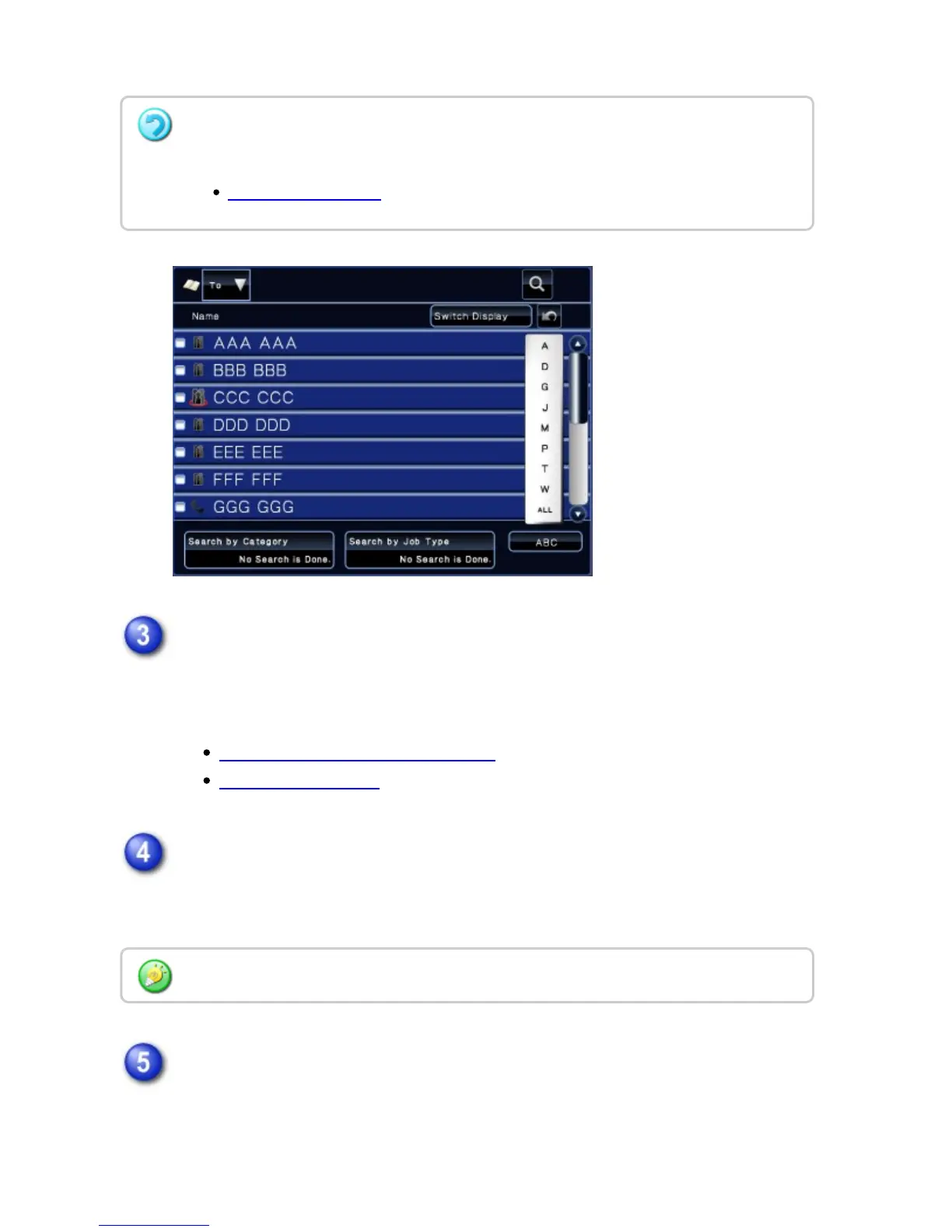
After you have selected the recipient, tap the [Enter Address] key.
Place the original.
Place the original in the document feeder tray of the automatic document feeder,
or on the document glass.
AUTOMATIC DOCUMENT FEEDER
DOCUMENT GLASS
Set each copy item as required.
These copy settings are used for facsimile transmission. However, some settings
may be unavailable depending on the function.
Tap the [Start] key to start copying.
After the copy, the transmission starts.
You cannot use the soft keyboard to enter an address. If you cannot find the recipient in
the address book, enter it in the address book.
STORING CONTACTS
You can preview the scanned original by tapping the [Preview] key.
USER'S MANUAL | MX-M365N/MX-M465N/MX-M565N USER'S ... http://siica.sharpusa.com/portals/0/downloads/Manuals/MX-M365N-M...
230 of 1441 3/17/2016 7:14 AM



 To Next Page