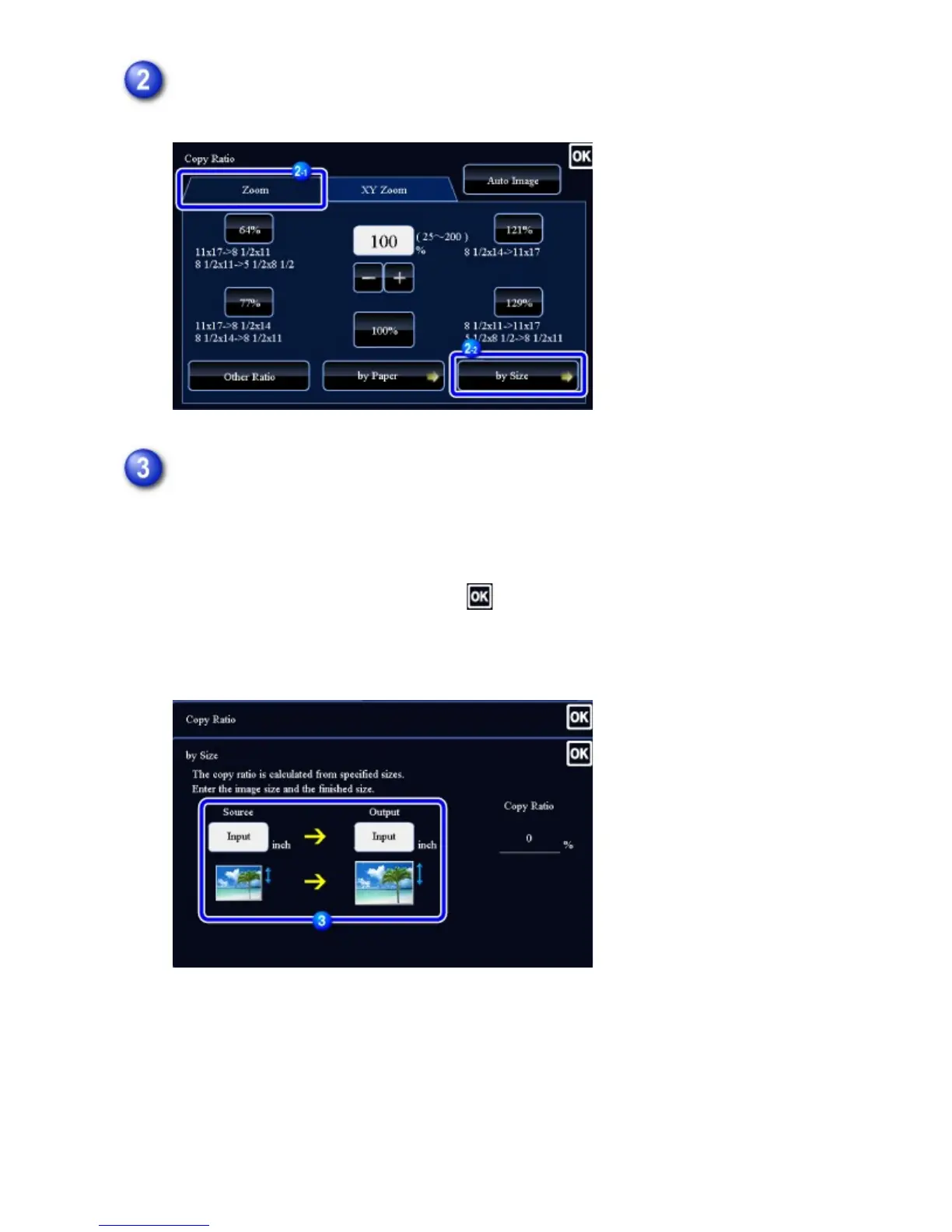
Tap the [by Size] key of the [Zoom] tab.
Specify the image size (dimensions of the image to be enlarged or reduced)
and the output size (dimensions of the enlarged and reduced images).
Tap the area of image size and output size, and enter the sizes using the numeric
keys.
After the settings are completed, tap .
In the preview screen, check whether or not settings produce the required
results.
USER'S MANUAL | MX-M365N/MX-M465N/MX-M565N USER'S ... http://siica.sharpusa.com/portals/0/downloads/Manuals/MX-M365N-M...
242 of 1441 3/17/2016 7:14 AM



 To Next Page