SPECIFYING A TYPE AND SIZE OF PAPER
LOADED ON BYPASS TRAY
Tap the [Paper Select] key, and tap the bypass tray key.
SELECTING THE PAPER TRAY FOR COPYING
Tap the [Type and Size] key, and tap the key that meets the type of the loaded
paper.
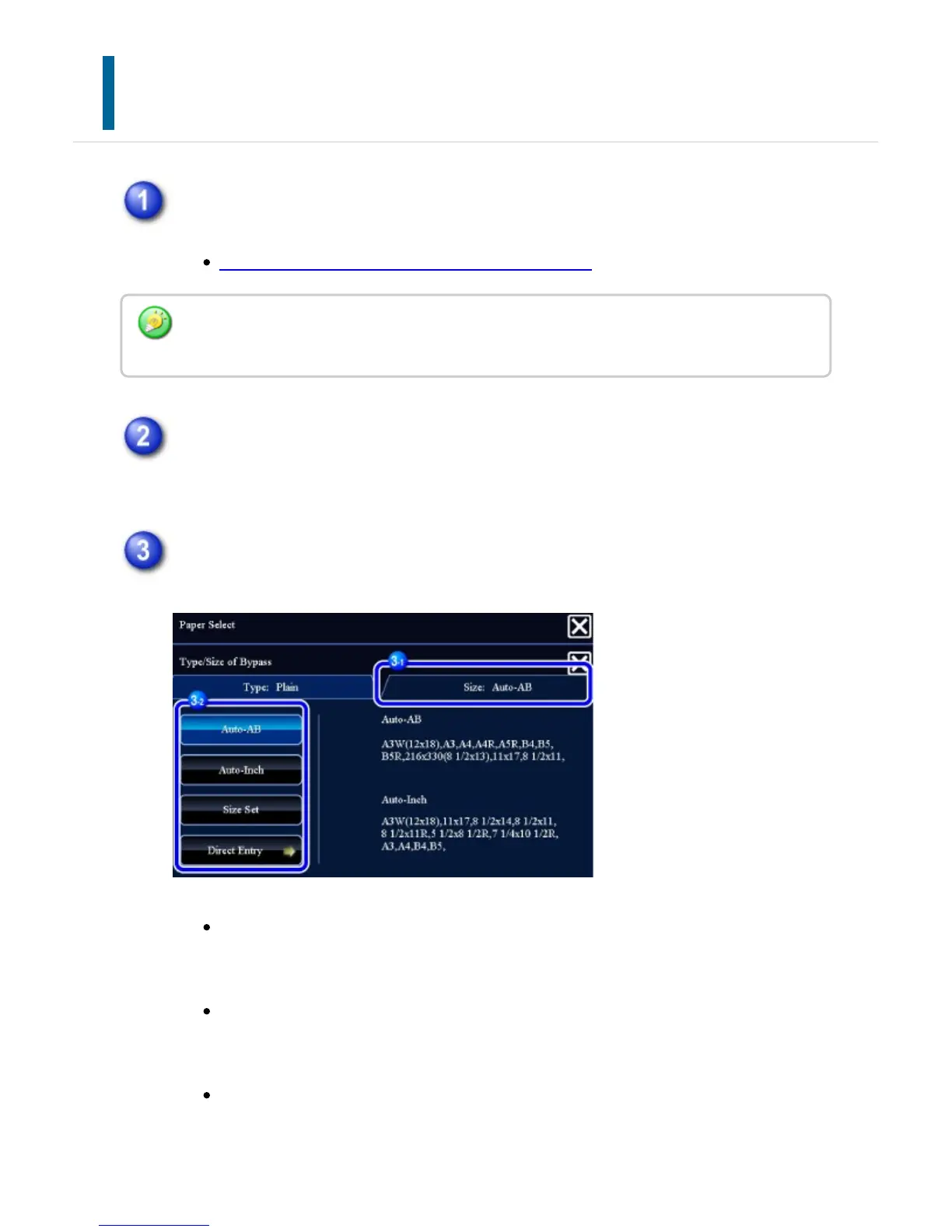
Tap the [Size] tab, and tap the key that meets the size of the loaded paper.
[Auto-AB] key:
Automatically detects the appropriate AB paper size when loading paper such
as A4 or B5.
[Auto-Inch] key:
Automatically detects the appropriate inch paper size when loading paper
such as 8-1/2"x11".
[Size Set] key:
Tap this key to manually specify the paper size that is not detected
automatically.
You can also call the [Paper Select] screen by tapping the machine image on the base
screen.
USER'S MANUAL | MX-M365N/MX-M465N/MX-M565N USER'S ... http://siica.sharpusa.com/portals/0/downloads/Manuals/MX-M365N-M...
256 of 1441 3/17/2016 7:14 AM



 To Next Page