SORT/GROUP SETTING
Overview
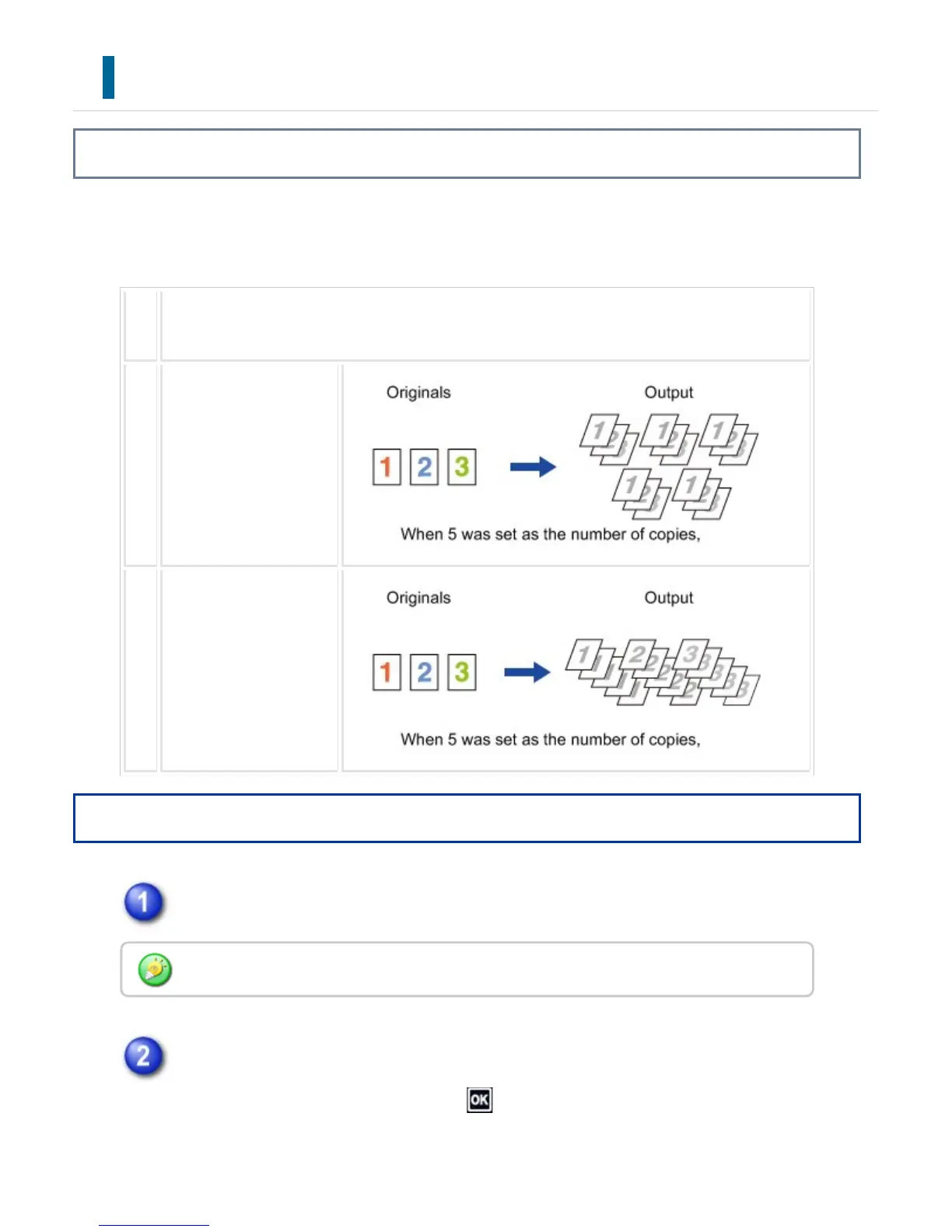
This section explains how to select the sorting method when outputting the scanned
original.
Au
to
Enables the sort mode when the original is placed in the automatic document feeder, and ena
bles the group mode when the original is placed on the document glass.
So
rt
Sorts the scanned origi
nal on a set basis, and
outputs them.
Gr
ou
p
Groups the scanned ori
ginal on a page basis, a
nd outputs them.
Operation
Tap the [Sort/Group] key.
Select the sorting method.
After the settings are completed, tap .
If a finisher or saddle finisher is installed, tap the [Sort/Group] key in [Others].
USER'S MANUAL | MX-M365N/MX-M465N/MX-M565N USER'S ... http://siica.sharpusa.com/portals/0/downloads/Manuals/MX-M365N-M...
258 of 1441 3/17/2016 7:14 AM



 To Next Page