COPYING EACH FACING PAGE OF A BOUND
DOCUMENT
(DUAL PAGE COPY)
Overview
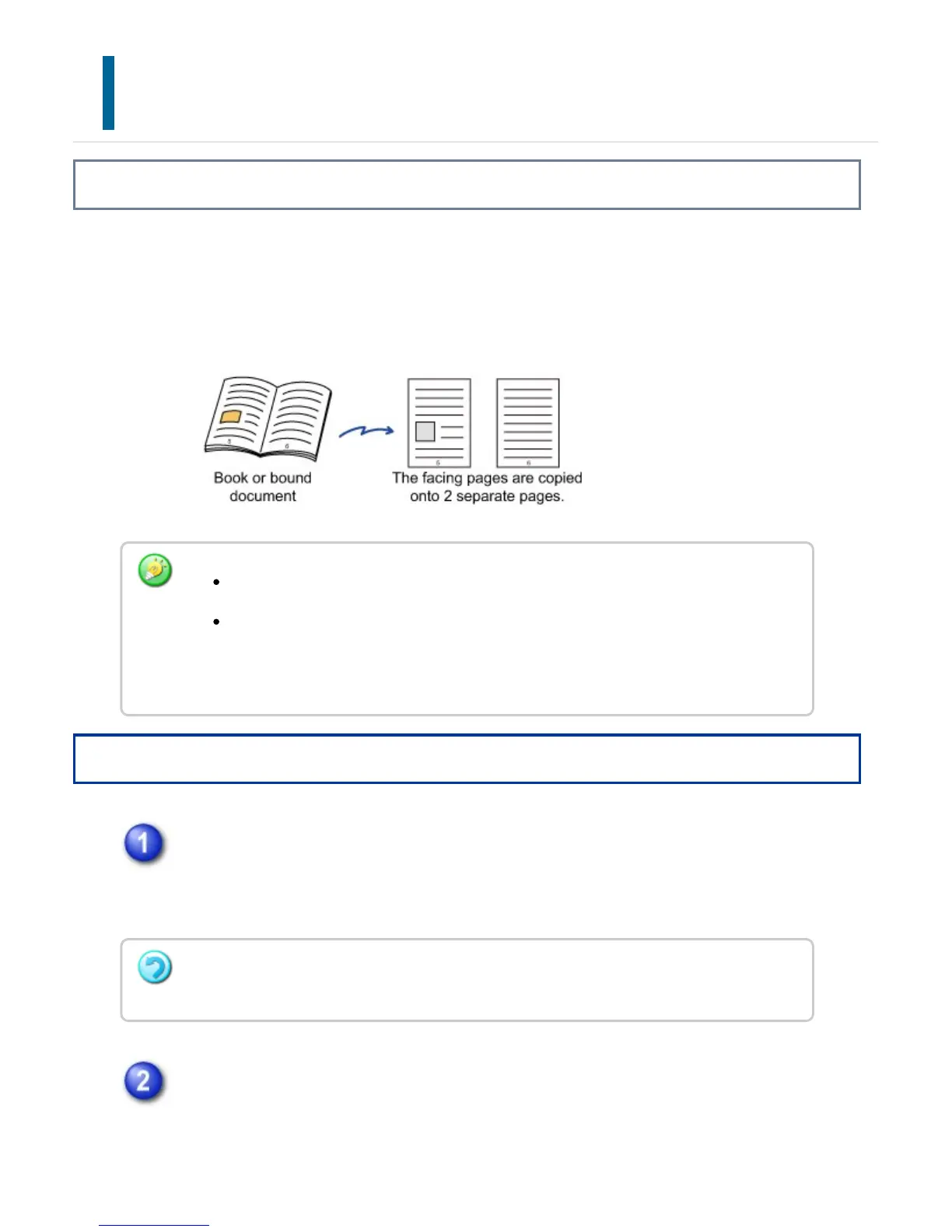
This function copies the left and right half of an original successively. This function is
useful when making copies of the facing pages of a book or other bound document.
Copying the facing pages of a book or bound document
Operation
Tap the [Others] key, and tap the [Dual Page Copy] key.
A checkmark appears on the icon.
After the settings are completed, tap the [Back] key.
Place the original on the document glass, and tap the [Preview] key.
Align the center of the original with the appropriate size mark (▼).
Specify dual page copy before scanning the original.
To erase shadows caused by the binding of a book or other bound document, use
the erase function.
This function cannot be used in combination with Center Erase.
To cancel dual page copy:
Tap the [Dual Page Copy] key to clear the checkmark.
USER'S MANUAL | MX-M365N/MX-M465N/MX-M565N USER'S ... http://siica.sharpusa.com/portals/0/downloads/Manuals/MX-M365N-M...
268 of 1441 3/17/2016 7:14 AM



 To Next Page