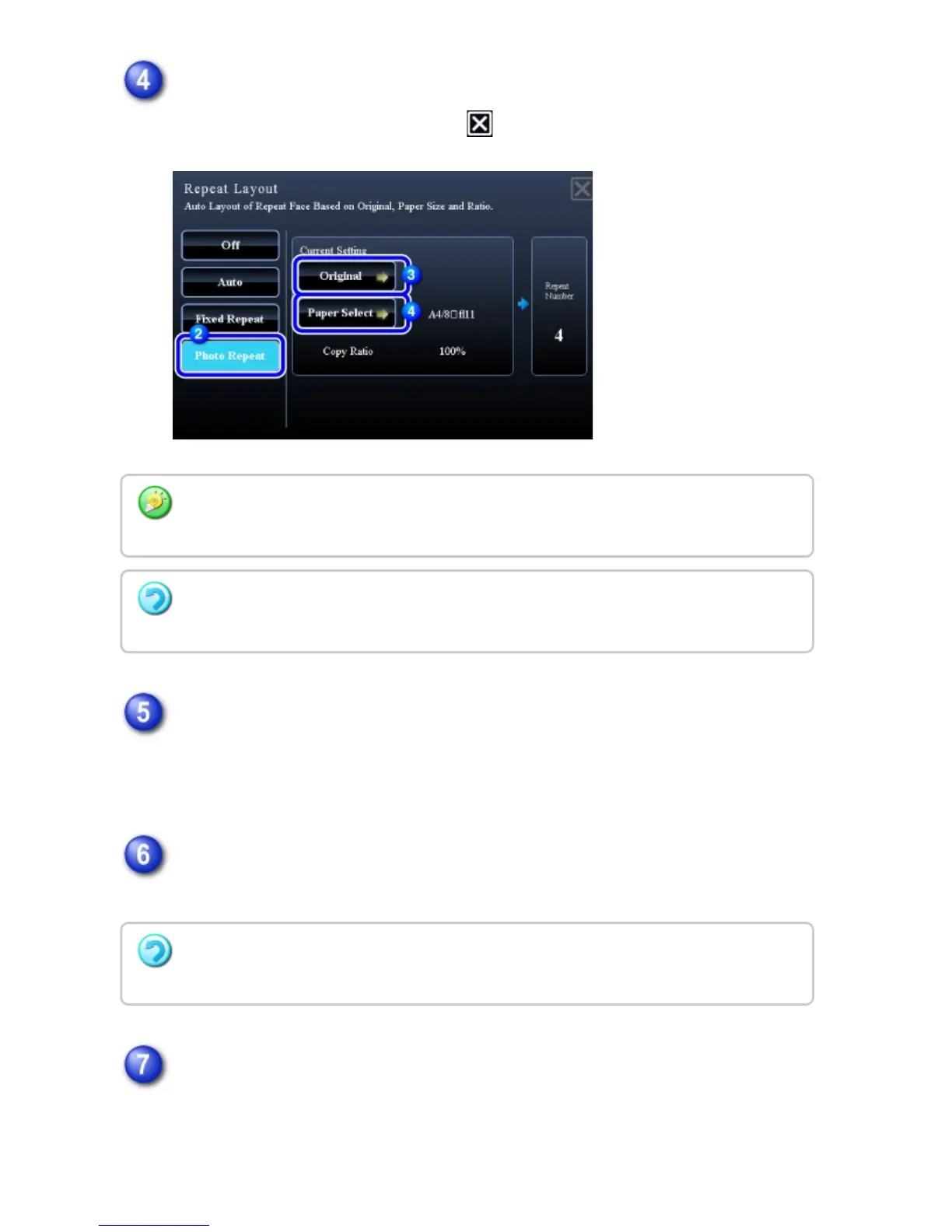
Tap the [Paper Select] key and select a paper size.
After the settings are completed, tap and [Back] keys in sequence.
Place the original on the document glass, and tap the [Preview] key.
You can check the original direction by reading the "Orientation" on the Original
screen.
Check the preview image in the preview screen.
Check whether or not settings produce the required results.
Tap the [Start] key to start copying.
When making only one set of copies, you do not need to specify the number of
copies.
When you tap the [Original sizes up to 3" x 5" (130 mm x 90 mm)] key on the [Original]
screen, you can select the A4 paper size only.
To cancel the photo repeat setting:
Tap the [Off] key.
To cancel all settings:
Tap the [CA] key.
USER'S MANUAL | MX-M365N/MX-M465N/MX-M565N USER'S ... http://siica.sharpusa.com/portals/0/downloads/Manuals/MX-M365N-M...
278 of 1441 3/17/2016 7:14 AM



 To Next Page