WHITENING FAINT COLORS IN THE
IMAGE
(SUPPRESS BACKGROUND)
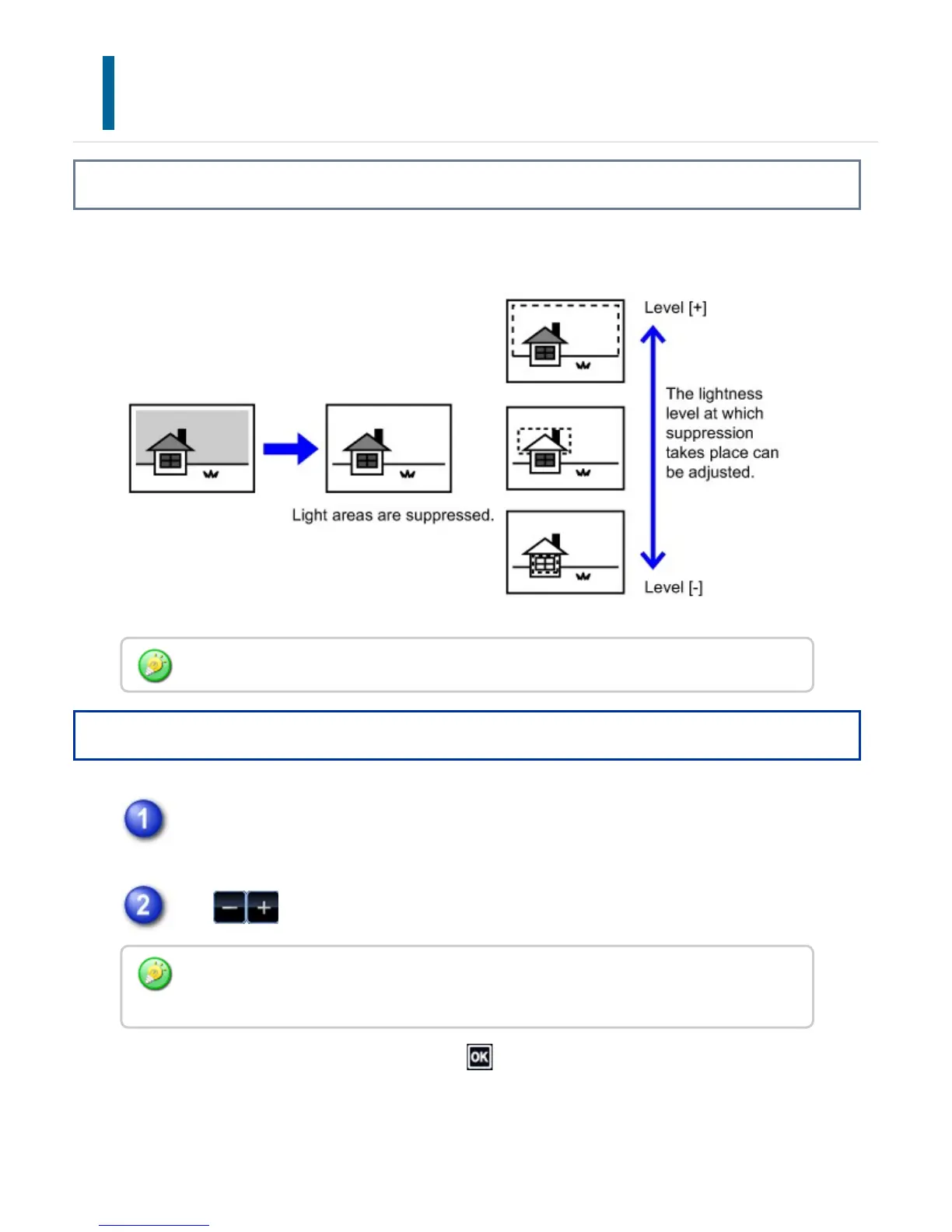
Overview
Suppresses light background areas of originals.
Operation
Tap the [Others] key, and tap the [Suppress Background] key.
Tap or slide the slider to adjust the range to be suppressed.
After the settings are completed, tap and [Back] keys in sequence.
Suppress Background must be specified before scanning the original.
To cancel the background suppression settings:
Tap the [Off] key.
USER'S MANUAL | MX-M365N/MX-M465N/MX-M565N USER'S ... http://siica.sharpusa.com/portals/0/downloads/Manuals/MX-M365N-M...
299 of 1441 3/17/2016 7:14 AM



 To Next Page