COPYING IN THE CENTER OF THE
PAPER
(CENTERING)
Overview
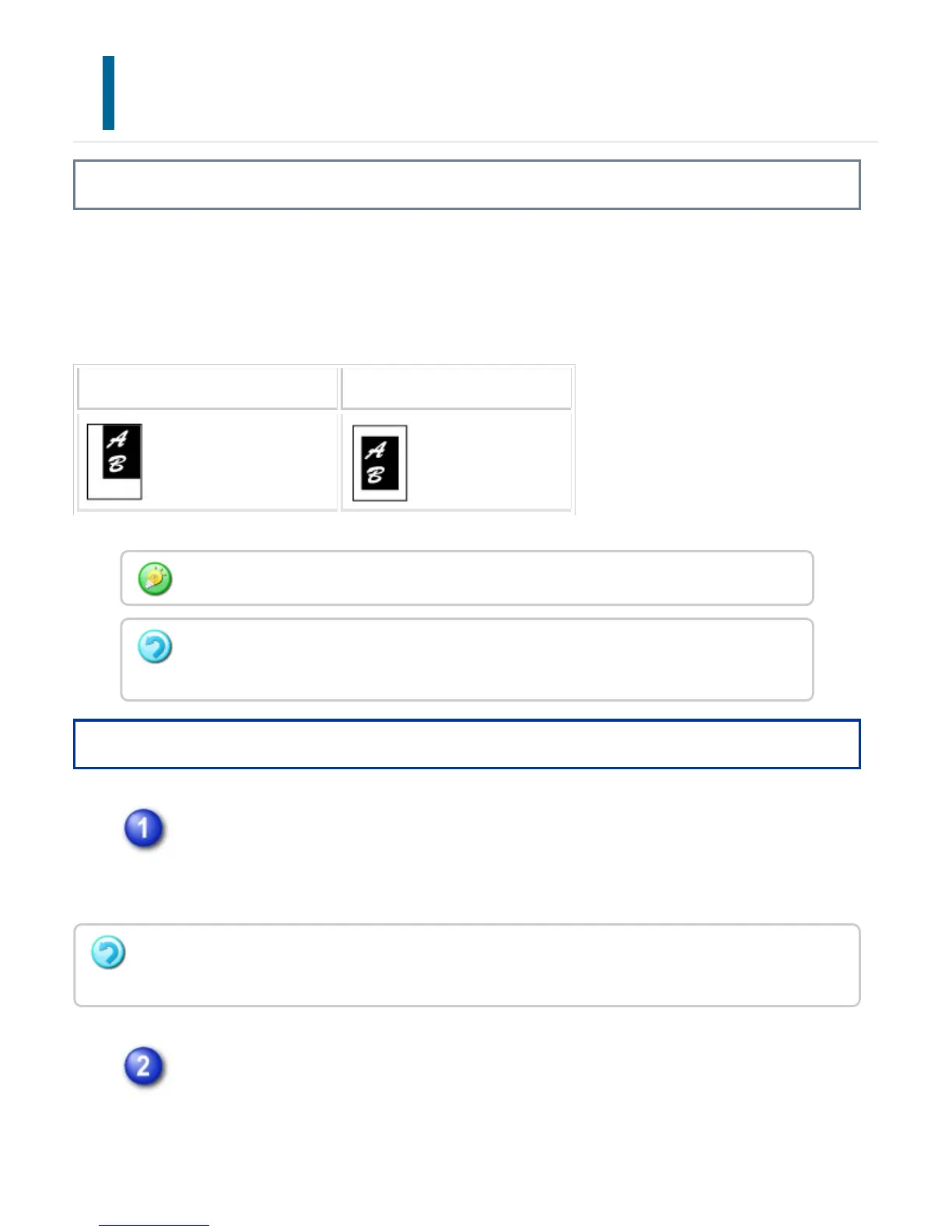
This function centers the copied image on the paper.
This lets you place the image in the center of the paper when the original size is smaller
than the paper size or when the image is reduced.
Not using the centering function Using the centering function
Operation
Tap the [Others] key, and tap the [Centering] key.
A checkmark appears on the icon.
After the settings are completed, tap the [Back] key.
Place the original and tap the [Preview] key.
Place the original in the document feeder tray of the automatic document feeder,
or on the document glass.
Centering must be specified before scanning the original.
When the original size or the paper size is displayed as a special size, this function cannot
be used.
To cancel the centering setting:
Tap the [Centering] key to clear the checkmark.
USER'S MANUAL | MX-M365N/MX-M465N/MX-M565N USER'S ... http://siica.sharpusa.com/portals/0/downloads/Manuals/MX-M365N-M...
323 of 1441 3/17/2016 7:14 AM


 To Next Page