PRINTING DATES, PAGE NUMBERS, AND
WATERMARKS
(STAMP)
Overview
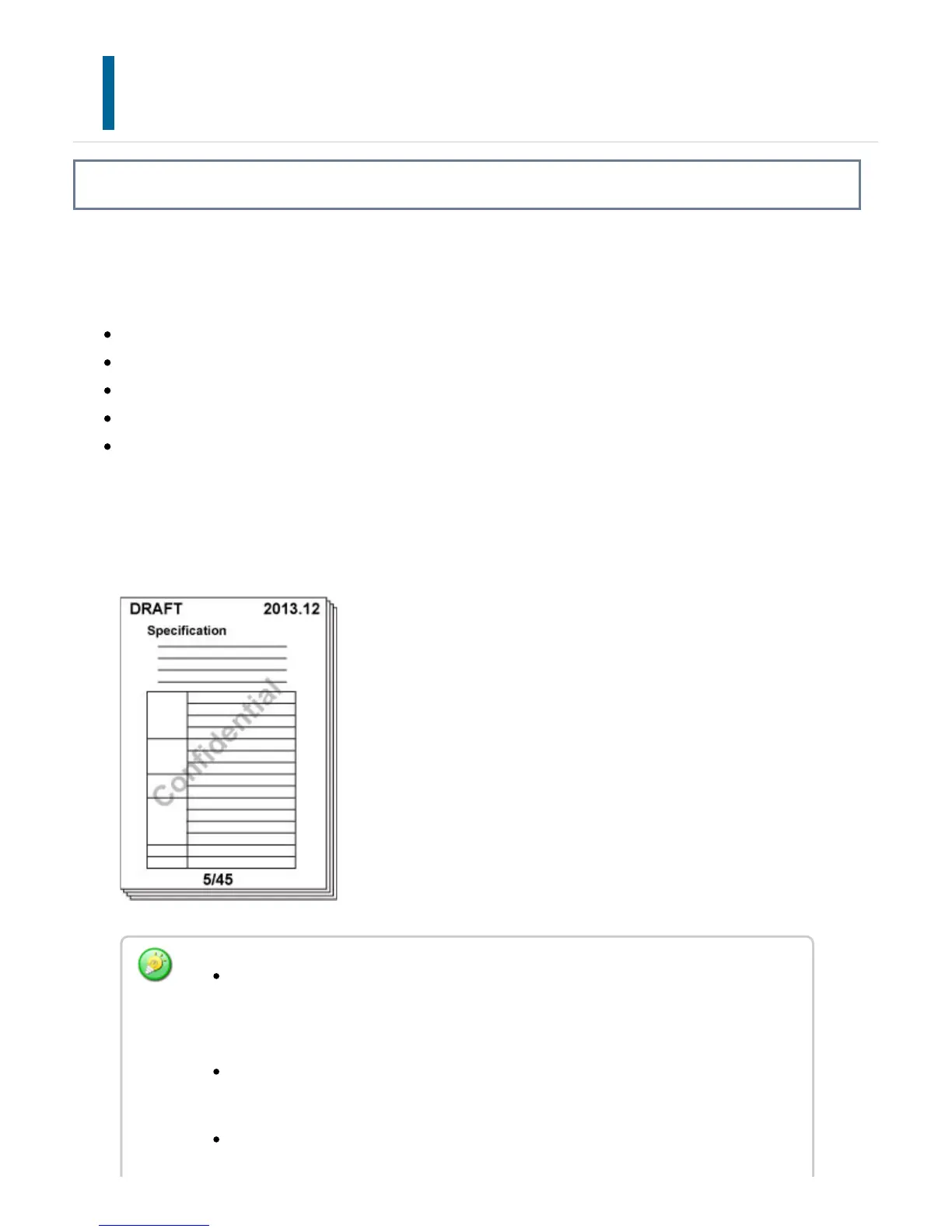
This function prints information such as the date or stamp, which is not shown on the
original, on copies. You can print the following five types of information.
Date
Page number
Stamp
Text
Watermark
For the stamp or watermark, you can print text such as "CONFIDENTIAL" or
"PRIORITY". You can print pre-set text or any characters as the text.
Each of the items above can be printed on the header or footer of each sheet.
If the selected stamp content of one position overlaps the stamp content of
another position, priority will be given in the following order: watermark, right side,
left side, center. Content that is hidden due to overlapping will not be printed.
Text will be printed at the preset size regardless of the copy ratio or paper size
setting.
Text will be printed at the preset exposure regardless of the exposure setting.
USER'S MANUAL | MX-M365N/MX-M465N/MX-M565N USER'S ... http://siica.sharpusa.com/portals/0/downloads/Manuals/MX-M365N-M...
340 of 1441 3/17/2016 7:14 AM


 To Next Page