ADDING A REGISTERED IMAGE TO AN
ORIGINAL
(CUSTOM IMAGE)
Overview
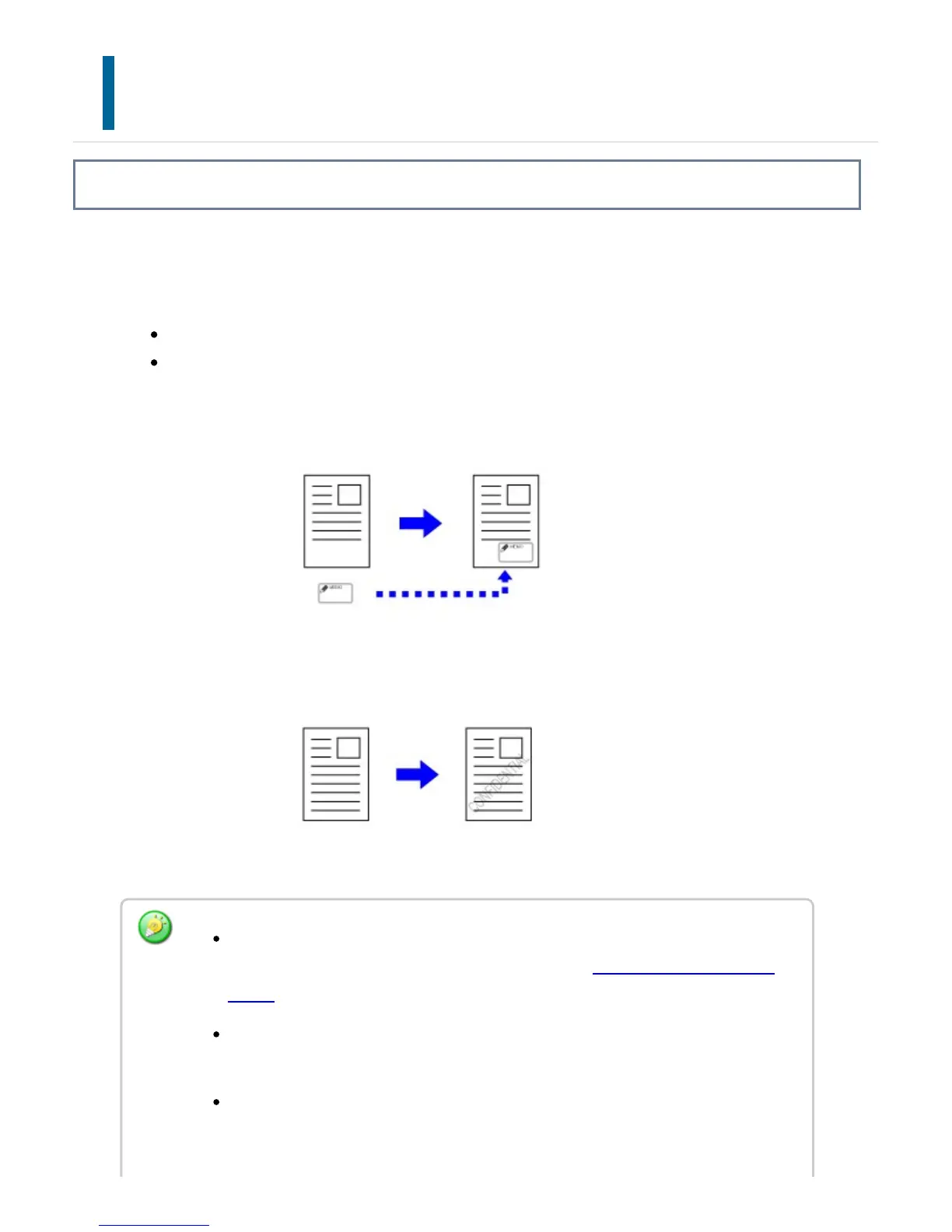
This function adds an image registered in the machine to an original to make a copy.
There are following two types of custom images.
Custom stamp
Custom watermark (Stamp image with gray-scale watermark)
Custom Stamp
Custom Watermark
An image must be registered in advance from the printer driver to the machine.
For information about how to register an image, see "REGISTERING A CUSTOM
IMAGE""REGISTERING A CUSTOM IMAGE" (User's Manual)".
A custom stamp image is copied by sheet, not by original. If 2in1, 4in1 is enabled,
user stamps are copied for each set of pages.
A custom stamp image is copied with the registered size. The size remains
unchanged even when the copy ratio is enlarged or reduced.
USER'S MANUAL | MX-M365N/MX-M465N/MX-M565N USER'S ... http://siica.sharpusa.com/portals/0/downloads/Manuals/MX-M365N-M...
345 of 1441 3/17/2016 7:14 AM


 To Next Page