INSERTING INSERTION SHEETS IN
COPIES
(COVERS/INSERTS)
Overview
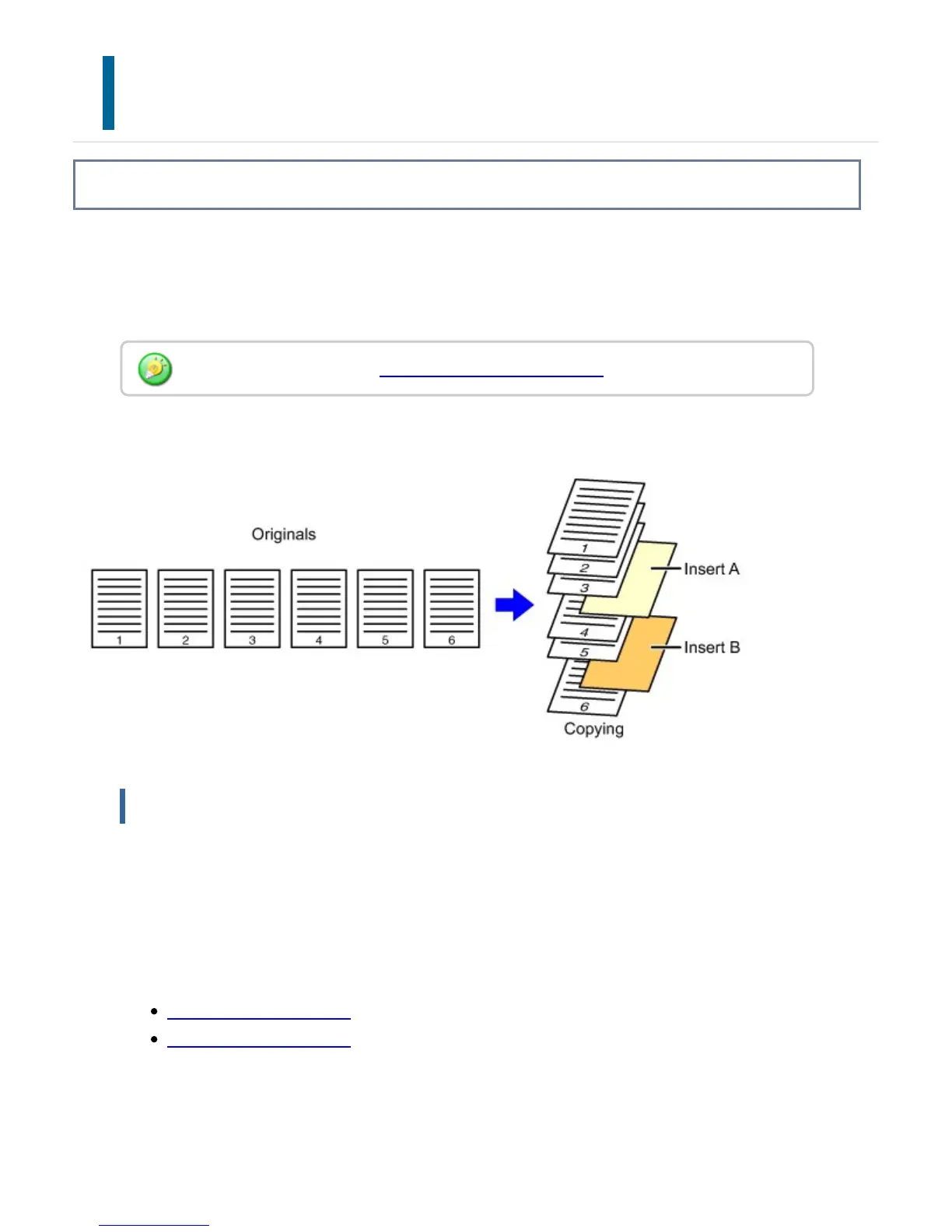
This function inserts a sheet of paper into a specific page as an insertion sheet.
There are two types of insertion sheets. Insertion positions can be specified.
Insert covers if needed.
Example: Insert A after page 3 and insert B after page 5.
Sheet inserting examples
The following examples show the copy results when insertion sheets are inserted into six
1-sided originals or three 2-sided originals using two copy modes described below.
Copy modes
1-sided original copying
2-sided original copying
1-sided original copying
When inserting covers, see "INSERTING COVERS IN COPIES".
USER'S MANUAL | MX-M365N/MX-M465N/MX-M565N USER'S ... http://siica.sharpusa.com/portals/0/downloads/Manuals/MX-M365N-M...
362 of 1441 3/17/2016 7:14 AM



 To Next Page