REVERSING WHITE AND BLACK IN A
COPY
(B/W REVERSE)
Overview
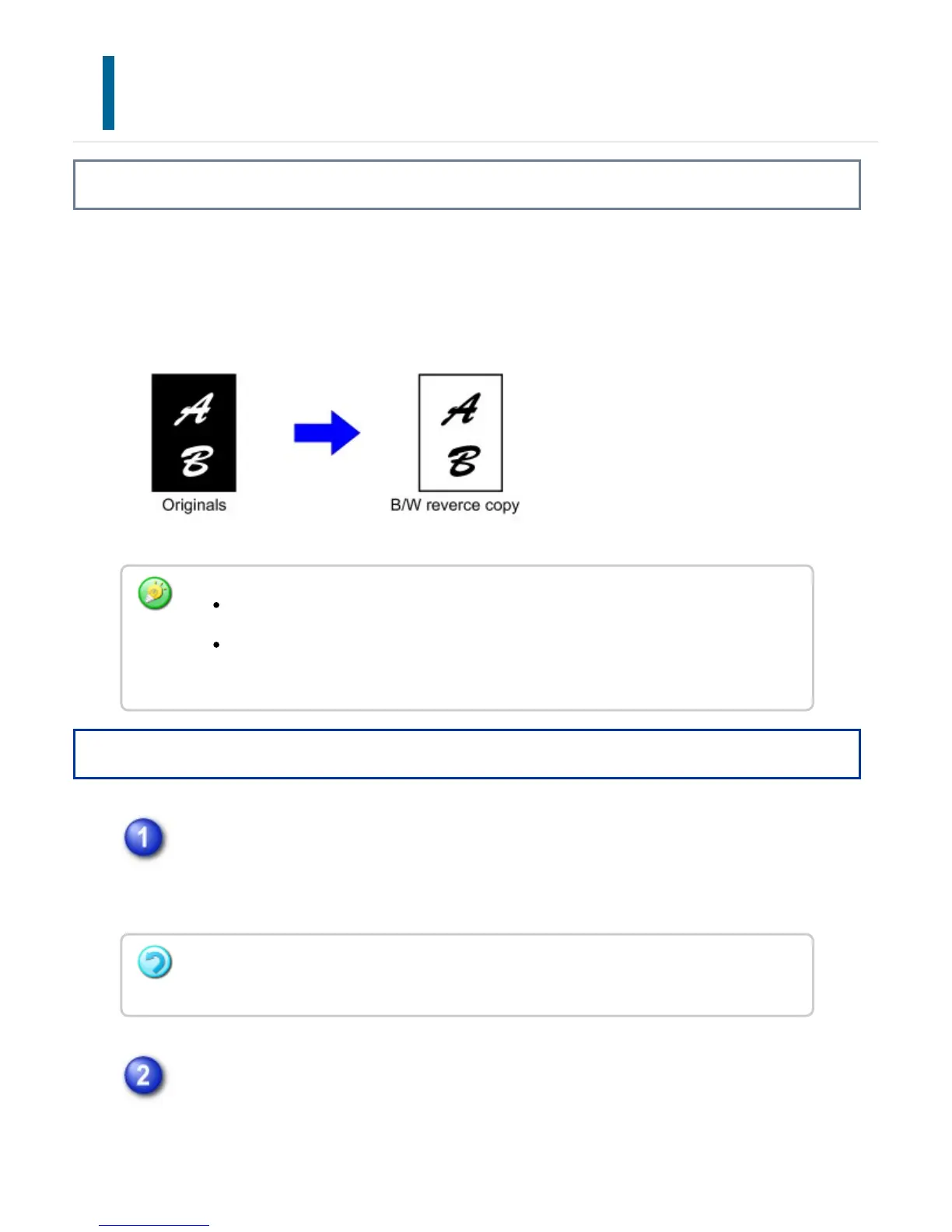
This function reverses black and white in a copy to create a negative image.
Originals with large black areas (which use a large amount of toner) can be copied using
Black/White Reverse to reduce toner consumption.
Operation
Tap the [Others] key, and tap the [B/W Reverse] key.
A checkmark appears on the icon.
After the settings are completed, tap the [Back] key.
Place the original and tap the [Preview] key.
Place the original in the document feeder tray of the automatic document feeder,
or on the document glass.
B/W Reverse must be specified before scanning the original.
When this function is selected, the "Original Image Type" setting for exposure
adjustment automatically changes to "Text".
To cancel B/W reverse:
Tap the [B/W Reverse] key to uncheck it.
USER'S MANUAL | MX-M365N/MX-M465N/MX-M565N USER'S ... http://siica.sharpusa.com/portals/0/downloads/Manuals/MX-M365N-M...
382 of 1441 3/17/2016 7:14 AM



 To Next Page