Enter the user name and job name as necessary.
Enter your user name using up to 32 characters. The entered user name will
appear on the touch panel of the machine. If you do not enter a user name,
your PC login name will appear.
Enter a job name using up to 32 characters. The entered job name will
appear as a file name on the touch panel of the machine. If you do not enter
a job name, the file name set in the application will appear.
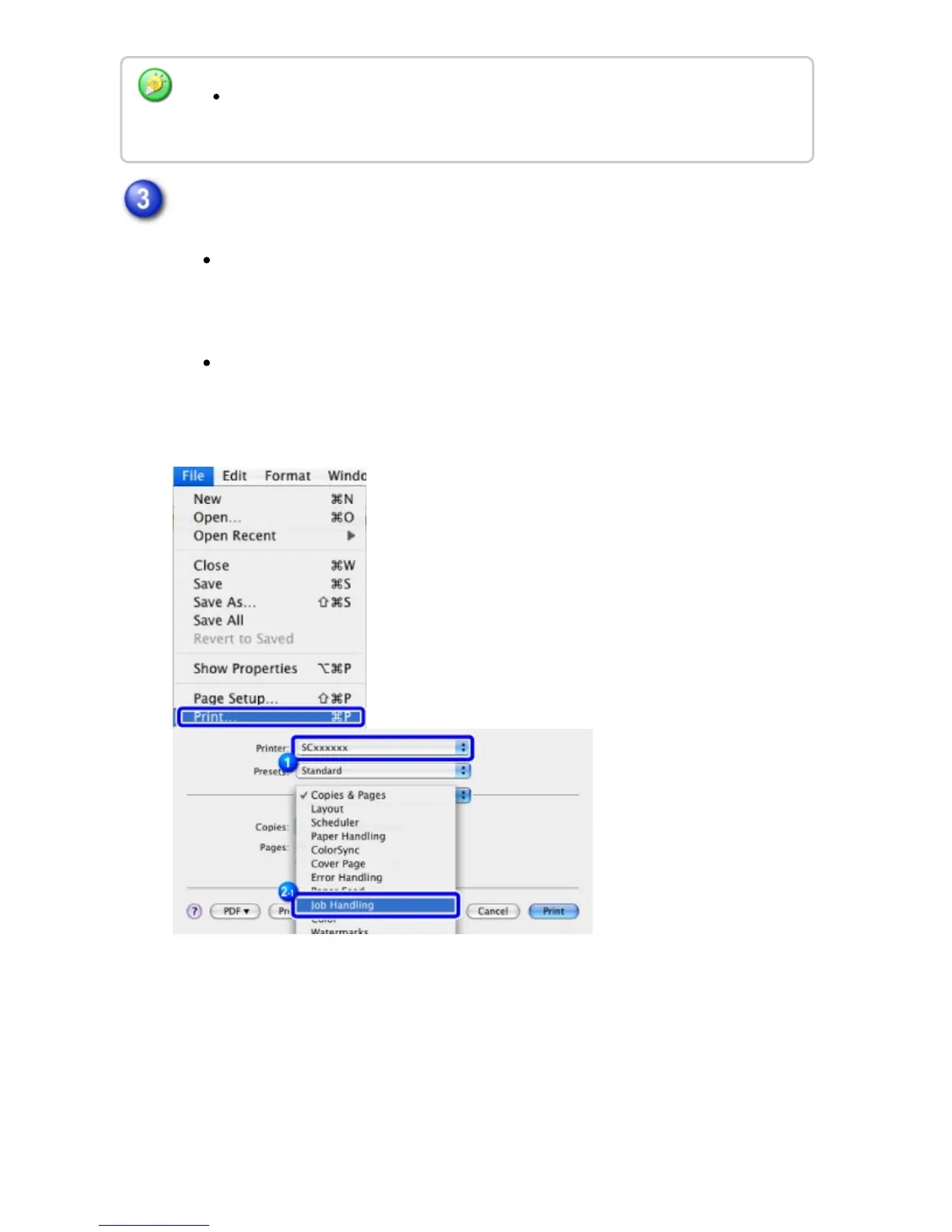
In Mac OS X 10.5, 10.6, 10.7, and 10.8, select [Job Handling] and click the [Login]
tab.
USER'S MANUAL | MX-M365N/MX-M465N/MX-M565N USER'S ... http://siica.sharpusa.com/portals/0/downloads/Manuals/MX-M365N-M...
406 of 1441 3/17/2016 7:14 AM



 To Next Page