USING SAVED SETTINGS
Overview
You can specify the saved user settings through just one click to apply frequently used
settings or complicated settings to your printing.
Operation
Select the machine's printer driver from the print window of the application,
and click the [Detail] button.
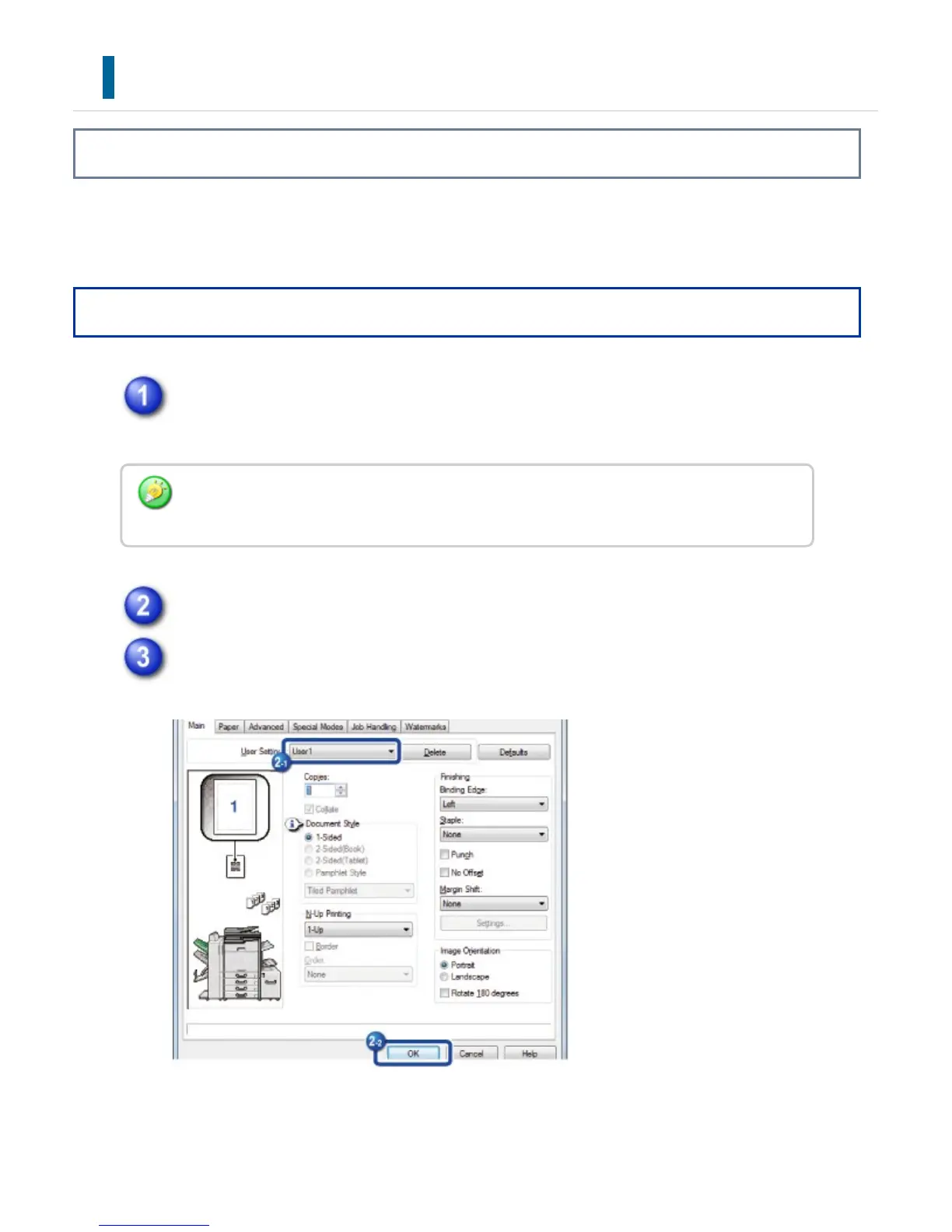
Select the user settings that you wish to use, and click the [OK] button.
Start printing.
The button that is used to open the printer driver properties window (usually [Property] or
[Print Preferences]) may vary depending on the application.
USER'S MANUAL | MX-M365N/MX-M465N/MX-M565N USER'S ... http://siica.sharpusa.com/portals/0/downloads/Manuals/MX-M365N-M...
420 of 1441 3/17/2016 7:14 AM



 To Next Page