CREATE A LARGE POSTER
(POSTER PRINTING)
Overview
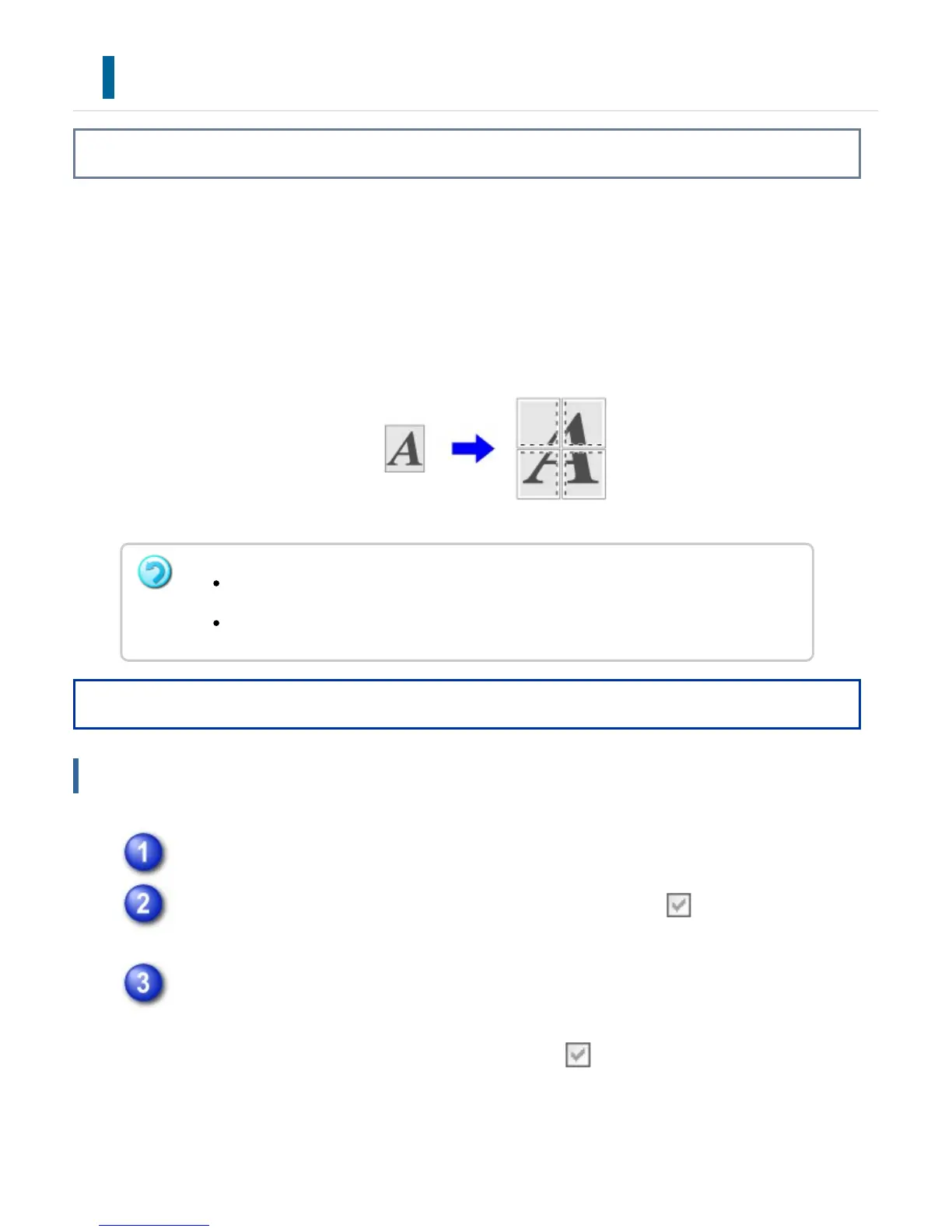
One page of print data is enlarged and printed using multiple sheets of paper (4 sheets
(2 x 2), 9 sheets (3 x 3) or 16 sheets (4 x 4)). The sheets can then be attached together
to create a large poster.
To enable precise alignment of the edges of the sheets during attachment, borderlines
can be printed or overlapping edges can be created (overlap function).
Operation
Windows
Click the [Paper] tab.
Click the [Poster Printing] checkbox so that the checkmark appears, and
click the [Poster Settings] button.
From the pull-down menu, select the number of sheets of paper to be used.
If you wish to print borderlines and/or use the overlap function, click the
corresponding checkboxes so that the checkmark appears.
This function is available in a Windows environment.
This function can be used when the PCL6 or PS printer driver is used.
USER'S MANUAL | MX-M365N/MX-M465N/MX-M565N USER'S ... http://siica.sharpusa.com/portals/0/downloads/Manuals/MX-M365N-M...
441 of 1441 3/17/2016 7:14 AM



 To Next Page