PRINT A MIRROR-IMAGE
(MIRROR-IMAGE
REVERSE/VISUAL EFFECTS)
Overview
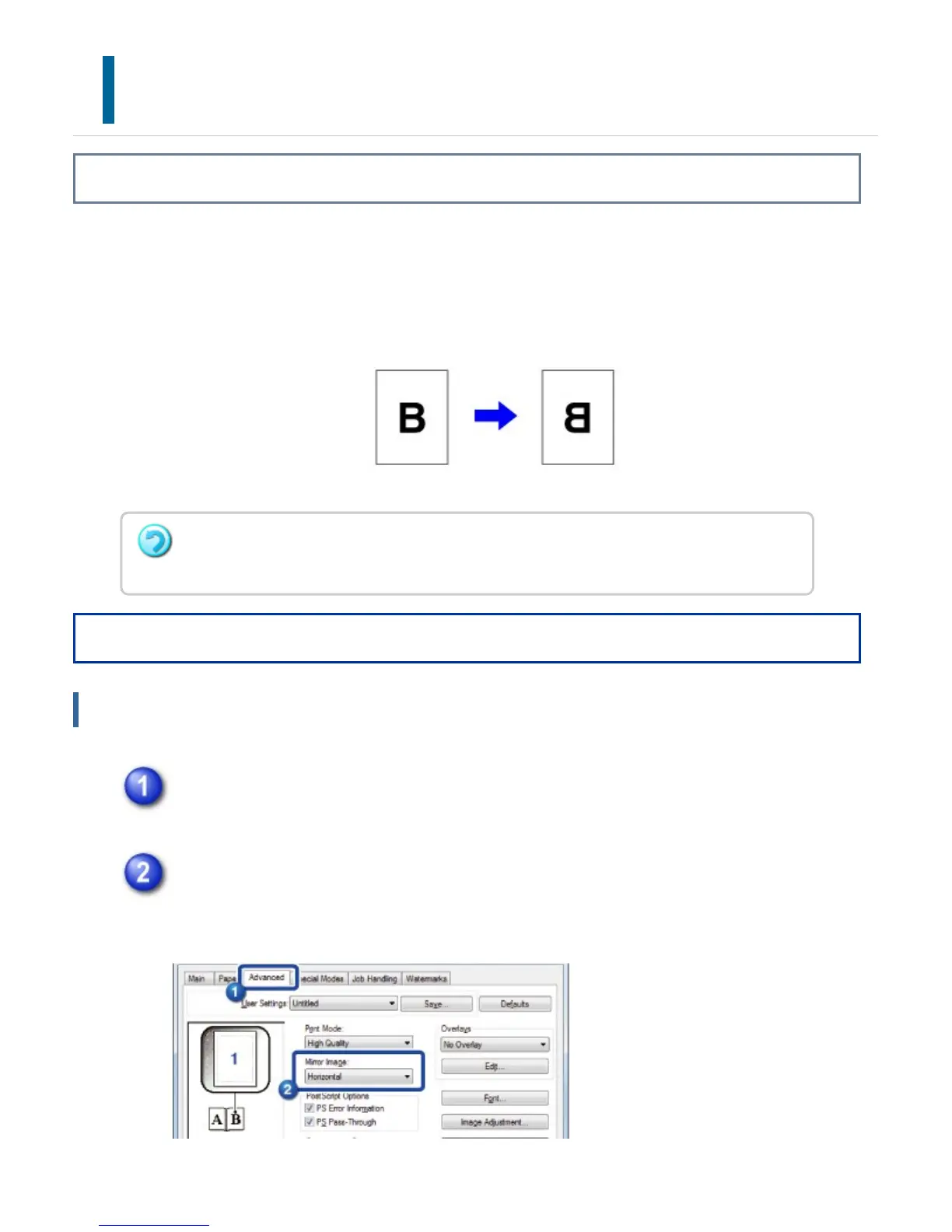
The image is reversed to create a mirror image.
This function is conveniently used to print a design for a woodblock print or other
printing medium.
Operation
Windows
Click the [Advanced] tab.
If you wish to reverse the image horizontally, select [Horizontal]. If you wish
to reverse the image vertically, select [Vertical].
In a Windows environment, this function is only available when using the PS printer
driver.
USER'S MANUAL | MX-M365N/MX-M465N/MX-M565N USER'S ... http://siica.sharpusa.com/portals/0/downloads/Manuals/MX-M365N-M...
451 of 1441 3/17/2016 7:14 AM



 To Next Page