TWO-SIDED PRINTING WITH SPECIFIC PAGES
PRINTED ON THE FRONT SIDE
(CHAPTER
INSERTS)
Overview
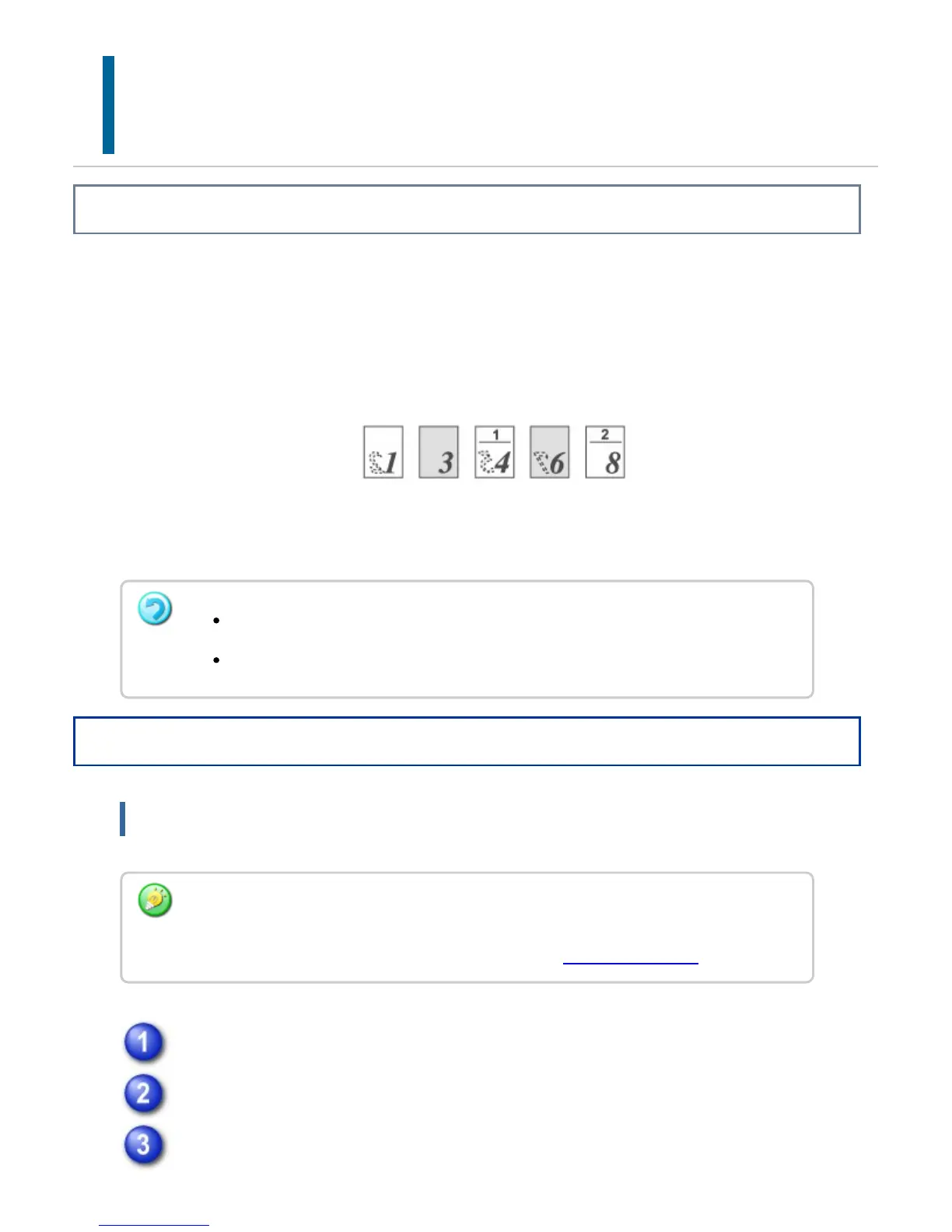
This function prints specific pages on the front side of the paper.
When you specify a page (such as a chapter cover page) to be printed on the front side
of the paper, it is printed on the front side of the next sheet even if it would normally be
printed on the reverse side of the paper.
Example: When pages 4 and 8 are specified as page settings.
(Back is blank)
Operation
Windows
Click the [Special Modes] tab.
Select [Chapter Inserts] and click the [Settings] button.
Enter the page numbers that are to begin chapters in "Page Setup" and click
This function is available in a Windows environment.
This function can be used when the PCL6 printer driver is used.
You need to set "Document Style" on the [Main] tab to [2-Sided(Book)] or
[2-Sided(Tablet)] in advance.
For information on the "Document Style" setting, see "2-SIDED PRINTING".
USER'S MANUAL | MX-M365N/MX-M465N/MX-M565N USER'S ... http://siica.sharpusa.com/portals/0/downloads/Manuals/MX-M365N-M...
474 of 1441 3/17/2016 7:14 AM



 To Next Page