FOLDING PRINTED PAPER IN HALF
(FOLD)
Overview
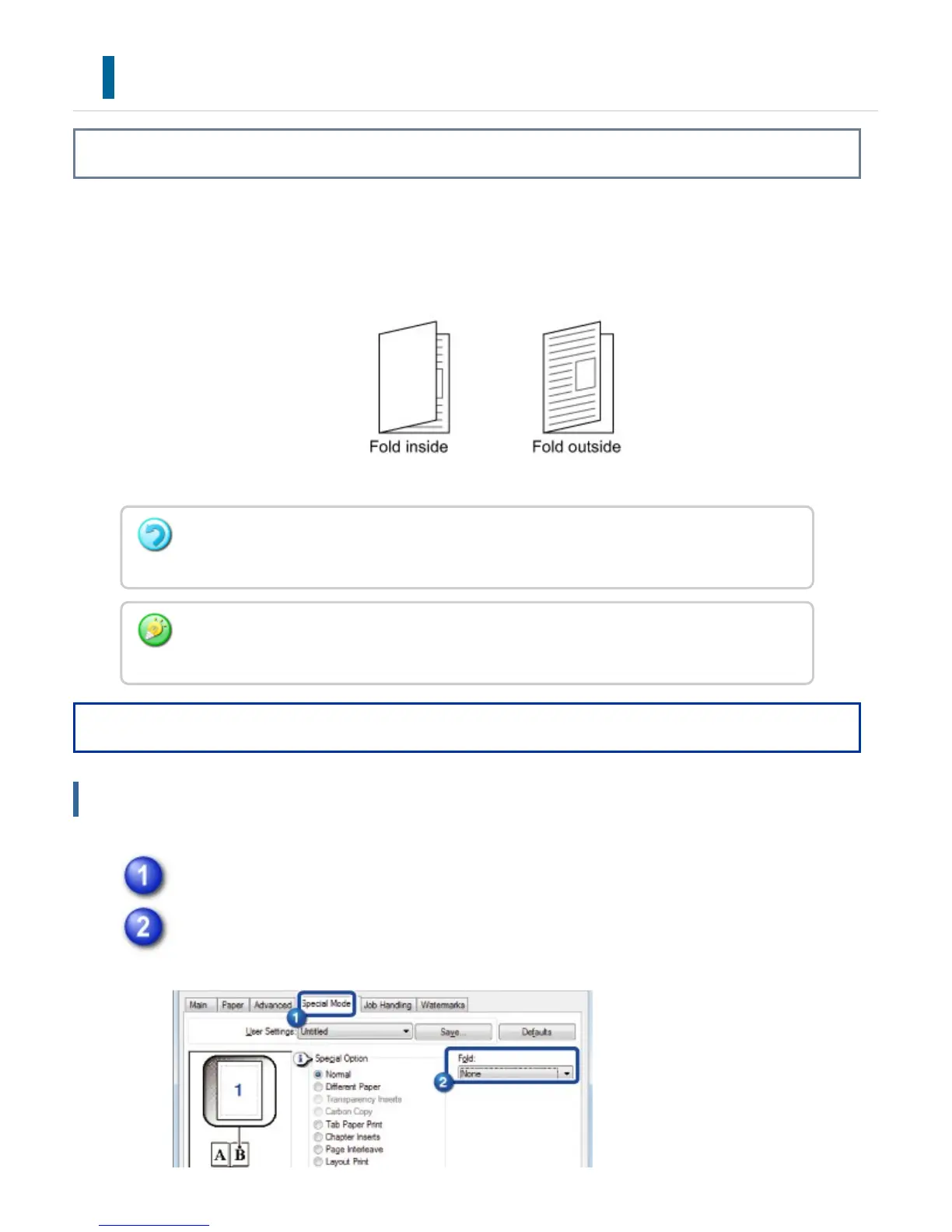
This function folds printed paper in half when a saddle finisher is installed on the
machine. You can choose whether the output is folded inward or outward.
Operation
Windows
Click the [Special Modes] tab.
Select the desired folding method from "Fold".
This function cannot be used when [System Settings] in "Setting mode" → [Device
Control] → [Disabling of Duplex] is selected.
When printing data that is in a pamphlet layout, the "Multi-Sheet Fold - Staple" function
can be used to conveniently fold and staple printed output to create a pamphlet.
USER'S MANUAL | MX-M365N/MX-M465N/MX-M565N USER'S ... http://siica.sharpusa.com/portals/0/downloads/Manuals/MX-M365N-M...
476 of 1441 3/17/2016 7:14 AM



 To Next Page