INSERT PRESET DATA BEFORE OR AFTER
EACH PAGE
(PAGE INTERLEAVE)
Overview
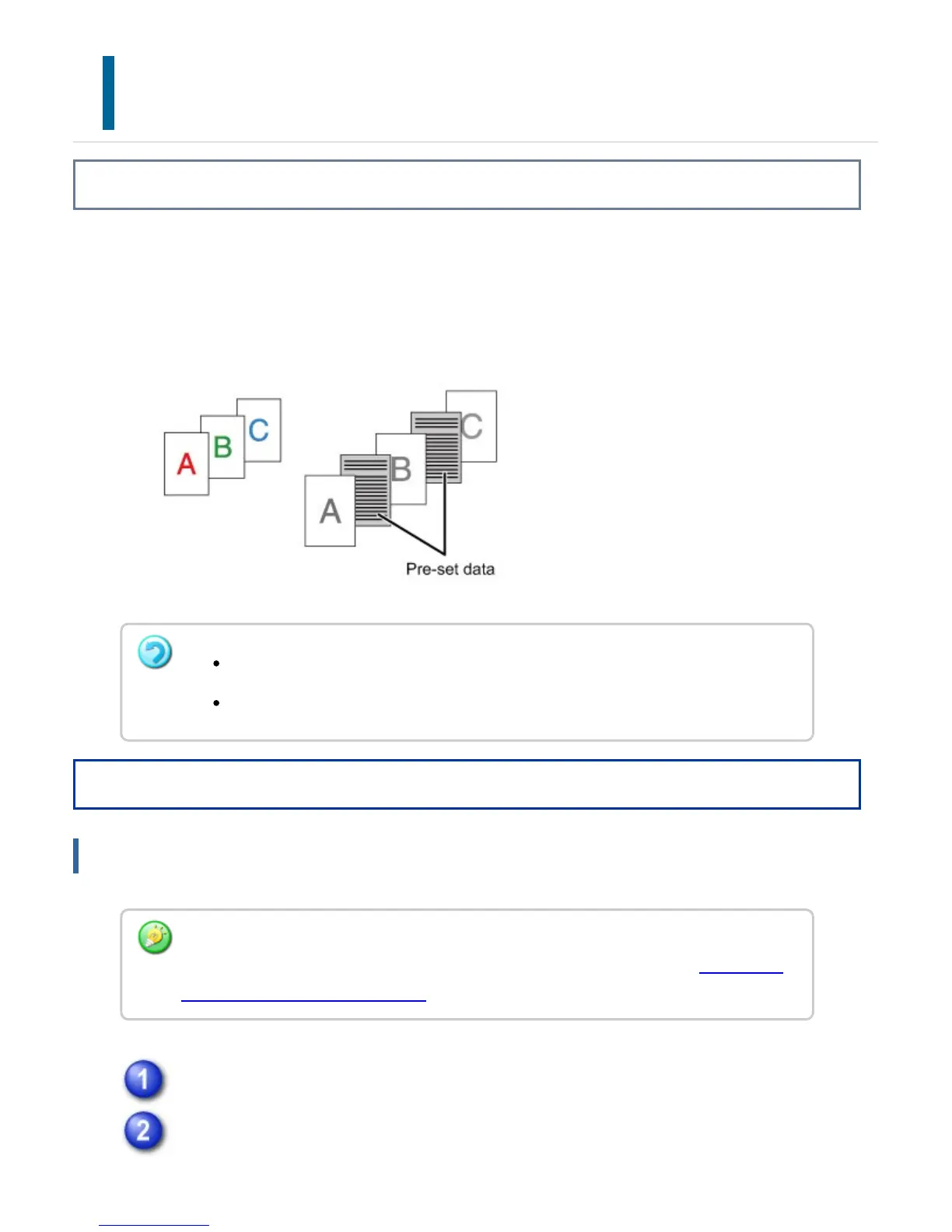
This function inserts a preset data item into every page during printing.
You can easily create documents with opened page spread that is made up of text on
the left-hand page and a memo space on the right-hand page.
Operation
Windows
Click the [Special Modes] tab.
Select [Page Interleave] and click the [Settings] button.
This function is available in a Windows environment.
This function can be used when the PCL6 printer driver is used.
You have to create page data to be inserted in advance.
For the procedure for creating page data, see "Creating an overlay file" in "OVERLAY A
FIXED FORM ON THE PRINT DATA".
USER'S MANUAL | MX-M365N/MX-M465N/MX-M565N USER'S ... http://siica.sharpusa.com/portals/0/downloads/Manuals/MX-M365N-M...
478 of 1441 3/17/2016 7:14 AM



 To Next Page